

Description
PressPrimer Quiz is a professional assessment plugin that bridges the gap between basic quiz plugins and expensive enterprise platforms. Create beautiful, engaging quizzes with AI-powered question generation, deep LMS integration, and the reporting features serious educators need—all without monthly fees or per-student pricing.
This isn’t a crippled trial. The free version is genuinely useful forever with unlimited quizzes, unlimited questions, AI generation, LMS integration, and three professional themes. We earn upgrades by delivering specialized features, not by hobbling what you get for free.
Why Choose PressPrimer Quiz?
Most WordPress quiz plugins are built for BuzzFeed-style trivia and basic scoring, not serious assessment. Quiz features in LMS plugins are often afterthoughts with limited reporting, basic features, and dated interfaces. Enterprise quiz platforms can cost thousands per year.
PressPrimer Quiz delivers enterprise-grade assessment and includes all of the critical features you get in premium plugins at no cost:
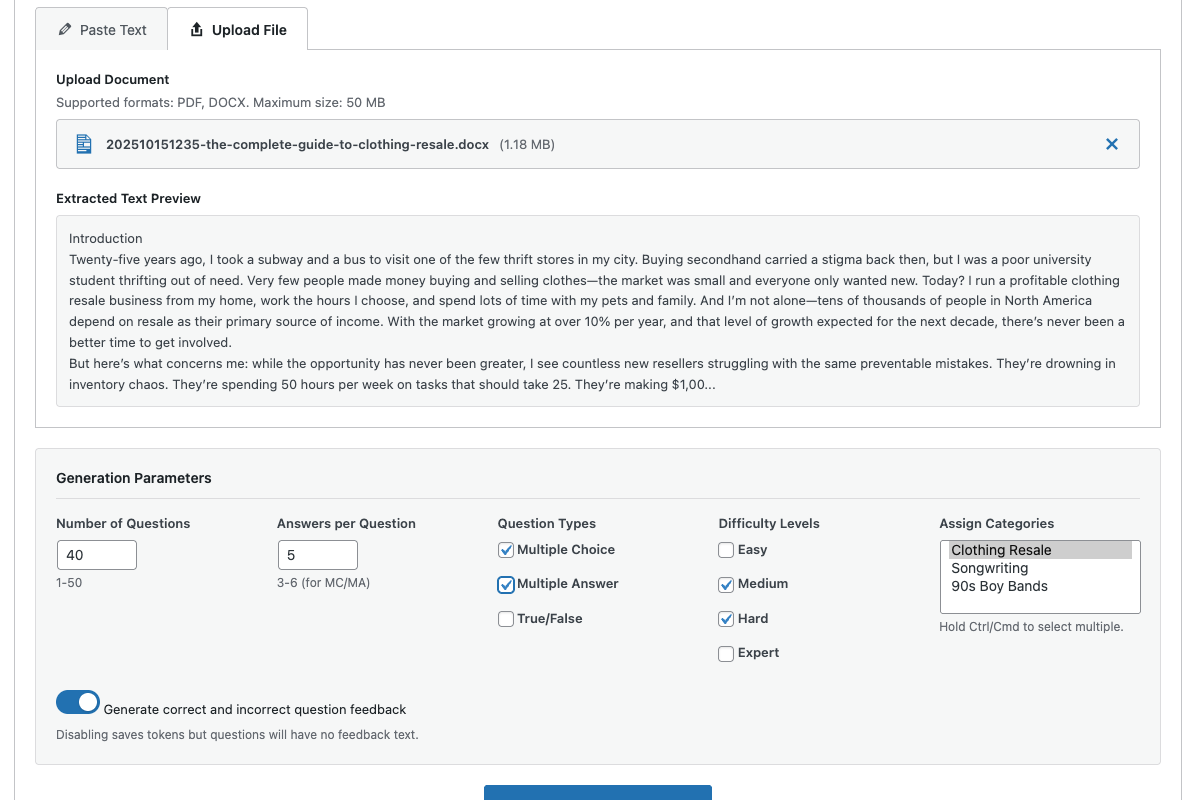
- AI-Powered Question Generation – Use your own OpenAI or Anthropic (Claude) API key to generate questions from text, PDFs, or Word documents. No credits to buy, no middleware fees, no limits.
- Deep LMS Integration – Native integration with popular WordPress LMS plugins, including LearnDash, Tutor LMS, LifterLMS, and LearnPress. Quizzes appear in lessons or topics, trigger completions, and respect enrollment—automatically.
- Modern, Beautiful Design – Six professional themes.
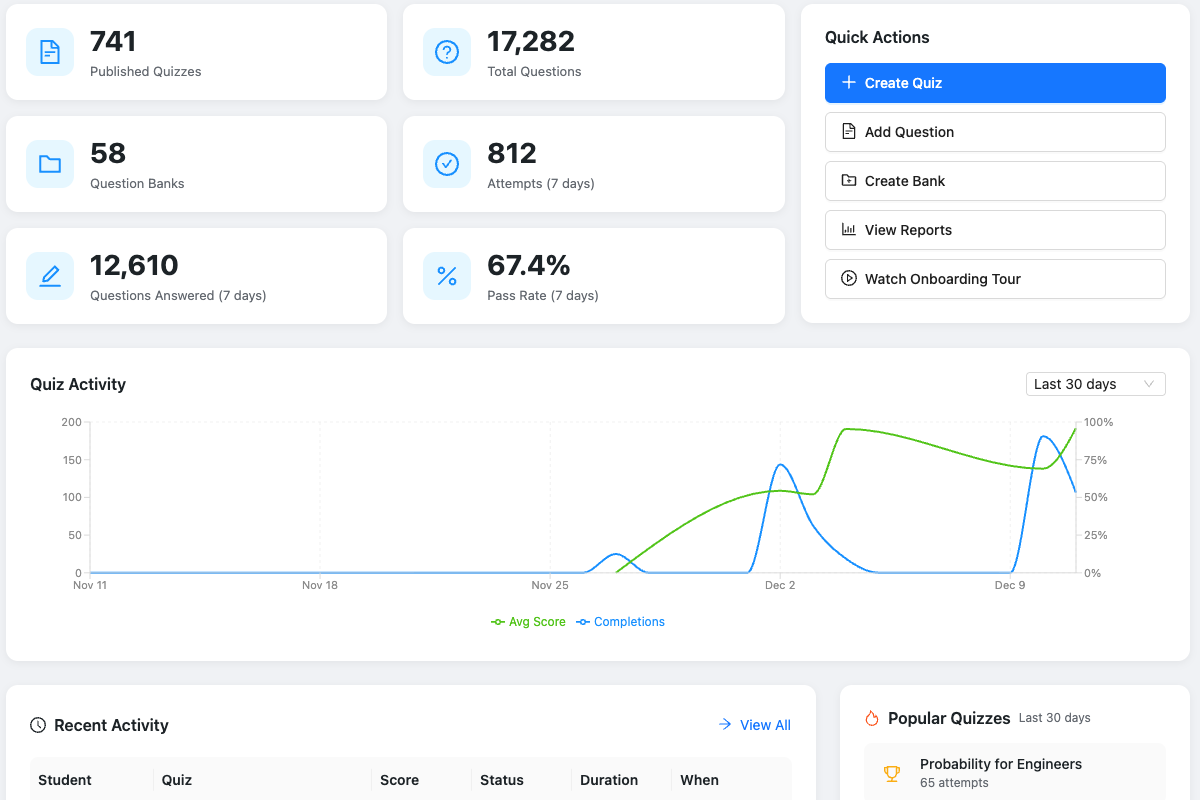
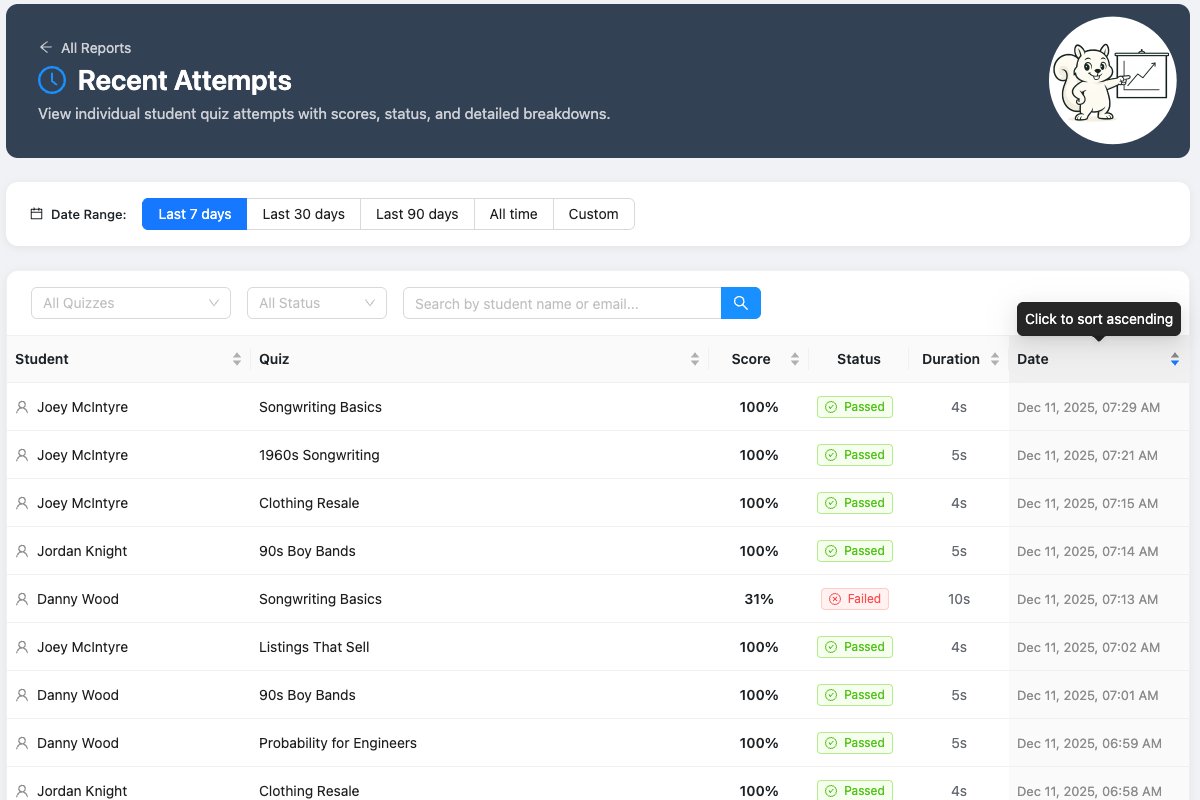
- Real Reporting – Score distribution, category breakdowns, time analytics, confidence reporting, and attempt history.
- Built to Prevent Cheating – Server-side answer validation means correct answers are never exposed in page source. You can also limit attempts and force delays between retries.
- Server-Side Resume That Works Everywhere – Every answer is instantly saved to the server. Students can pause on their phone and resume on their laptop without losing a single response.
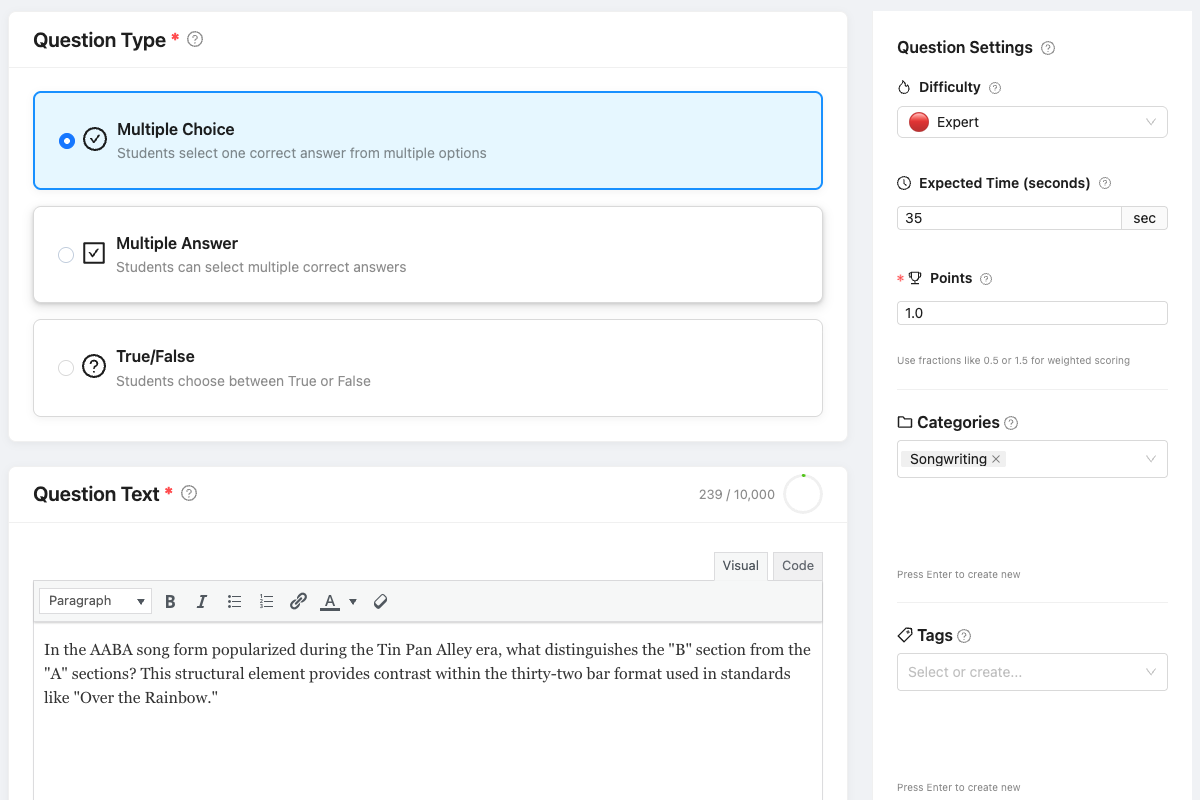
- Designed for Real Assessment – Four multiple-answer scoring modes for every context and institutional grading system. Embed images directly in question stems and answer options with a drag-and-drop uploader.
Free Features That Cost Money Elsewhere
PressPrimer Quiz includes features in the free version that competitors charge for:
- Front-end dashboard – Add a “My Results” area to any page with the [pressprimer_quiz_dashboard] shortcode or block
- Math & equation rendering – Write LaTeX in questions and answers, rendered with bundled KaTeX
- Quiz templates – Save and reuse quiz settings
- Question banks – Organize and reuse questions across quizzes
- Dynamic quiz generation – Pull random questions based on category, difficulty, and question bank
- Guest support – Optional GDPR-compliant email capture for non-registered users
- Four multiple-answer scoring modes – Right Minus Wrong, Proportional, Partial No Wrong, and All-or-Nothing
- Per-question and per-answer feedback – Explain correct and incorrect answers, with score-banded result messages and optional confidence ratings
- Images in questions and answers – Drag-and-drop uploader with a click-to-zoom lightbox on the front end
- Question pool – Limit the number of questions shown per attempt so each student gets a random subset from the full list
- Random distractor subsets – Maximum Answers Per Question shows each student a random subset of distractors while always showing every correct answer
- Customizable Appearance – Adjust fonts, colors, spacing, and other visual styles; includes Condensed Mode for streamlined quizzes with reduced vertical spacing
- Per-quiz display settings – Choose display options (description, score, pass/fail status, category breakdown, retake button, and more) for every quiz
- Uncanny Automator integration – Triggers for quiz completion, pass, and fail, with a comprehensive set of tokens for use in automations
Perfect For
- Course creators using LearnDash, TutorLMS, LearnPress, or LifterLMS who need better quizzes than built-in tools
- Corporate trainers running compliance assessments at scale
- University departments with thousands of students needing detailed analytics
- Test prep programs requiring support for question pools with thousands of items
- Testing providers who need enterprise reliability without enterprise pricing
- Course entrepreneurs selling premium educational content
Focused on What Matters for Learning
PressPrimer Quiz concentrates on multiple choice, multiple answer, and true/false question types to deliver the best possible experience for learning and performance assessment. By focusing on these core formats, we deliver enterprise-quality features, including massive question banks, anti-cheat protection, detailed analytics, and bulletproof reliability.
Built-in Integrations
PressPrimer Quiz automatically detects and integrates with popular WordPress LMS plugins:
LearnDash: Attach quizzes to courses, lessons or topics. Passing a quiz can automatically mark the lesson or topic complete. Works with enrolled students and Group Leader roles.
Tutor LMS: Attach quizzes to lessons via the course builder. Passing a quiz can auto-complete the lesson and course. Works with public courses, enrolled students, and instructor roles.
LifterLMS: Attach quizzes to lessons via meta box. Passing a quiz can auto-complete the lesson and course. Works with open/free courses, enrolled students, and instructor roles.
LearnPress: Attach quizzes to lessons via the lesson settings panel. Link passing a quiz to lesson and course completion. Works with open courses, enrolled students, and instructor roles.
Uncanny Automator: Three triggers available: User completes a quiz, user passes a quiz, user fails a quiz.
All integrations are bundled in the free version.
Premium Features
Unlock additional premium features at pressprimer.com:
- Groups & Assignments – Organize students into groups, assign quizzes with due dates, and track completion progress
- Front-End Teacher Dashboard – Manage groups and assignments from a front-end page instead of wp-admin, with native LearnDash Groups support
- Spaced Repetition – Schedule review sessions using the SM-2 and FSRS algorithms with a student dashboard, email reminders, and educator tracking
- Import/Export – Move questions between sites or migrate from other quiz plugins with CSV, JSON, and XML support
- Pre-/Post-Test Analysis – Link quizzes as pre/post pairs and measure learning gain with score and category comparison charts
- Quiz Detail Reports – Per-quiz analytics dashboard with score distribution, category performance, question difficulty analysis, and score trends over time
- Group Performance Reports – Compare groups side by side, drill into individual member results, and track weekly score trends
- Question Quality Analytics – Identify problem questions with difficulty indexes, discrimination analysis, and distractor effectiveness analysis
- LearnDash & LifterLMS Quiz Import – Migrate entire quizzes with questions from LearnDash or LifterLMS, individually or in batches
- Quiz Proctoring – Monitor tab switches and fullscreen exits during quiz attempts with configurable flag thresholds, incident reports, per-quiz overrides, and desktop-only enforcement
- Integrity Analytics – Flag completed attempts with statistically unusual patterns (timing, answer similarity, shared devices, concurrent sessions) for review
- Assignment Reminder Emails – Automated reminder emails for students approaching assignment deadlines, with configurable timing windows and customizable templates
- Branching Logic – Create rules that skip or jump to questions based on student answers, with path-through-quiz visualization in reports
- Curve Grading – Apply grading curves to quiz scores with multiple methods
- xAPI/LRS Integration – Send detailed learning data to your Learning Record Store for compliance and analytics
- WP Fusion Integration – Apply CRM tags on quiz registration, completion, pass, or fail across 60+ CRMs through WP Fusion
- White-Label Branding – Remove all PressPrimer branding across the admin and the front-end dashboard, and customize with your own logos, colors, and plugin name
- Audit Logging – Read-only log of every quiz, question, settings, and attempt change for compliance and accountability
- Question Recovery & Version History – Restore deleted questions and track every edit with one-click rollback to previous versions
- AI Distractor Generation – Generate plausible wrong answers for multiple choice questions using OpenAI, with individual review and bulk generation across entire question banks
Scale-Ready Architecture
Built for serious deployment:
- Custom database tables handle 10,000+ questions and 100,000+ attempts
- Object caching support for high-traffic sites
- WCAG 2.1 AA accessibility compliance
- Full internationalization with RTL support
Documentation & Support
Source Code & Development
The full uncompressed source code for all JavaScript and CSS files is available in our public GitHub repository:
The /src directory contains all unminified source files. The plugin uses webpack for building production assets. To rebuild from source:
- Clone the repository
- Run
npm installto install dependencies - Run
npm run buildto compile assets
Third-Party Libraries
Math notation rendering uses KaTeX (version 0.17.0, MIT license), bundled locally in assets/vendor/katex/ — there are no external or CDN requests. The official minified distribution is included; it is obtained via npm install katex@0.17.0 and the files are copied from the package’s dist/ directory (katex.min.js, katex.min.css, contrib/auto-render.min.js, and the woff2/woff fonts). The complete, unminified source for this exact version is available in the KaTeX GitHub repository at the v0.17.0 release, and in the katex@0.17.0 npm package’s dist/ directory, which ships the unminified katex.js and katex.css alongside the minified files bundled here. KaTeX is loaded only when the Math Notation setting is enabled and a quiz actually contains math notation.
External Services
This plugin connects to external third-party services. Use of these services is optional and requires explicit user configuration.
OpenAI API
This plugin offers optional AI-powered question generation using the OpenAI API. This feature is disabled by default and only activates when an administrator or authorized user enters their own OpenAI API key in the plugin settings.
What data is sent:
* Text content pasted by the user for question generation
* Content extracted from PDF or Word documents uploaded by the user
* Configuration parameters (number of questions, difficulty level, question types)
When data is sent:
* Only when a user explicitly clicks “Generate Questions” in the AI generation interface
* Data is never sent automatically or in the background
What data is NOT sent:
* Student quiz answers or attempt data
* User personal information
* Site configuration or other plugin data
Service provider: OpenAI, L.L.C.
* Terms of Use
* Privacy Policy
* API Data Usage Policy
Note: You are responsible for your own use of the OpenAI API and must agree to OpenAI’s terms when obtaining an API key. API usage costs are billed directly by OpenAI to the API key holder.
Anthropic API
This plugin also offers optional AI-powered question generation using the Anthropic (Claude) API. This feature is disabled by default and only activates when an administrator or authorized user enters their own Anthropic API key and selects Anthropic as the AI provider.
What data is sent:
* Text content pasted by the user for question generation
* Content extracted from PDF or Word documents uploaded by the user
* Configuration parameters (number of questions, difficulty level, question types)
When data is sent:
* Only when a user explicitly clicks “Generate Questions” in the AI generation interface
* Data is never sent automatically or in the background
What data is NOT sent:
* Student quiz answers or attempt data
* User personal information
* Site configuration or other plugin data
Service provider: Anthropic, PBC
* Terms of Service
* Privacy Policy
* Usage Policy
Note: You are responsible for your own use of the Anthropic API and must agree to Anthropic’s terms when obtaining an API key. API usage costs are billed directly by Anthropic to the API key holder.
Screenshots
Blocks
This plugin provides 3 blocks.
- PPQ Quiz Attempts Display a list of the current user's quiz attempts.
- PPQ Dashboard Front-end dashboard for PressPrimer Quiz students and, with add-ons, instructors.
- PPQ Quiz Display a quiz for users to take.
Installation
Automatic Installation
- Go to Plugins Add New in your WordPress admin
- Search for “PressPrimer Quiz”
- Click Install Now and then Activate
- Navigate to PressPrimer Quiz in your admin menu to get started
After Activation
- Go to PressPrimer Quiz Settings to configure defaults
- (Optional) Add your OpenAI API key for AI question generation
- Create your first question bank under Question Banks
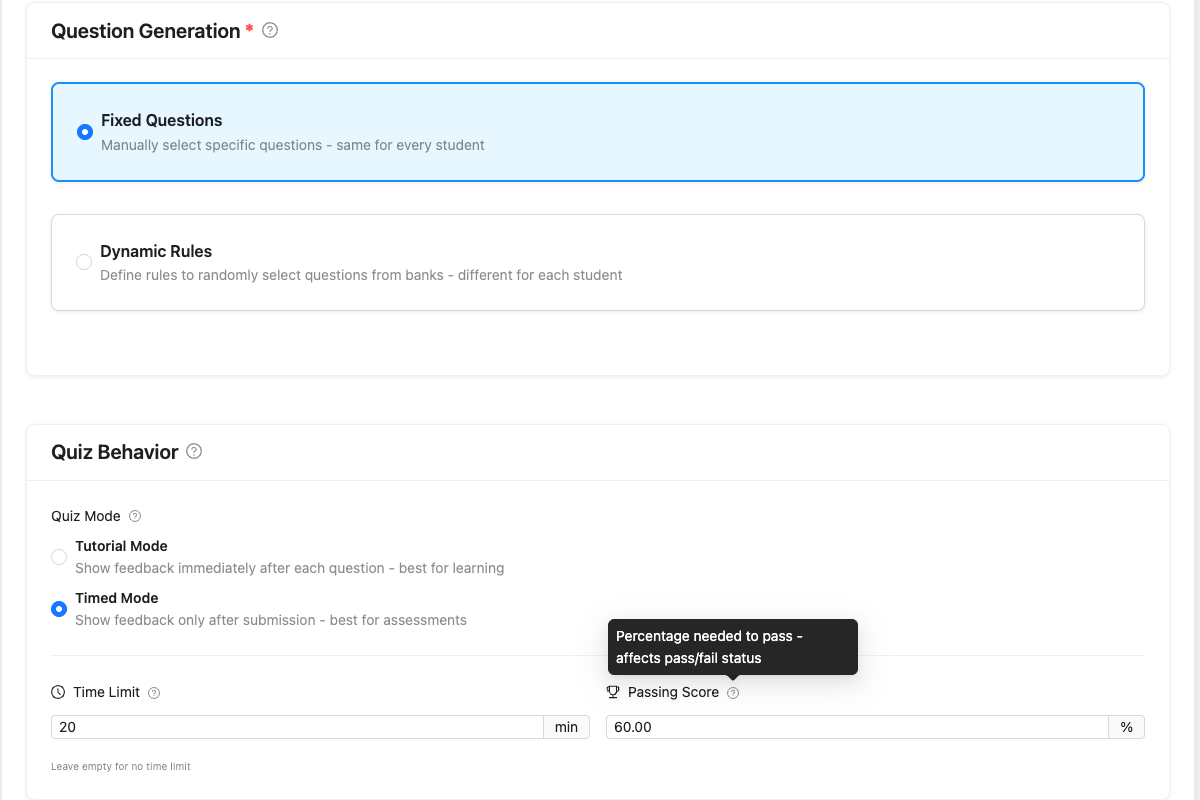
- Build a quiz under Quizzes Add New
- Embed using Gutenberg blocks, shortcodes, or LMS integration
LMS Integration
If you have LearnDash, Tutor LMS, LifterLMS, or LearnPress installed, integration features enable automatically. No configuration required—just edit a lesson or topic and you’ll see the quiz attachment options.
FAQ
-
Is this really free forever, or is it a limited trial?
-
It’s really free forever and not locked down. PressPrimer Quiz includes unlimited quizzes, unlimited questions, AI generation (with your own API key), LMS integrations, confidence ratings, per-question feedback, and three professional themes in the free version. We believe in earning upgrades by offering genuinely valuable premium features, not by crippling the free experience.
-
How does AI question generation work?
-
You provide your own OpenAI or Anthropic (Claude) API key in the plugin settings and choose which provider to use. When generating questions, the plugin calls your chosen provider directly—no middleware, no credits to purchase, no per-question fees. You pay the provider directly at their standard API rates (typically pennies per quiz). Generate from pasted text or uploaded PDF/Word documents. Review and edit every question before adding items to question banks.
-
How does the server-side resume feature work?
-
Every time a student selects an answer, it’s immediately saved to your WordPress database. If users close their browser, switch devices, or lose internet connection, their progress is preserved. When they return—even from a different device—they pick up exactly where they left off. This works for logged-in users automatically; guest users maintain progress via session tokens.
-
Does it work without an LMS plugin?
-
Absolutely. PressPrimer Quiz works as a standalone quiz plugin. Use Gutenberg blocks or shortcodes to embed quizzes in any page or post. The LMS integrations are a bonus that enable automatically when an LMS is detected—they don’t restrict standalone use.
-
Will this conflict with my LMS’s built-in quizzes?
-
No. PressPrimer Quiz operates independently from native LMS quiz features. You can use both simultaneously—our quizzes appear via meta boxes and don’t modify or interfere with built-in quiz functionality.
Reviews


Contributors & Developers
“PressPrimer Quiz – AI Quiz Maker, Exam Builder & LMS Assessment Plugin” is open source software. The following people have contributed to this plugin.
Contributors
Interested in development?
Browse the code, check out the SVN repository, or subscribe to the development log by RSS.
Changelog
3.0.0
- Added: A front-end dashboard you can place on any page with the [pressprimer_quiz_dashboard] shortcode or the Dashboard block. Students get a “My Results” area to review their past quiz attempts without visiting the WordPress admin.
- Added: Math and equation support. Write LaTeX in questions and answers and it renders as formatted math (using KaTeX) in quizzes, on the results page, in the admin preview, and in reports. Turn it on under Settings > General.
- Added: Quiz templates. Save any quiz’s settings as a reusable template, apply one with a full preview before anything changes, and choose a default template for new quizzes.
- Added: Choose your AI provider for question generation. Both OpenAI and Anthropic (Claude) are supported, each with its own API key.
- Added: Clearer results scoring. Each question now shows how it was scored, alongside a “How scoring works” summary that explains the multiple-answer scoring mode used for the attempt.
- Added: Data Tools for resetting quiz progress by student, by quiz, or both — with a preview of exactly what will be removed and a typed confirmation before anything is deleted.
- Added: Optional marketing-consent capture for guests taking a quiz, plus support for WordPress personal-data export and erase requests covering guest quiz data.
- Added: Automatic database health checks. A new Status check detects and repairs missing database updates on its own, preventing the silent upgrade failures that could leave features half-installed.
- Added: The Reports page now previews the reports unlocked by the Educator, School, and Enterprise add-ons, so you can see what each tier offers.
- Added: The quiz editor now always includes a Premium Settings tab. On the free plugin it previews the per-quiz options the premium add-ons add, such as pre/post test linking, spaced repetition, branching, and proctoring.
- Improved: Refreshed the Reports and Upgrade pages to reflect the full 3.0 feature set.
- Fixed: Selector dropdowns (for choosing quizzes, groups, and more) no longer show an oversized, misaligned blue box when focused, on both admin and report pages.
- Fixed: Search boxes in the admin — including the Add Questions search and the search fields on the Recent Attempts and Quiz Performance reports — now display correctly, with centered text and no stray outline box when focused.
- Fixed: Spaced-repetition review quizzes created by the School add-on no longer clutter the Quizzes list, quiz pickers, or quiz counts.
- Fixed: The checkmark on the AI question generator’s “Add Selected to Bank” button now aligns with the button text instead of dropping below it.
2.3.1
- Improved: Tightened permission checks on the quiz items and quiz rules REST endpoints so teachers can only view, add, edit, reorder, or remove items and rules on quizzes they own. Single-teacher sites and sites without the Educator addon are unaffected.
2.3.0
- Added: Four multiple-answer scoring modes — Right Minus Wrong (default), Proportional, Partial No Wrong, and All-or-Nothing. Set the default for your site under Settings > General, and override per quiz when needed.
- Added: Set per-quiz default display options that apply across every shortcode and block for that quiz. The Quiz block has a “Use Quiz Defaults” toggle so individual placements can still override.
- Added: Maximum Answers Per Question — show students a random subset of distractors while always showing every correct answer. Scoring is subset-aware, so students are never penalized for answers they did not see.
- Added: Insert images in question stems and answer options via a private drag-and-drop uploader. Front-end images include a click-to-zoom lightbox.
- Added: New “Upgrade” menu page for users on the free plugin or Educator/School tier, with a side-by-side comparison of every plan and a 14-day money-back guarantee.
- Added: Sticky Table of Contents on the Quiz Editor Settings tab with a Save Quiz button, so you can jump between sections and save without scrolling. Hidden on browsers narrower than 1100 pixels.
- Improved: The Quiz Editor Settings tab now uses consistent field widths, helper text spacing, tooltips, and font sizes across every section for a cleaner, more readable layout.
- Added: Developers and theme authors can customize how the score is displayed on the results page via the new
pressprimer_quiz_results_score_htmlfilter — useful for hiding the percent symbol, switching to a custom label like “star points”, or rendering the absolute score. - Fixed: Duplicating a quiz now copies the multiple-answer scoring mode, quiz-level display defaults, Maximum Answers Per Question setting, and Show Points Per Question toggle to the new quiz. Previously these settings reverted to defaults on the copy.
- Fixed: The collapsed question list in the Recent Attempts report’s Attempt Details modal no longer shows raw HTML when a question contains formatting or an image. Images are summarized as “[image]” and the formatted version remains available under Show Details.
- Fixed: LMS integration meta-box dropdowns (LearnDash, Tutor LMS, LifterLMS, LearnPress) now show every published quiz to administrators, instead of limiting the list to quizzes they personally authored.
2.2.2
- Fixed: Pasting formatted content from Word, Google Docs, or other rich-text sources could break the answer layout by separating the radio button from its text. Links inside answers now always open in a new tab so students do not lose their progress.
- Fixed: Drag-and-drop reordering of rules in the Rules tab of a dynamic quiz now saves the new order
- Fixed: The close (X) button on admin modal dialogs (such as the Add Questions modal) now responds to clicks
- Fixed: Validating an OpenAI API key that has been disabled now shows a clear explanation instead of a generic error message
- Fixed: Search filters in the Add Questions modal are now cleared when the modal is reopened, so previous searches do not carry over
- Note: Each answer option is now wrapped in a
<div>element instead of a<label>element to support rich content. If you have added custom CSS targetinglabel.ppq-answer-option, change the selector to.ppq-answer-optionso it continues to apply.
2.2.1
- Fixed: Quiz submission failing with “Database error: Failed to save record” on sites without the School addon
2.2.0
- Added: Question Pool support to limit the number of questions shown per quiz attempt
- Added: Show points per question during the quiz and on the results page, with a new “Show Points Per Question” toggle in quiz settings
- Added: Lazy-load pagination for previous attempts on the quiz landing page; shows the first 5 attempts with a “Show more” button
- Added: Redesigned Status tab with two-column layout and a one-click copy button for support requests
- Fixed: Tutorial mode answer locks now persist across page reloads instead of resetting when navigating away
- Fixed: Source Bank dropdown in dynamic quiz rules now shows the bank name instead of the numeric ID
- Fixed: Category and tag dropdowns in dynamic quiz rules now show names instead of IDs
- Fixed: Quiz now appears on LearnPress preview lessons after course completion
- Fixed: Status tab attempt count now matches the Reports page total
- Fixed: Quiz and bank deletion now uses a modal confirmation dialog instead of browser confirm
- Fixed: Quiz preview page cleaned up with PHP 8.1 deprecation fix
- Fixed: Diagnostics page now shows the actual PHP memory limit instead of the WordPress constant
- Fixed: Correct and incorrect answer icons now display properly in the attempt detail modal
- Fixed: Report dates no longer show with a timezone offset in non-UTC timezones
- Fixed: Action buttons on quiz and bank pages now have distinct visual styles and correct sizing
- Fixed: Duplicate radio buttons no longer appear in the WordPress admin when Ant Design is loaded
- Fixed: Primary and retake button text now maintains readable contrast on hover
2.1.0
- Added: Display option controls — show or hide individual quiz elements (description, question count, score, pass/fail status, time spent, category breakdown, retake button, and more) via shortcode attributes or block inspector toggles
- Added: Customizable spacing — adjust line height, answer option spacing, question spacing, and container max width from Settings > Appearance, with separate values for Standard and Condensed modes
- Added: Pre/post test linking infrastructure for the Educator addon
- Added: Per-quiz proctoring override settings for the Enterprise addon
- Added: Tutor LMS instructors can now create and manage their own quizzes
- Added: Tutor LMS quiz now displays on public courses with no enrollment requirement
- Added: Tutor LMS lesson auto-completes after passing a required quiz, and course auto-completes when all lessons are done
- Fixed: Tutor LMS quiz no longer disappears after a student completes a course
- Added: LifterLMS instructors can now create and manage their own quizzes
- Added: LifterLMS quiz now displays on open/free courses with no enrollment requirement
- Added: LifterLMS lesson Complete button reappears correctly after passing a required quiz
- Fixed: LifterLMS quiz no longer disappears after a student completes a course or for course instructors
- Added: LearnPress instructors can now create and manage their own quizzes
- Added: LearnPress quiz now displays on open courses with no enrollment requirement
- Added: LearnPress lesson auto-completes after passing a required quiz, and course auto-completes when all lessons are done
- Fixed: LearnPress quiz no longer disappears after a student completes a course or for course instructors
- Fixed: LearnPress Complete button reappears correctly after passing a required quiz
- Added: LearnDash Group Leaders can now create and manage their own quizzes
- Fixed: LearnDash Mark Complete button reappears correctly after passing a required quiz
- Fixed: Back button no longer causes an infinite confirm dialog loop during a quiz
- Fixed: Display density setting now loads correctly when editing a quiz
- Fixed: Clearing the API key now works on servers that block HTTP DELETE requests
- Fixed: Dashboard activity chart and Reports overview cards now update immediately after quiz attempts instead of serving stale cached data
2.0.0
- Added: LearnPress LMS integration with lesson embedding and completion triggers
- Added: Condensed Mode for streamlined quizzes with reduced vertical spacing
- Added: Quiz access controls: require login, allow guests, or use global defaults
- Added: Premium addon support with extensibility hooks for Groups, Assignments, Import/Export, Question Analytics, xAPI, White-Label, and Audit Logging
- Fixed: Settings page now respects tab query parameter in URL
- Fixed: Global access mode setting now uses correct option name
- Fixed: Bank visibility description clarified for shared banks
- Fixed: Improved error messaging for AI generation timeouts (502/504 errors)
- Fixed: Reports page loading when addon tabs are active
- Improved: WordPress 6.7+ compatibility for translation loading
1.0.0
- Initial release
- Three question types: Multiple Choice, Multiple Answer, True/False
- Unlimited questions and question banks
- Visual quiz builder with fixed and dynamic modes
- AI question generation via OpenAI API
- Three professional themes: Default, Modern, Minimal
- LearnDash integration with lesson/topic embedding
- TutorLMS integration with course builder support
- LifterLMS integration with completion triggers
- Uncanny Automator integration with three triggers
- Guest support with optional email capture
- Server-side save and resume functionality
- Score-banded feedback system
- Per-question and per-answer feedback
- Confidence ratings
- Admin reporting dashboard
- Gutenberg blocks and shortcodes
- WCAG 2.1 AA accessibility compliance
- Full internationalization support