

Description
Tagline: WordPress Telegram
Senzastile AutoPost for Telegram sends newly published posts to a Telegram channel using the Bot API. Settings, previews, and diagnostics live under the top-level AutoPost Telegram menu in your WordPress admin.
Features
- Automatic sharing when a post is published (duplicate sends avoided with post meta).
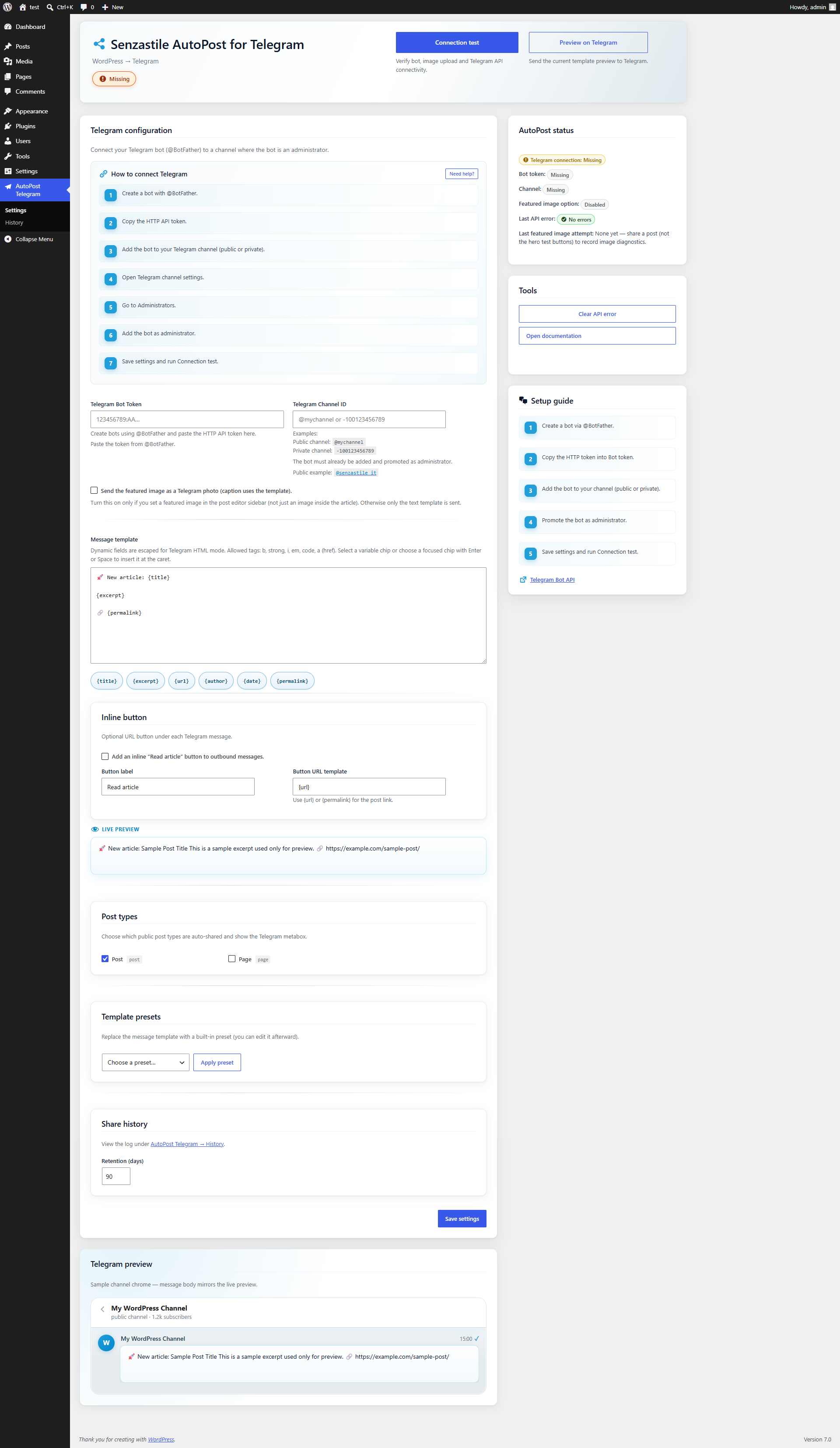
- Top-level admin menu: AutoPost Telegram Settings (bot token, channel, HTML template, featured image option).
- Telegram
parse_modeHTML with dynamic fields escaped and markup filtered throughwp_kses(). - Card-based settings UI with hero, status, setup guide, and tools.
- Live template preview on the settings screen (sample data via AJAX).
- Optional dashboard widget with a connection snapshot.
- Manual share on the post editor for published posts.
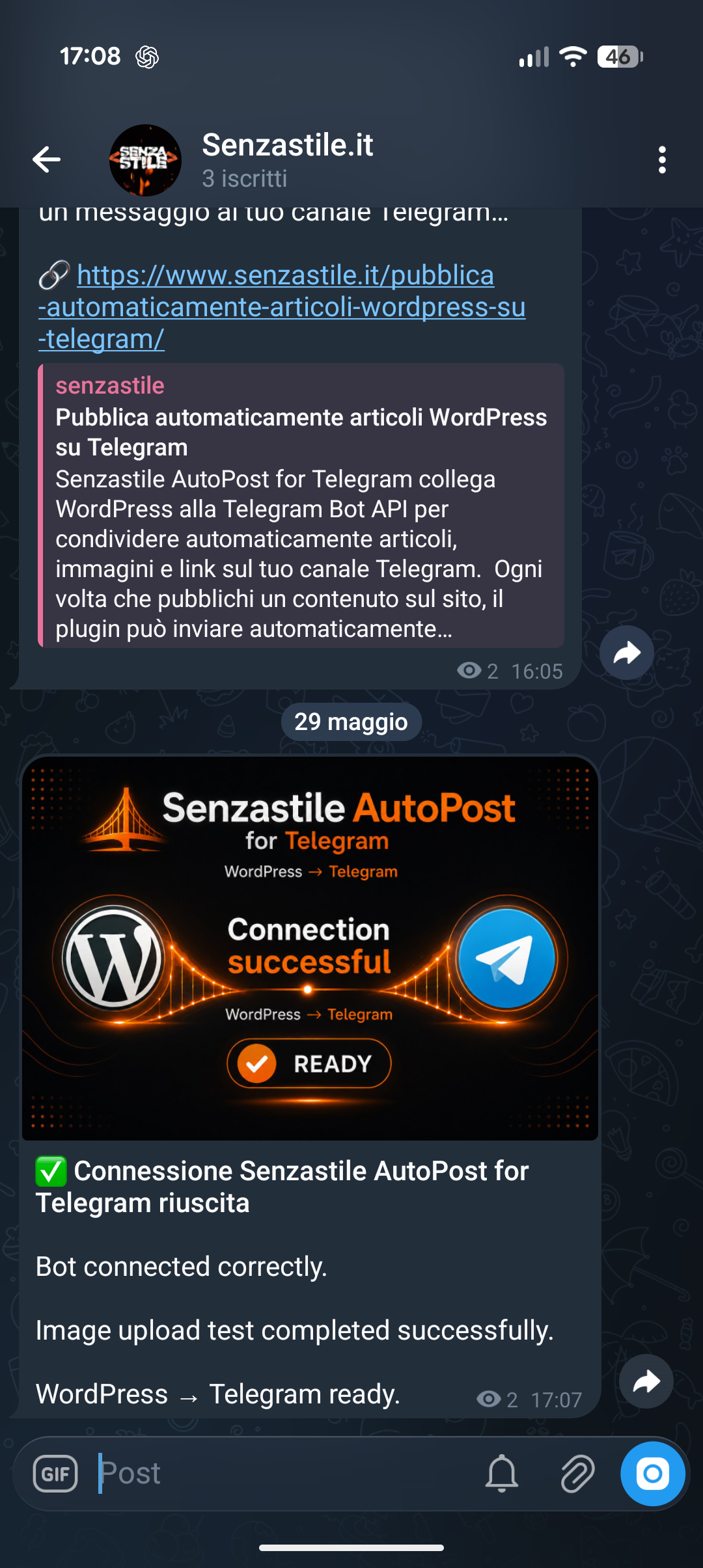
- AJAX connection test with branded test image and HTML status message.
- Masked bot token in settings (reveal on demand; tests use saved credentials).
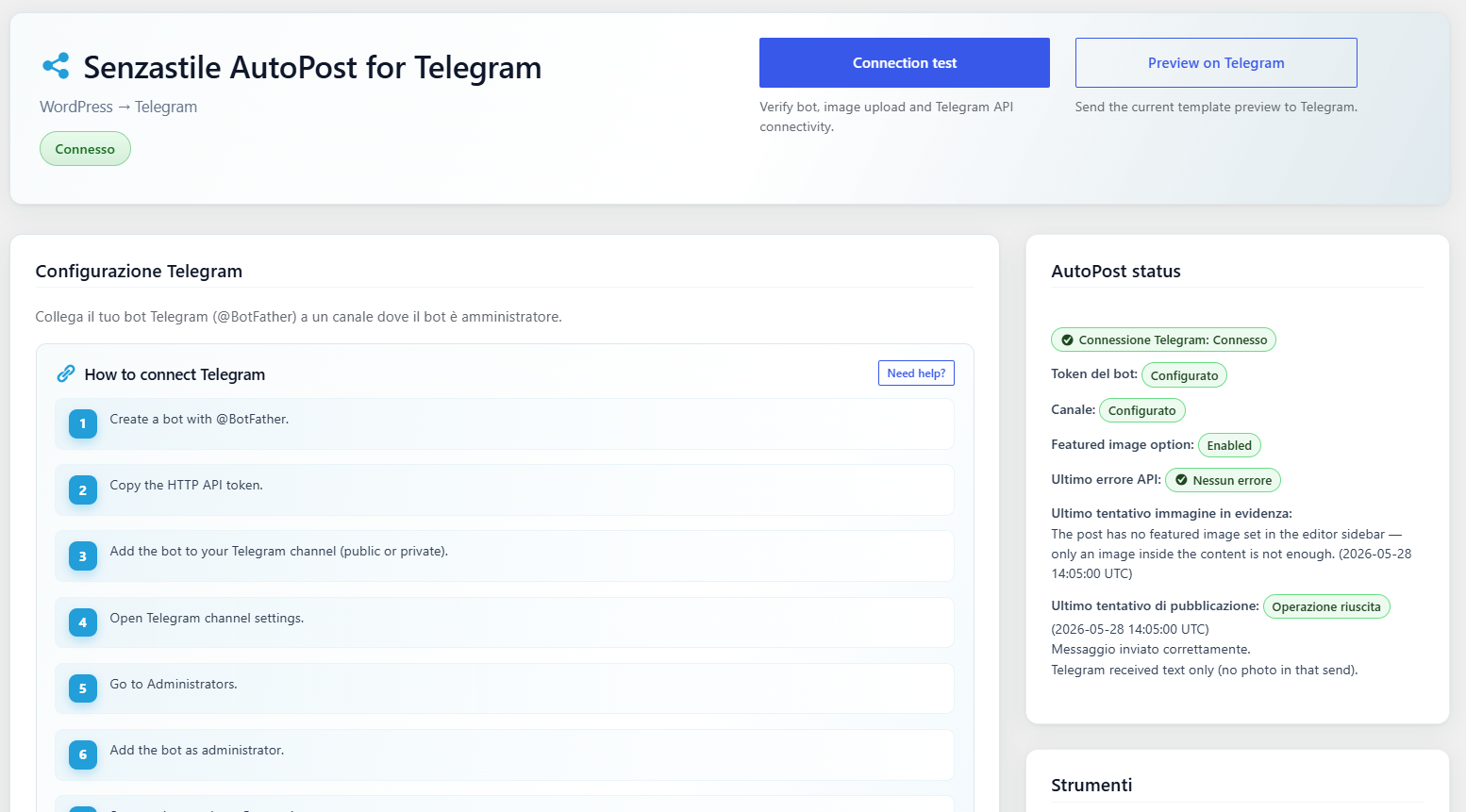
- Last API/HTTP error surfaced for administrators (optional).
Placeholders: {title}, {excerpt}, {url}, {hashtags} (post tags as Telegram hashtags), {categories} (comma-separated category names), {site_name}. Legacy: {permalink} (same as {url}), {author}, {date}.
Allowed HTML in templates: b, strong, i, em, code, a (href).
External services
This plugin connects to the Telegram Bot API to publish WordPress posts to Telegram channels.
Service used:
Telegram Bot API
https://core.telegram.org/bots/api
Data sent:
– Telegram Bot Token
– Channel ID / Username
– Post title
– Post excerpt/content
– Featured image (optional)
Data is sent only when:
– a post is published
– manual connection tests are executed
– preview actions are used
Terms of Service:
https://telegram.org/tos
Privacy Policy:
https://telegram.org/privacy
Troubleshooting
- Nothing posted: Check token and channel, bot permissions in the channel, and that the post isn’t already marked as shared.
- HTML looks wrong: Stick to allowed tags; avoid raw HTML from untrusted sources in templates.
- Timeouts: Server firewalls or Telegram rate limits can block
wp_remote_post; check the last error message in settings. - Test connection fails after update: Delete
wp-content/plugins/senzastile-autopost-for-telegram(and any duplicate folder such assenzastile-autopost-for-telegram-1), then install a fresh copy of the plugin ZIP.
Translations
Translate at translate.wordpress.org when the project is available. A bundled it_IT pack may ship in /languages for reference.
Screenshots
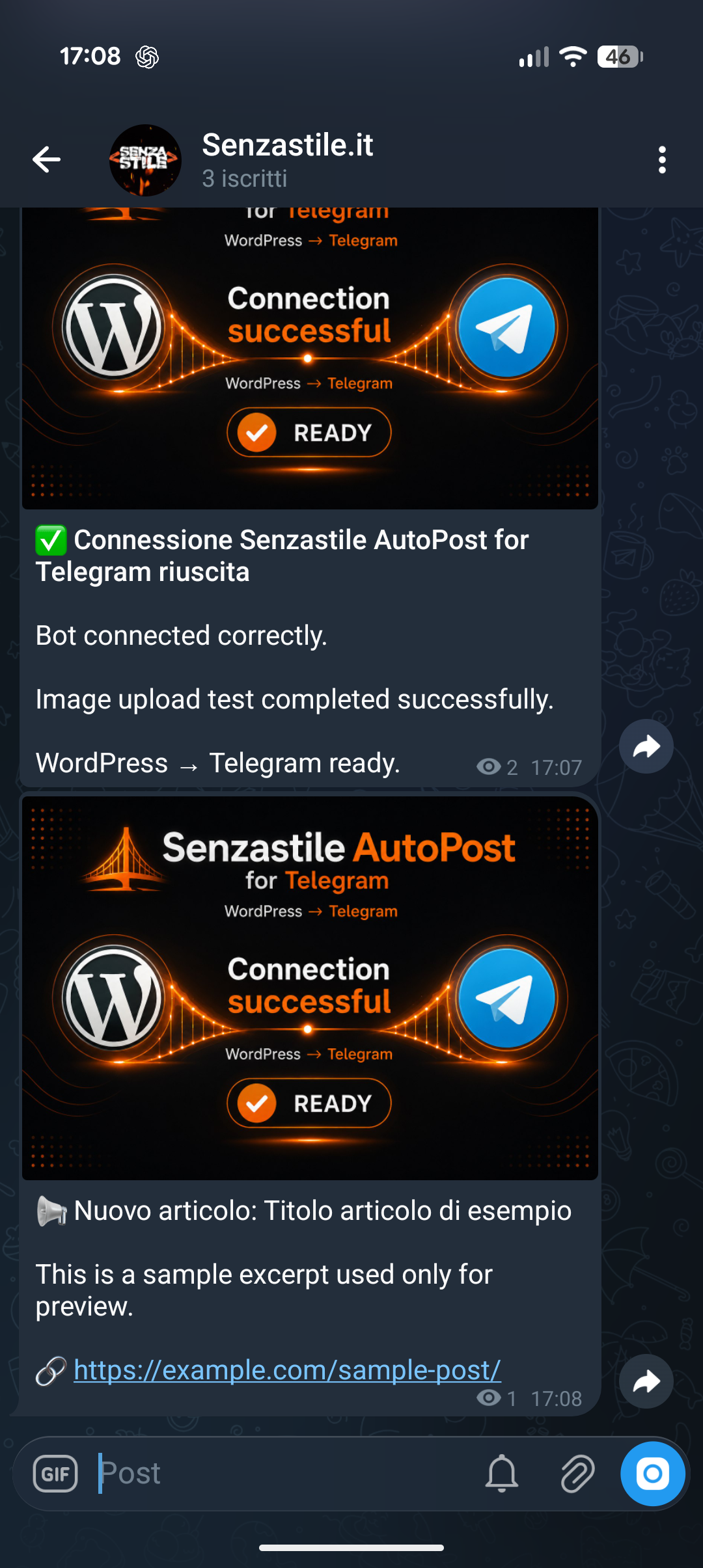
Installation
- Upload the
senzastile-autopost-for-telegramfolder to/wp-content/plugins/or install the ZIP from Plugins Add New. - Activate Senzastile AutoPost for Telegram under Plugins.
- Create a bot with
@BotFatherand copy the HTTP token. - Add the bot to your Telegram channel and promote it so it can post messages.
- Go to AutoPost Telegram Settings, paste the token and channel (
@channelor numeric ID). - Adjust the message template and optional featured image sending.
- Use Connection test to confirm delivery.
FAQ
-
How do I find my channel ID?
-
For public channels you can often use
@yourchannel. Private channels and some setups need the numeric ID (often starting with-100). Forward a channel message to bots like@userinfobot/@getidsbotor use Telegram’s “Get Chat” patterns described in the Bot API docs. -
Why is my featured image not sent?
-
The post must have a featured image, the option to send the image must be enabled, and Telegram must be able to fetch your image URL (public HTTPS is typical). If sending the photo fails, the plugin falls back to a text-only message.
-
Does this plugin support Telegram HTML?
-
Yes. Outbound messages use Telegram HTML rules. The plugin escapes dynamic WordPress fields and only allows a small HTML subset you define in templates.
-
Yes. Use the per-post option in the editor sidebar to skip Telegram for that post.
-
Where can I see errors?
-
Failed API requests store the latest error for admins on AutoPost Telegram Settings and in the dashboard widget when enabled.
Reviews
There are no reviews for this plugin.
Contributors & Developers
“Senzastile AutoPost for Telegram” is open source software. The following people have contributed to this plugin.
Contributors
Translate “Senzastile AutoPost for Telegram” into your language.
Interested in development?
Browse the code, check out the SVN repository, or subscribe to the development log by RSS.
Changelog
1.2.0
- Automatic retry queue for failed automatic sends, via WP-Cron with backoff (5 minutes, 30 minutes, 2 hours; 3 attempts). New on/off setting
ssapt_retry_enabled(default on); reuses the history table withpending/retryrows. - History schema v3: new
attemptsandnext_attempt_atcolumns (ssapt_db_versionbumped to 3, upgraded automatically). - Keep Telegram in sync with later post changes: update the message when an already-shared post is edited (
editMessageText/editMessageCaption, opt-inssapt_edit_on_update) and delete it when the post is trashed or unpublished (deleteMessage, opt-inssapt_delete_on_trash, default off). - New template placeholders:
{hashtags}(post tags as Telegram-safe hashtags),{categories}, and{site_name}, with live-preview and settings chips. - New setting
ssapt_disable_link_preview(default off) to suppress the web page preview on text messages. - Smaller bundled connection-test image (
assets/test-image.pngcompressed under 100 KB). - Uninstall now removes only the legacy post meta keys this plugin actually used, instead of a broad
_wp_telegram_%match that could delete other plugins’ data.
1.1.0
- Rebrand from TeleBridge to Senzastile AutoPost for Telegram (
ssapt_*options, text domainsenzastile-autopost-for-telegram). - Telegram setup onboarding: inline “How to connect Telegram” guide, help modal, and clearer token/channel field hints.
- Separate Connection test (diagnostic image + API check) and Preview on Telegram (sends the same payload as the live admin preview).
- Shared preview builder (
SSAPT_Preview) for UI bubbles and Telegram preview sends; history contextsconnectionandtest. - Inline URL button under Telegram messages (
ssapt_inline_button_*, filtersssapt_inline_button_*,ssapt_reply_markup). - Custom post type support via
ssapt_enabled_post_typesandtransition_post_status. - Message template presets on the settings screen.
- Share history table (
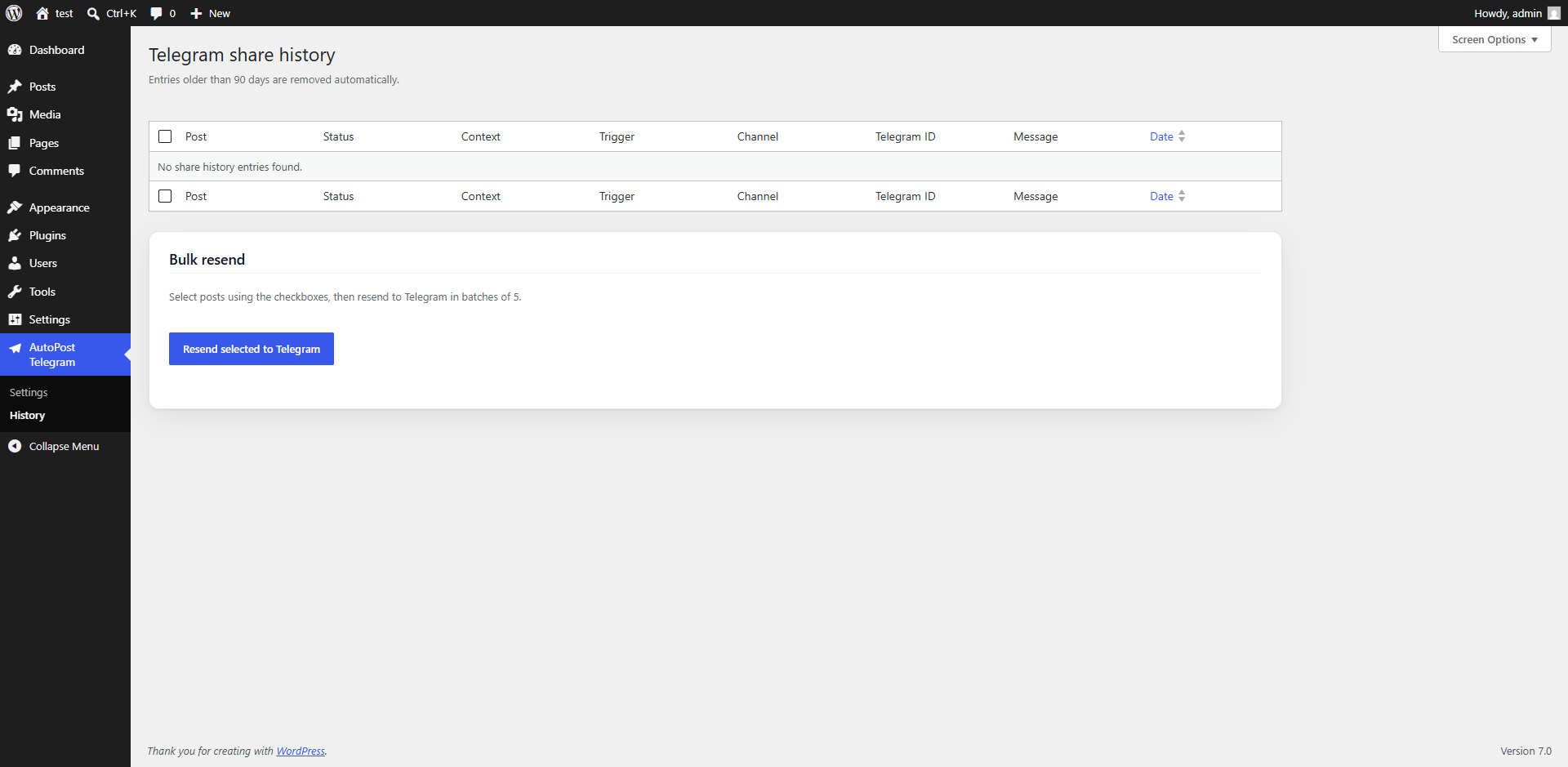
{prefix}ssapt_history) withcontext(auto, manual, bulk, retry, test),status(sent, failed, pending), andtelegram_message_idfor future edit/delete. - Schema version option
ssapt_db_version(integer, independent of plugin version). - AutoPost Telegram History admin screen and bulk resend in batches of 5 (
ssapt_bulk_batch_sizefilter). - Stub
SSAPT_Queueclass for future queue/retry workers. - Legacy migration from previous plugin option names,
wp_telebridge_*, and{prefix}telebridge_history.
1.0.0
- Initial WordPress.org release (as TeleBridge).
- Branded connection test image and HTML caption with
ssapt_test_message_textfilter. - Masked bot token storage; server-side connection tests (no token required in the browser).
- Linux-safe release ZIP packaging (forward-slash archive paths).