
Description
Requires WooCommerce. PrintPrice is a WooCommerce add-on, the WooCommerce plugin must be installed and active for PrintPrice to do anything. If WooCommerce isn’t present, PrintPrice will refuse to activate.
PrintPrice turns any WooCommerce store into a 3D-print quote shop. Customers upload an STL, OBJ, 3MF or STEP file, choose material / colour / infill, and get an instant price based on your own material costs and profit-margin tiers. The price becomes a regular WooCommerce cart item, they check out the same way they would any other product.
This plugin is a thin client to the PrintPrice Cloud service at https://wp.printprice.one. The cloud service does the heavy lifting: parsing the mesh, computing volume / mass / print time, applying your pricing rules, and storing the uploaded file so you can download it from the order detail in WordPress admin. No 3D-printing background needed: sensible defaults work out of the box, then you tune materials and margins to match your shop.
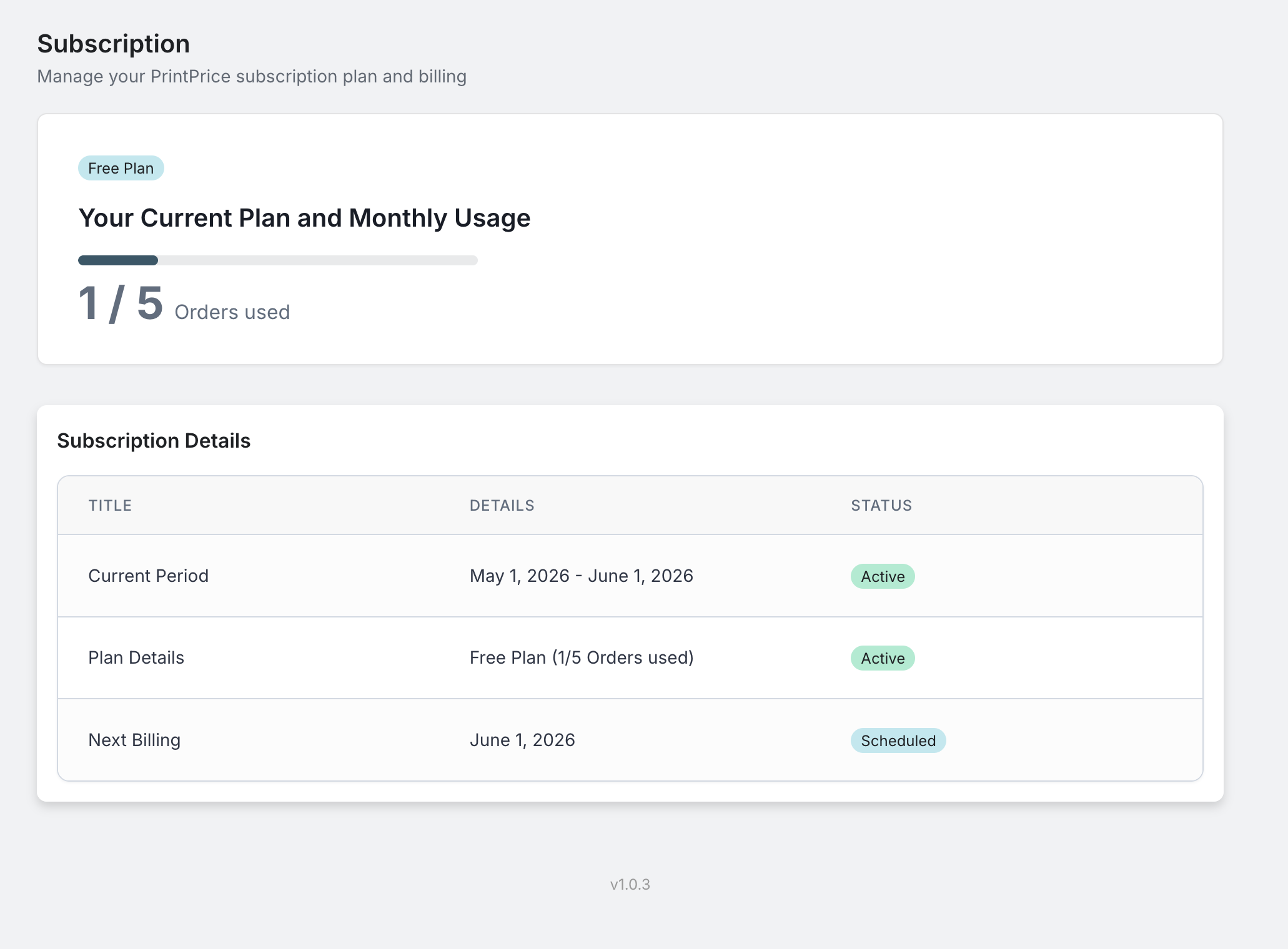
The free tier (5 paid orders per month, STL, OBJ and 3MF uploads) is unlocked the moment you activate the plugin, no opt-in, no signup form, no credit card. Paid tiers (50 / 100 / 300 orders per month) add STEP / STP CAD file support and unlock through a Freemius checkout from the admin Upgrade menu when you’re ready.
Features
- STL, OBJ, 3MF and STEP upload with an in-browser 3D preview, on any WooCommerce product page (STEP / STP CAD files on paid plans)
- Multi-color 3MF detection: recognises sliced files with multiple filaments and adds a “Multi-color” badge plus a configurable purge-waste allowance to the quote
- Print-time estimation: pulled directly from sliced 3MF gcode where available, or estimated from filament mass when not
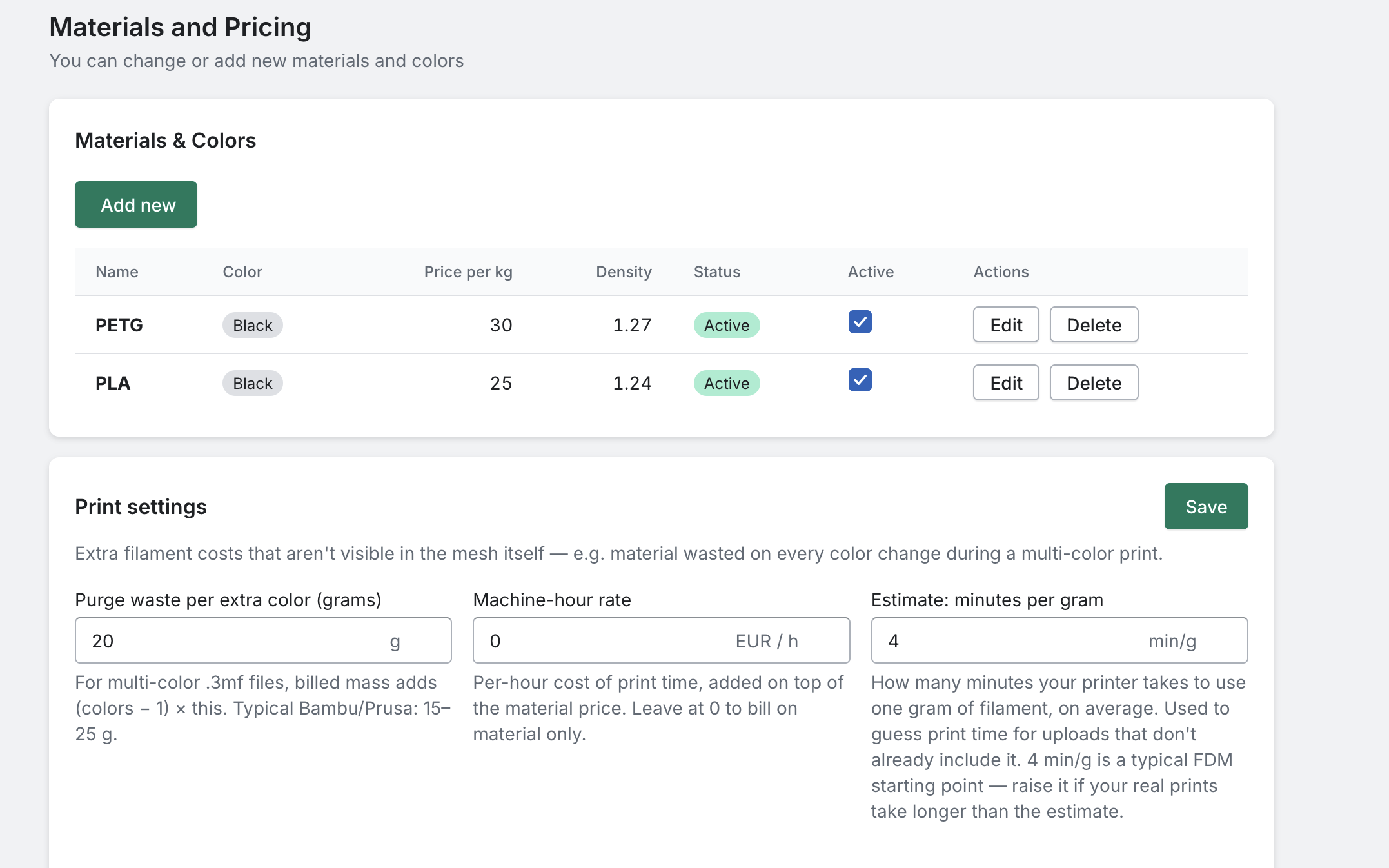
- Material catalogue you control: name, colour, price per kg, density, currency, used directly in price calculations
- Profit-margin tiers: different multipliers for different cost bands (e.g. higher margin on small prints, lower on bulk)
- Bulk pricing: automatic per-unit discount above a quantity threshold you set
- Multi-file orders: customers upload several files in one transaction with per-file quantities
- Per-file materials: each uploaded file can have its own material and colour, priced individually and shown as a per-file breakdown on the order
- Minimum price per part (optional): set a floor so very small prints still cover your handling; off by default
- 18 languages: the storefront widget follows the WordPress site language automatically; your own custom labels always take priority
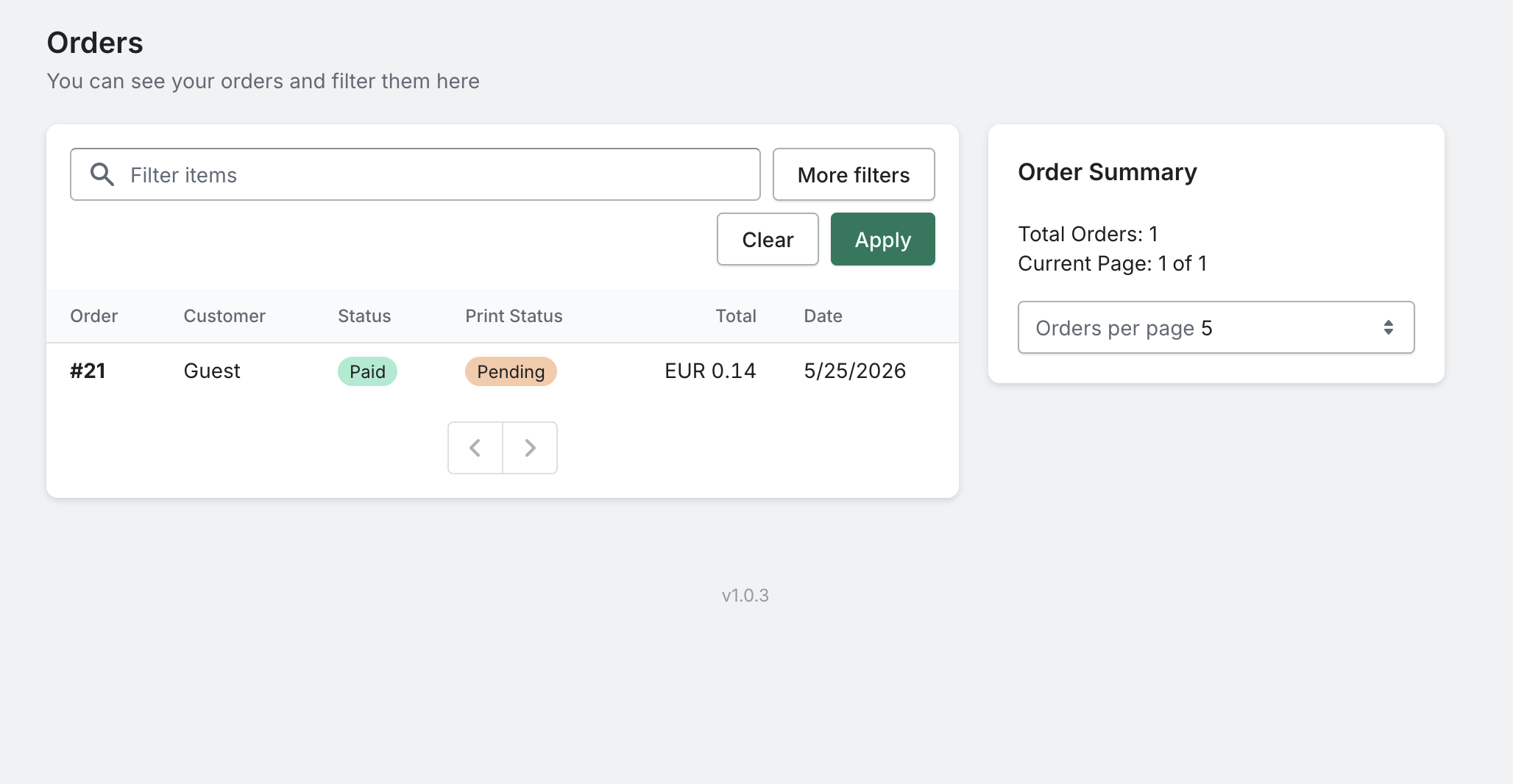
- Order admin block: every order’s admin detail page shows uploaded files (downloadable), material, infill, print status, multi-color badge, and the per-file material breakdown
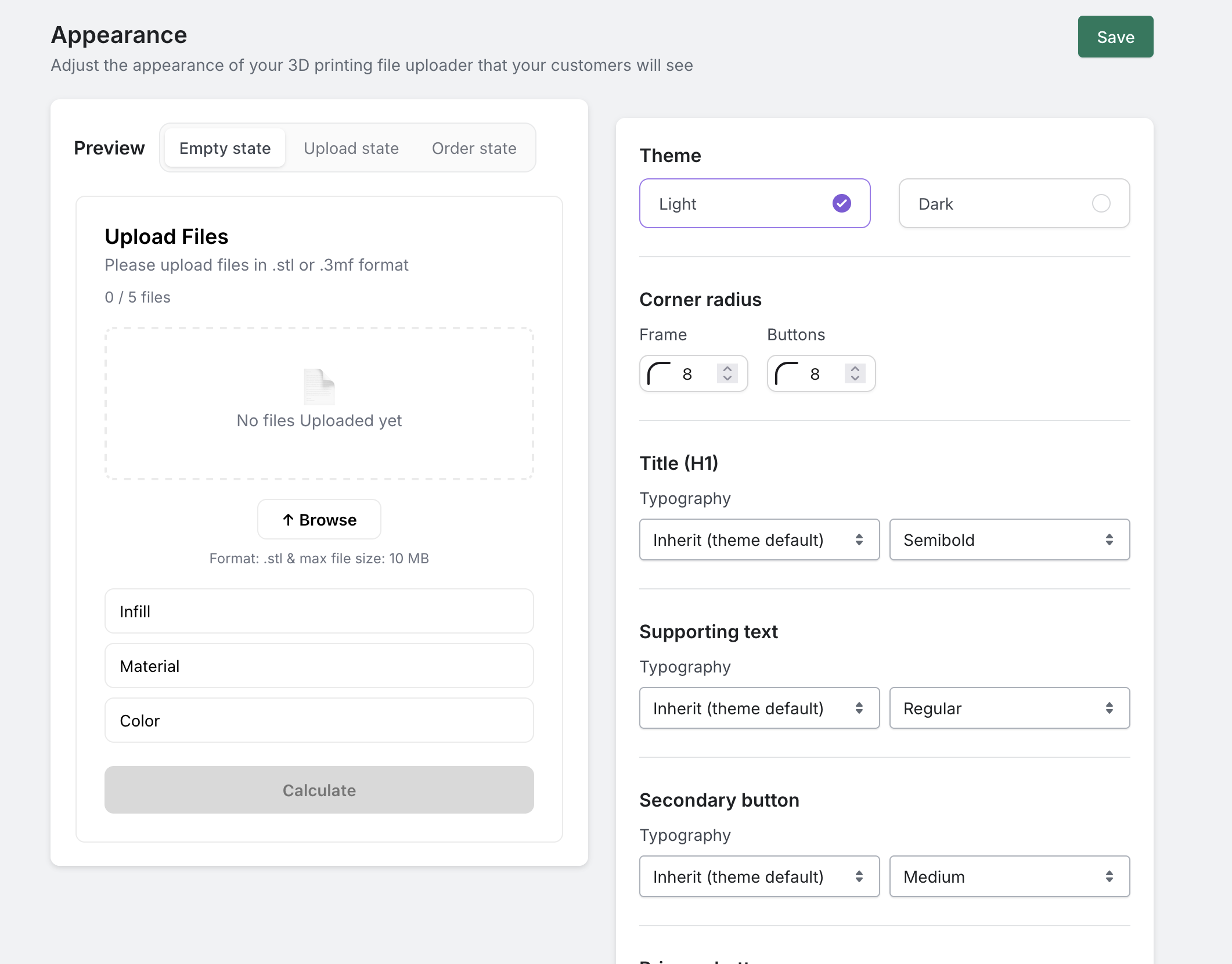
- Customisable widget: colours, button labels, fonts, and uploader styling configurable from a hosted React dashboard
- Gutenberg block: drag “PrintPrice Calculator” straight into any page; also works as the legacy
[print_price_widget]shortcode
External services
This plugin connects to PrintPrice Cloud (https://wp.printprice.one), operated by PrintPrice, to provide the STL / OBJ / 3MF / STEP upload, price calculation, and quote-product creation that customers see on your storefront.
Customer data is processed by this third party. Specifically:
Data sent to PrintPrice Cloud on each customer interaction:
- The STL, OBJ, 3MF or STEP file the customer uploads (uploaded directly from the customer’s browser; the file never touches your WordPress server)
- Material / colour / infill selections and quantity
- Your store domain
- Your PrintPrice plugin identifier (a random ID generated locally on first activation, plus, for paid subscribers, a Freemius license key)
Data sent during plugin setup (one-time):
- Your WooCommerce REST API consumer key + secret, used by PrintPrice Cloud to create the quoted “product” in your WooCommerce catalogue and add it to the customer’s cart
Data sent on payment (paid subscribers only):
- Your email and chosen plan are processed by Freemius (https://freemius.com), our billing provider, to issue and validate paid licenses. Freemius’s terms apply: https://freemius.com/terms/
Nothing is transmitted until the plugin is activated. Uploaded files are stored on AWS S3 in the Frankfurt region (eu-central-1), encrypted in transit (HTTPS) and at rest. Files associated with deleted orders are removed within 7 days. The full data flow and retention policy is documented in our Privacy Policy.
- Terms of Service: https://printprice.one/terms
- Privacy Policy: https://printprice.one/privacy
- Refund Policy: https://printprice.one/terms#refund
Screenshots
Blocks
This plugin provides 1 block.
- PrintPrice Calculator Lets customers upload an STL, OBJ or 3MF file and get an instant 3D-print price. Adds the quoted item straight to the WooCommerce cart.
Installation
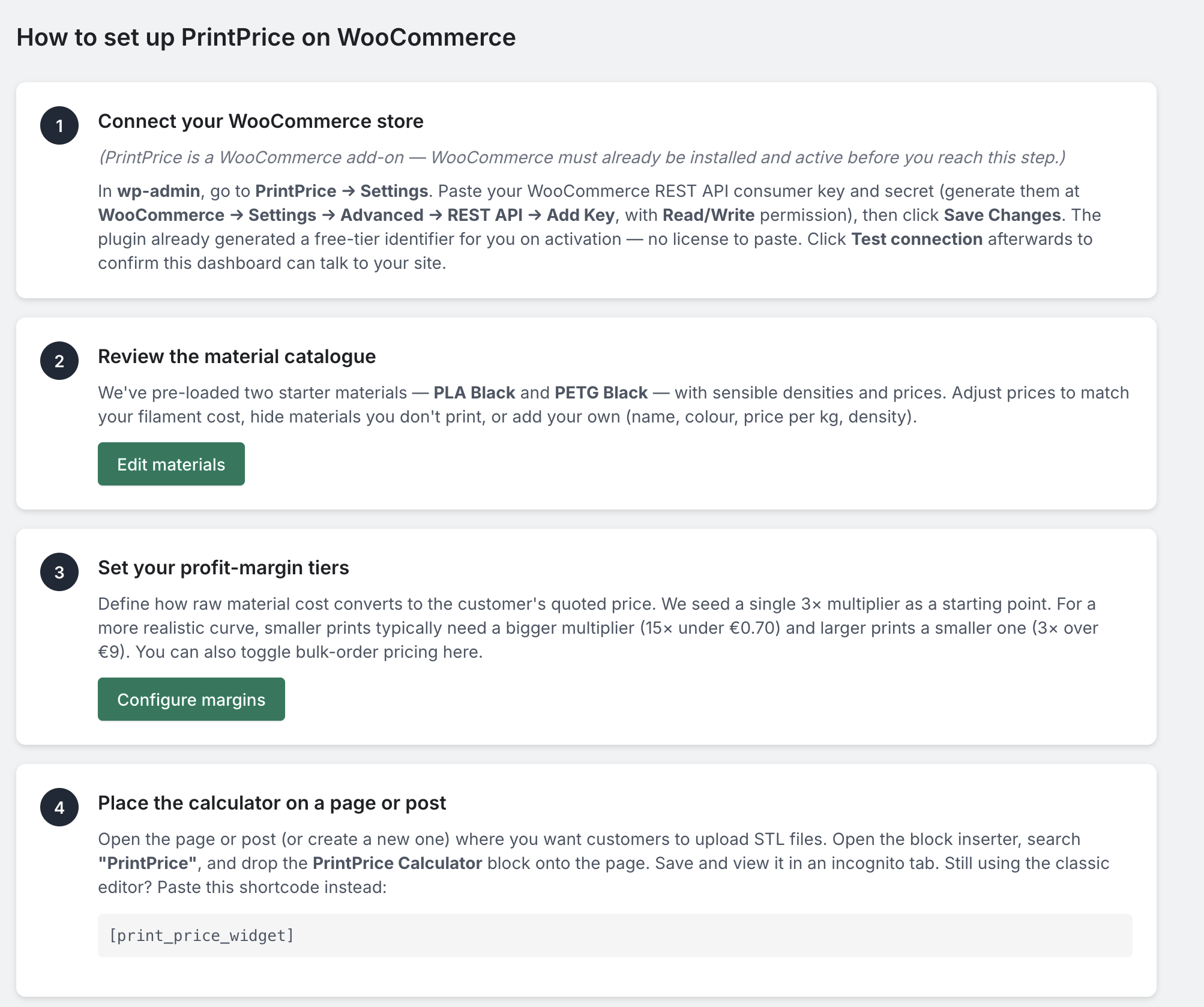
Prerequisite: WooCommerce must be installed and active before you install PrintPrice. PrintPrice will refuse to activate without it.
- Install the plugin via the WordPress.org Plugin Directory, or upload the
print-pricefolder to/wp-content/plugins/. - Activate. The plugin generates a free-tier identifier for you automatically, no signup required.
- Go to PrintPrice Settings.
- Generate WooCommerce REST API keys at WooCommerce Settings Advanced REST API Add Key with Read/Write permission. Paste the consumer key and secret into the PrintPrice settings page and save.
- Click Test connection to verify your store can talk to PrintPrice Cloud.
- Add the PrintPrice Calculator block to any page in the block editor (or use the
[print_price_widget]shortcode in a Shortcode block). You’re live.
To unlock higher monthly order limits, open PrintPrice Upgrade and pick a Basic / Pro / Business plan.
FAQ
-
Do I need a separate PrintPrice account?
-
No. On activation, the plugin generates a random free-tier identifier locally, no signup form, no email confirmation, no credit card. You’re on the free plan (5 paid orders per month) immediately. If you want a higher limit you can upgrade in-place via Freemius from PrintPrice Upgrade.
-
Which file formats can customers upload?
-
STL, OBJ and 3MF on every plan, including the free tier. STEP and STP (CAD) files are available on the paid plans (Basic / Pro / Business). All formats get the same instant price and in-browser 3D preview.
-
Where does the uploaded file go?
-
Directly from the customer’s browser to PrintPrice Cloud’s AWS S3 storage in Frankfurt. It does not pass through your WordPress server. We retain it for the lifetime of the resulting order plus 7 days after the order is deleted, then permanently remove it. You can also delete individual files at any time from your order admin.
-
Can I customise the calculator UI?
-
Yes, colours, button labels, fonts, and uploader styling are configurable in PrintPrice Design (the hosted dashboard that opens in your WordPress admin).
-
Does it work with the block editor / Gutenberg?
-
Yes. Drag the PrintPrice Calculator block from the inserter into any page. The legacy
[print_price_widget]shortcode is also supported for sites still using the classic editor. -
What happens if I hit my monthly plan limit?
-
The plugin will continue serving existing customers who already added items to their cart. New customers attempting to start a calculation see a “this shop is currently at capacity” message until you either wait for next month or upgrade to a higher tier.
-
Can I uninstall and get my data back?
-
Yes. Uninstalling keeps your settings (so re-activation works) but stops sending data to PrintPrice Cloud. To request deletion of your stored files and merchant data on our side, contact us via the support form in PrintPrice Support.
-
Do I have to use a paid plan?
-
No, the free tier covers 5 paid orders per month forever. Most hobby print shops never need to upgrade. Paid tiers exist for higher-volume sellers (Basic 50/mo, Pro 100/mo, Business 300/mo).
Reviews

Contributors & Developers
“PrintPrice: STL & 3MF Price Calculator for WooCommerce” is open source software. The following people have contributed to this plugin.
Contributors
Translate “PrintPrice: STL & 3MF Price Calculator for WooCommerce” into your language.
Interested in development?
Browse the code, check out the SVN repository, or subscribe to the development log by RSS.
Changelog
Version numbers match the PrintPrice product line (same numbering as
our Shopify app). The WordPress plugin debuts at 1.0.3 with feature
parity to the Shopify side as of the same date.
1.2.4
- The buttons on the Plans page did nothing when clicked. Each plan now opens the checkout for that plan, and the page lists what every plan includes — only the monthly order allowance and the support channel differ.
- When a WooCommerce API key was rejected, stores running WordPress in a language other than English were told to regenerate the key even when the real problem was its permissions. The message now names the actual fix in any language.
- A dropped connection while the calculator was starting up left “we could not load this shop’s materials” on screen for good — common on a phone that changes network. It now retries, and reloads itself when the customer returns to the tab.
- Links in the dashboard now open in place instead of loading a page outside the WordPress admin.
1.2.3
- A customer whose browser cannot show 3D was told the preview was unavailable for their file, which sent them off to re-export a model that was fine. The calculator now says their browser does not support 3D preview, in their own language, and the quote works as normal.
- Housekeeping: uploads left behind by abandoned quotes are now cleared on a schedule, as they already were on our Shopify service.
1.2.2
- Optional customer notes: switch on “Let customers add a note” under Pricing and customers can send print instructions with their quote. The note lands in the order’s “Customer provided note”, on the quote in Approvals, and in your quote emails. Off by default.
- Automatic theme: a new Appearance option, now the default. The calculator matches your site’s light or dark background on its own. Light and Dark remain for a fixed choice.
- Files per quote: now yours to set under Appearance. The old fixed limit of five made customers merge a multi-part job into one file, which arrives as a single object you cannot split on the print bed. Choose up to 20.
- Fixed light-theme colours showing on dark sites, where the buttons blended into the page, Reset was a white block and the email field was a pale panel.
- A mistyped email on a quote request failed with “We couldn’t reach our servers” and the quote was lost. The calculator now flags the address before sending, in the customer’s own language.
- Add-on checkboxes could show as a bare tick, or not at all, on themes that replace the browser’s own checkbox. The calculator keeps the standard one now, so add-ons are selectable whatever your theme.
- With the Dark theme on a light site, field labels and add-on text took the site’s colour and disappeared into the dark card. Both themes now set their own text colour.
1.2.1
- OBJ file support: customers can now upload .obj files alongside .stl, .3mf and .step/.stp, on every plan including the free tier. They are measured with the same geometry maths as an STL and get the same interactive 3D preview. Like STL, an OBJ stores no units, so the customer chooses the unit at upload.
- Storefront calculator readability on dark themes: several labels, the quantity controls and the customer email field could render as text the same colour as the surface behind them, and the widget card had no visible edge on a dark page.
- The Browse button now follows the same styling rules as the price button, so it uses your brand colour instead of a fixed white block.
- The wireframe view in the 3D preview drew near-black lines, so on a dark theme the model looked like a black blob. It now draws in the selected filament colour.
- When the calculator cannot reach PrintPrice Cloud it now says so plainly, instead of showing a placeholder material list and an unusable price button.
1.2.0 – 2026-08-07
- One-click filament library: add a material from a built-in library of popular brands, with density and common colours pre-filled. You still set your own price per kilogram.
- Quality tiers (Draft / Standard / Fine): optional. Turn them on to add a Quality dropdown to your storefront calculator; each tier multiplies the quote by a factor you choose. Off by default, so your current prices are unchanged.
- Turnaround tiers (Standard / Express): optional rush upcharge you set. Off by default.
- Post-processing add-ons: optional paid services such as sanding or painting. You define each add-on (charged per order or per part) and customers pick them on the quote. Off by default.
- Draft orders (quotes): instead of paying instantly, an order can become a draft order that sends the customer a pay link, with no temporary product added to your store. Choose the default for your store, or add rules such as “orders over a set amount become a draft.” Quotes count towards the same monthly order allowance as instant checkout, and only once the customer pays.
- Approvals page: every quote waits for your review before the customer is asked for money, so nothing is priced without you seeing it. Open a quote to see the material, colour, infill, dimensions and volume, download the customer’s files to check them in your slicer, adjust the price if the job needs it, then send the invoice. If you change the price the customer sees both the original estimate and the updated total, so the new amount is not a surprise. If you cannot take a job you can decline it with a short explanation, which is emailed to the customer.
- Quote emails carry your shop name: the confirmation, invoice and reminder emails a customer receives are branded as your store, not as PrintPrice, and replies go to you.
- Quote reminders: you get an email if a quote has been waiting for review, and a warning before a quote is removed. A customer with an approved quote they never paid gets their payment link again a few days later. Each reminder is sent at most once, and each can be switched off.
- Wireframe view in the 3D preview: customers can inspect a model’s structure on the storefront.
- Clearer settings: Materials and Pricing are now two focused pages.
1.1.4 – 2026-07-31
- Multi-object 3MF files now price reliably: some 3MF projects that contain several separate parts (for example a plate exported from a slicer such as Bambu Studio) could fail to price and show a “servers are busy” message. These files now calculate correctly.
- Spread-out projects no longer flagged as too large: when a project lays several parts out across the print plate, PrintPrice no longer treats the whole arrangement as one giant object. Each part is now checked against your build volume on its own, and the quote still covers every part.
- More forgiving maximum-size check: a part only slightly over your configured build volume is no longer rejected outright, since in practice it can often still be printed.
1.1.3 – 2026-07-29
- Clearer calculator labels: the storefront calculator now shows a label above the infill and model-units dropdowns, and infill starts on a recommended setting, so customers know what each control is for.
- Price refreshes after changes: changing the quantity, material, colour, or units after calculating now clears the old quote so a fresh price is shown, instead of keeping the previous one.
- More reliable support form: “Send us a message” now saves your message the moment you send it, so nothing is lost if notifications are briefly delayed.
1.1.2 – 2026-07-28
- Currency now follows your store: prices across the plugin use your WordPress store currency automatically, including after you change it. Previously some stores could see the wrong currency.
- Currency-change heads-up banner: if you change your store currency, PrintPrice updates the currency shown on your materials and pricing but does not convert the amounts, so a banner reminds you to re-check your prices. It clears once you confirm them.
- Cart page respected on Add to cart: after a customer adds a quote to the cart they are sent to your actual cart page, including a custom cart page or slug, instead of always /cart. A new optional Cart URL override under PrintPrice, Settings lets you set it explicitly; leave it blank to auto-detect.
1.1.1 – 2026-07-20
- Preview color per material: set a colour swatch on each material under Materials and Pricing. Single-colour models are tinted to that colour in the storefront 3D preview. Preview only, it never changes the price.
- Upgrade button on the Subscription and Billing page, alongside the existing menu link.
- Refreshed the PrintPrice icon in the WordPress admin menu.
1.1.0 – 2026-07-20
- Interactive 3D preview: customers now see a rotatable, zoomable preview of their uploaded model in the widget before they order, for STL, 3MF and STEP files.
- Native STEP support (paid plans): customers can upload .step and .stp CAD files and get an instant price and 3D preview, alongside the STL and 3MF formats available on every plan.
- Per-file material and color: when a customer uploads several files, each file can have its own material and color. The full per-file breakdown, with the price of each part, appears on the order detail page and on the WooCommerce order screen.
- Minimum price per part: new optional floor under Settings so very small models still cover your handling. Off by default, so existing pricing is unchanged.
- Multicolor 3MF & material colors: multicolor 3MF files show their real colors in the preview; single-color models are tinted to match the selected material. Set a “Preview color” swatch on each material under Settings.
- 18 languages: the storefront widget now follows the WordPress site language automatically (including Chinese Simplified, Chinese Traditional and Korean). Your own custom labels always take priority.
- Preview placement: choose stacked, side-by-side, or off under Design.
1.0.12, 2026-07-01
- Rate PrintPrice from the app: once your store has had some success with the calculator, a small banner offers a one-click way to leave a review on WordPress.org. Choose “Remind me later” to hide it for two weeks.
1.0.11, 2026-06-27
- Larger uploads: file size limit raised from 25 MB to 250 MB, so bigger, more detailed STL and 3MF models are now supported on the storefront calculator.
- Oversized or unusually-compressed 3MF files now show a clear “file too large” message instead of a generic error.
1.0.10, 2026-06-19
- Maintenance and version alignment with the PrintPrice 1.0.10 release. No functional changes on WooCommerce this update.
1.0.9, 2026-06-12
- Bug fixes and minor improvements.
1.0.8, 2026-06-10
- Profit margins save fix: on some stores the “Save” request on the Profit Margins screen failed and your changes wouldn’t persist. Saving now works reliably.
- Storefront button visible on dark themes: the widget’s main button (Add to Cart / Calculate) now stays clearly visible on dark WordPress themes; previously the dark button could blend into a dark page.
1.0.7, 2026-06-02
- Dark theme support on the storefront calculator: title, subtitle, pickers, and the file dropzone now inherit your WordPress theme’s colours. The widget no longer renders as a glaring white card on dark themes. Light themes look identical to before.
- Internal: block editor cache-bust version now matches the plugin release (was a leftover 1.0.5 string in the 1.0.6 build because Freemius rejected the re-upload; clean now).
1.0.6, 2026-06-02
- Printer build volume setting: new field in PrintPrice Settings Print Settings. Tells the calculator your printer’s maximum object size (defaults to the Bambu X1/P1S/A1 at 256 × 256 × 256 mm). Uploads larger than this are rejected with a clear “model too big” message instead of producing an unbillable quote.
- Customer-side units dropdown: the storefront calculator now asks the customer what unit their STL/3MF coordinates are in (mm / cm / m / inches; mm by default). Helps catch architectural or engineering CAD exports that come out at the wrong scale.
- Object dimensions shown next to the price: “Object size: 12 × 8 × 5 mm” appears alongside the calculated price so customers can sanity-check the scale before adding to cart.
- Bug fix: defensive guard against pathologically-oversized model uploads (typically architectural or engineering CAD exports at real-world scale). Previously these could slip through and generate nonsensical quotes; now they’re rejected before pricing with a clear “model too large” message.
1.0.5, 2026-06-02
- Email alerts when something breaks the storefront calculator: if a customer hits Add-to-Cart and WooCommerce rejects the quote-product creation (Read-only API key, expired keys, plugin conflict, etc.), PrintPrice now emails the WordPress admin address with the specific issue and how to fix it. Throttled to one notice per issue per day, so a misconfigured key won’t flood the inbox.
- Generic storefront error message: customers who can’t add a quote to their cart now see “We couldn’t add this quote to your cart right now. The shop owner has been notified.” instead of leaked WC error details. Cleaner UX + smaller information-leak surface.
- PrintPrice plugin now passes the WordPress admin email + site name to the SaaS backend when saving Settings, so the alerts above can be delivered.
1.0.4, 2026-06-01
- Setup-prompt notice: first-time admins now see a welcome banner with a one-click link to PrintPrice Settings, reminding them to add their WooCommerce REST API keys. Auto-hides once both keys are saved; dismissible per-user.
1.0.3, 2026-05-26
- First public WooCommerce release: full feature parity with the PrintPrice Shopify app
- Native Gutenberg block: “PrintPrice Calculator” appears in the block inserter; legacy
[print_price_widget]shortcode still supported - Freemius-backed paid plans: Basic / Pro / Business unlock via in-plugin Upgrade modal; cancellation handled through the Freemius account page
- Free-tier identifier is auto-generated on activation: no signup form, no opt-in modal; plugin works immediately on the free 5-orders/month tier
- Per-tier monthly quotas enforced server-side (Free 5 / Basic 50 / Pro 100 / Business 300); polite “at capacity” message on the storefront when the limit is hit
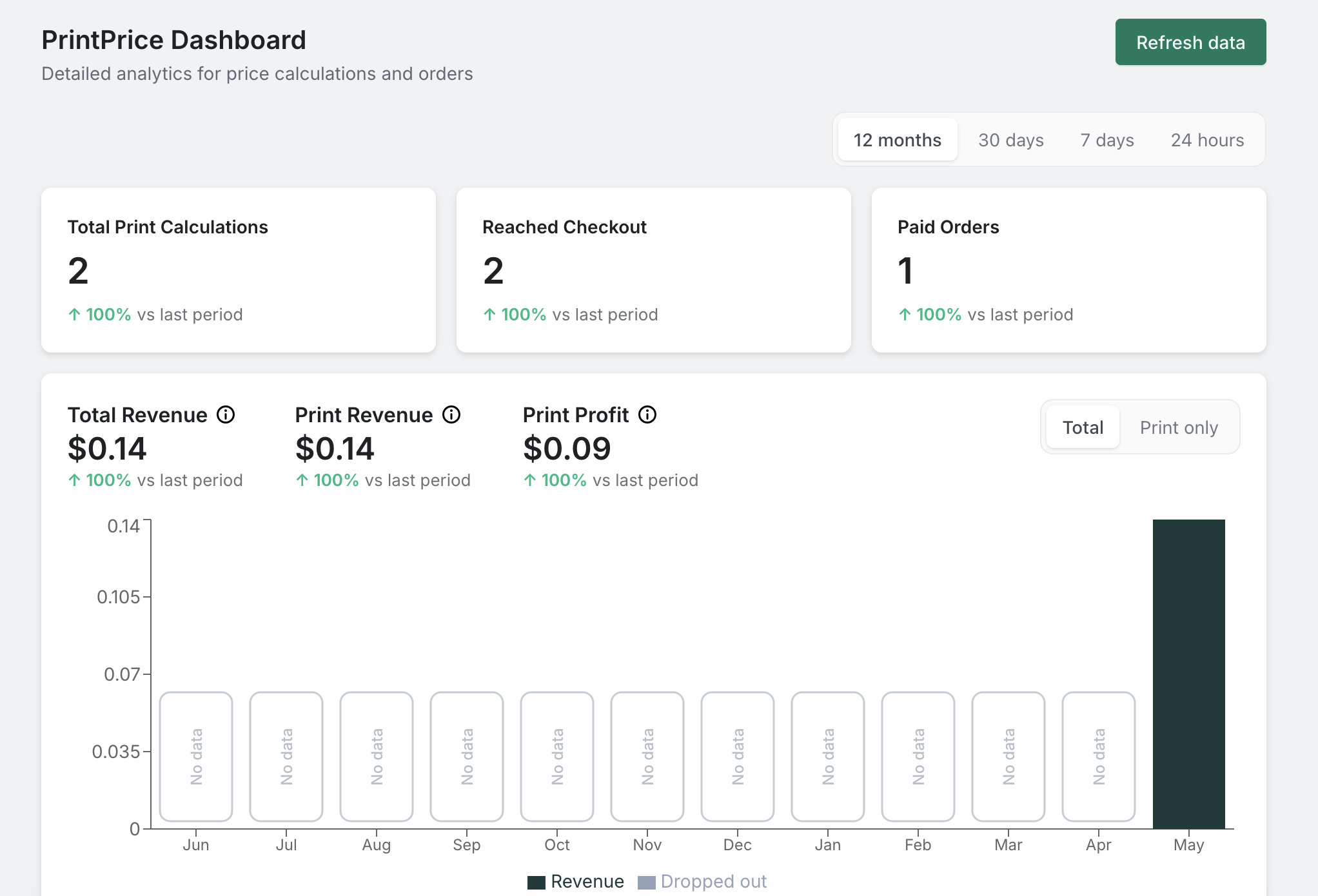
- Merchant dashboard with revenue, print-profit, paid-order metrics and per-period chart
- Order detail file downloads: single file or zip of all files for any order
- Multi-color 3MF detection with configurable purge-waste allowance
- Print-time estimation from sliced 3MF gcode or filament mass
- Default materials + profit margin seeded on first load (PLA Black + PETG Black; 3× of material cost)
- License field is read-only: managed automatically, replaced by a Freemius license once you upgrade
- Reliability under load: server queues concurrent calculations and adapts to available memory