

Description
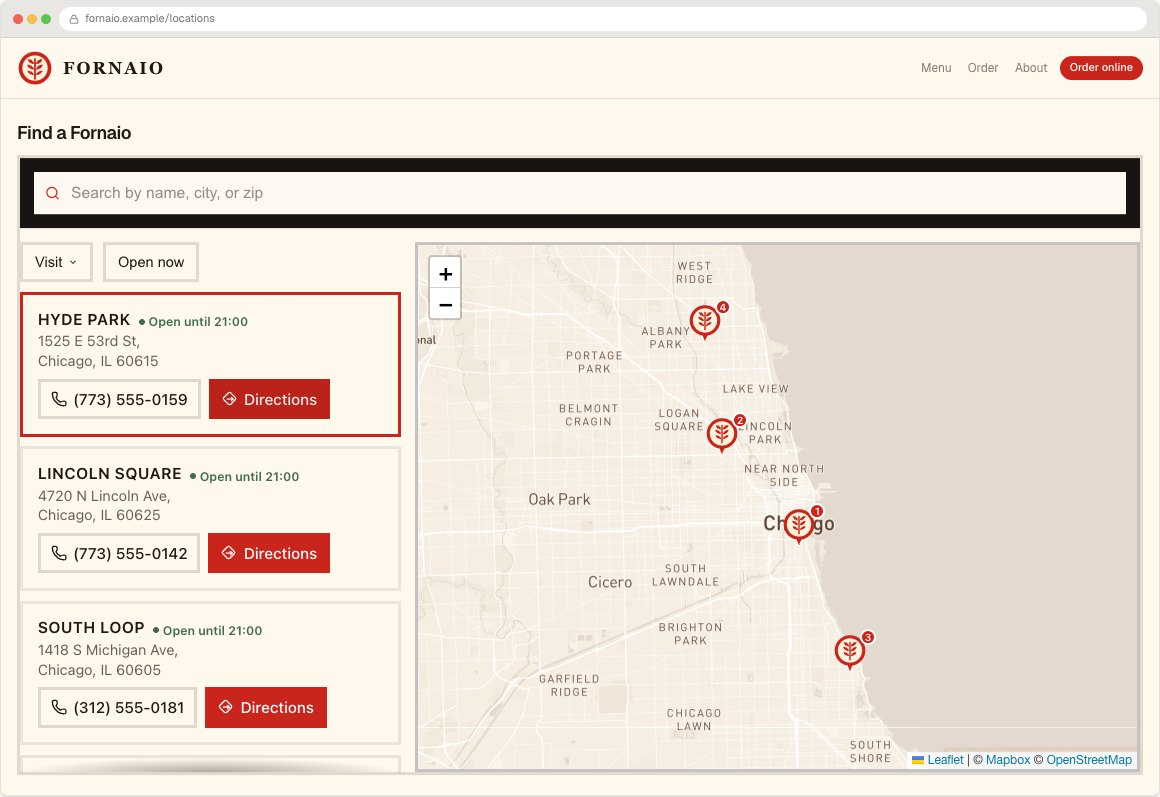
Handled Locator adds a searchable store locator to your WordPress site. Visitors search by town or postcode, filter by category, see opening hours in each location’s own timezone, and get directions.
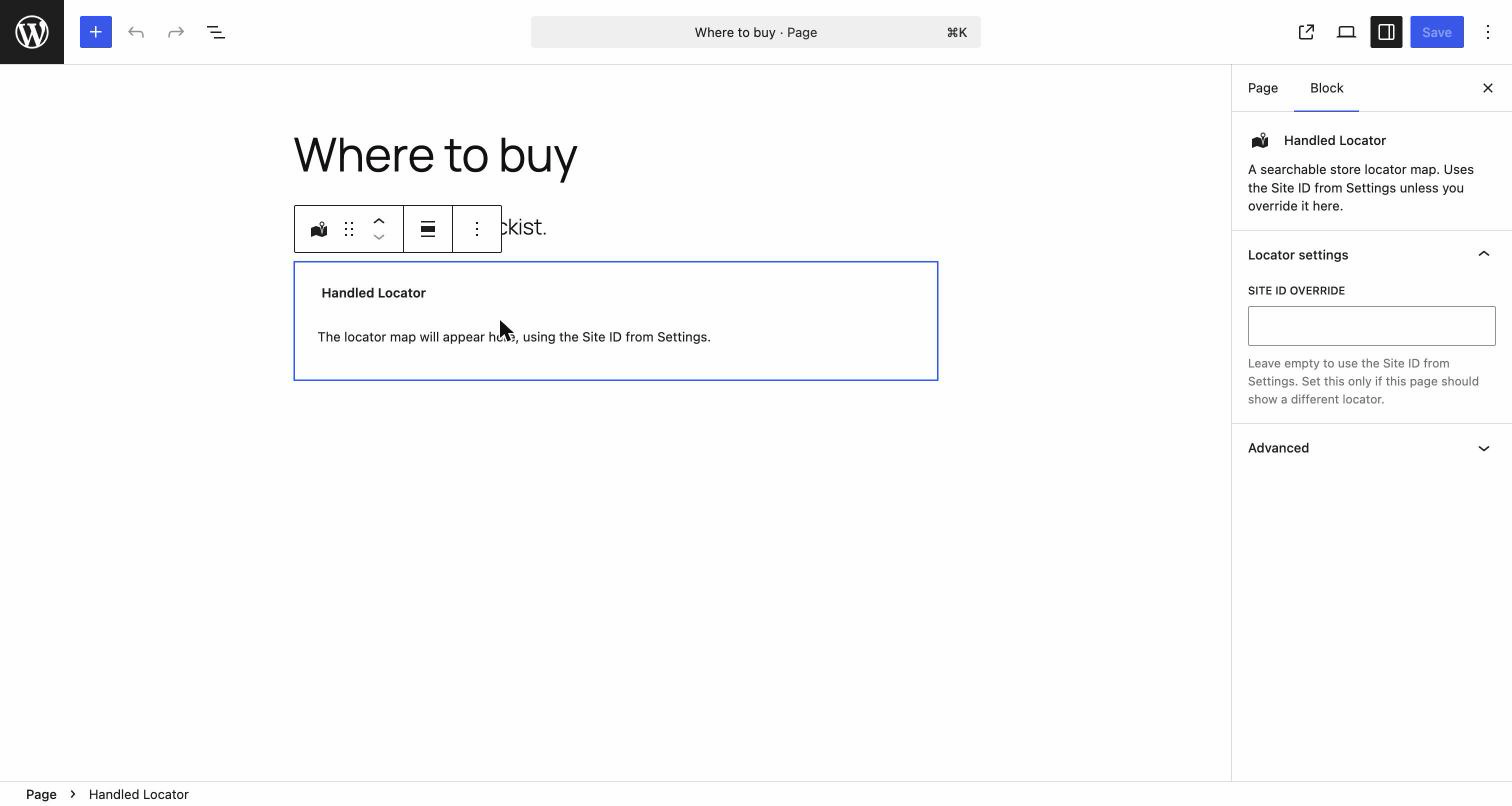
Add it with the Handled Locator block, or the [handled_locator] shortcode.
Bring your own map key
Most store locators bill you for map usage on top of their subscription, or cap how many map views you get. Handled Locator uses your own Mapbox or Google Maps key, so map traffic is billed at cost by the map provider, with no markup from us and no view ceiling.
What visitors get
- Search by town, postcode or address
- Filter by category
- Opening hours, with an open-or-closed badge computed in the location’s own timezone
- Directions, call and website actions
- Works on phones — the layout stacks rather than shrinking
What you get
- Import locations from a spreadsheet, with duplicate detection and address geocoding
- Style it to match your site: colours, fonts, corners, spacing
- One line of setup in WordPress, then manage everything from your Handled Locator dashboard
Requires a Handled Locator account
This plugin displays a locator that is configured and hosted at locator.handledlocal.com. A Handled Locator account is required for the plugin to display anything. There is a 7-day free trial with no card required. After the trial, paid plans start at $19/month.
The plugin itself is free and open source under GPLv2.
External services
This plugin relies on the Handled Locator service to render your store locator. It is not usable without it.
What is loaded, and when
-
Widget script. On any page containing the Handled Locator block or shortcode, the plugin loads a JavaScript bundle from
https://cdn.handledlocal.com/widget.js. This is the code that renders the locator. -
Location data. That script then requests your published locations from the Handled Locator API at
https://app.handledlocal.com/api/public/locations, identified by the Site ID you configure in the plugin settings.
What is sent
The requests are made by the visitor’s browser. They include the Site ID you configured, and — as with any web request — the visitor’s IP address and user agent. Nothing about your WordPress users, posts, or site content is transmitted. The plugin does not send anything from your server.
If a visitor uses the optional “near me” feature, their browser asks them for location permission and the coordinates are used to sort results. This only happens if they grant permission.
Terms
- Terms of service: https://locator.handledlocal.com/terms
- Privacy policy: https://locator.handledlocal.com/privacy
Screenshots
Blocks
This plugin provides 1 block.
- Handled Locator A searchable store locator map. Uses the Site ID from Settings unless you override it here.
Installation
- Install and activate the plugin.
- Create a Handled Locator account at locator.handledlocal.com and add your locations.
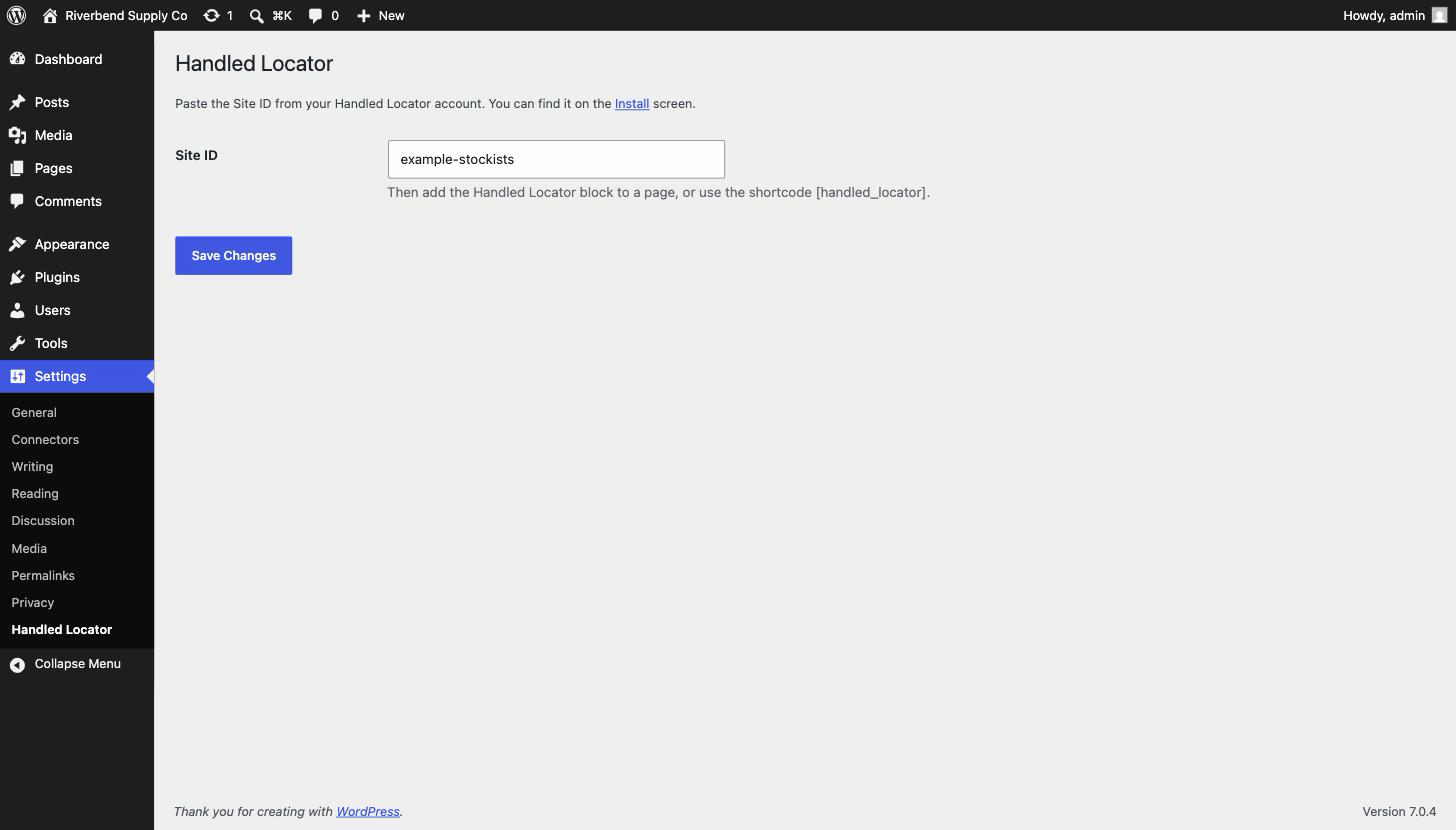
- Copy your Site ID from the Install screen in your Handled Locator dashboard.
- In WordPress, go to Settings Handled Locator and paste the Site ID.
- Add the Handled Locator block to a page, or use the
[handled_locator]shortcode.
FAQ
-
Do I need an account?
-
Yes. The locator itself is configured and hosted by Handled Locator, so the plugin needs a Site ID from an account to display anything. The trial is 7 days and does not ask for a card.
-
Can I put the locator on more than one page?
-
Yes. Add the block or shortcode wherever you want it, as many times as you like.
-
Can I show a different locator on different pages?
-
Yes. The shortcode takes an optional override,
[handled_locator site_id="..."], and the block has a Site ID field in its sidebar. Leave both empty to use the Site ID from Settings. -
Do I need a map key?
-
You bring your own Mapbox or Google Maps key, which you add in your Handled Locator dashboard rather than in WordPress. That is what keeps map usage billed at cost with no markup.
-
Does it work with my theme?
-
The locator renders inside a shadow root, so your theme’s CSS cannot leak in and break it, and its styles cannot leak out and affect your page. It picks up your site’s font so it does not look pasted in.
-
Does it slow my site down?
-
The widget script is only loaded on pages that actually contain the block or shortcode, and it loads asynchronously in the footer, so it does not block rendering.
Reviews
There are no reviews for this plugin.
Contributors & Developers
“Handled Locator – Store Locator Map” is open source software. The following people have contributed to this plugin.
Contributors
Translate “Handled Locator – Store Locator Map” into your language.
Interested in development?
Browse the code, check out the SVN repository, or subscribe to the development log by RSS.
Changelog
1.0.0
- Initial release: Handled Locator block,
[handled_locator]shortcode, and settings screen.