

Description
OZY AI Chatbot turns your WordPress website into an intelligent, conversational assistant. Visitors ask questions and get instant, accurate answers — grounded strictly in your own website content.
Unlike a general chatbot, this assistant is scope-locked: it only talks about your website and its services. If a visitor asks something off-topic — or tries to trick it into writing code, essays, or acting as a free general-purpose AI — it politely declines and steers them back to your business. This protects your API budget and keeps the conversation on-brand.
Key Features
- Multi-Provider AI — OpenAI (GPT-4o), Anthropic Claude, Google Gemini, Groq (free), plus custom providers via a filter hook
- Website-grounded answers — index your pages; the assistant reads them to answer accurately and cites sources
- Scan Website — one-click discovery of internal URLs from your homepage
- Streaming responses — word-by-word output for a live, ChatGPT-like feel (delivered entirely through the WordPress HTTP API)
- Scope lock & prompt-injection protection — refuses off-topic, jailbreak, and “ignore your instructions” attempts
- Per-IP rate limiting — an always-on per-minute cap stops automated abuse from draining your API tokens, on top of optional per-session/day/month limits
- Multiple AI Agents — define agents with different names, models, and personas; users can switch in-chat
- Full appearance control — colors, widget position, icons, and background (solid, gradient, video, or image)
- Shortcode support — embed inline with
[ozy_ai_chatbot] - Analytics dashboard — total, daily, and monthly queries plus average response time
- Opt-in attribution — the “AI-powered by OZY” credit is OFF by default and only shows if you enable it
Supported AI Providers
- OpenAI — GPT-4o, GPT-4o-mini, GPT-4-turbo, GPT-3.5-turbo
- Anthropic Claude — Claude Opus, Sonnet, Haiku
- Google Gemini — Gemini 2.0 Flash, 1.5 Pro, 1.5 Flash
- Groq — Llama 3.3 70B, Mixtral 8x7B, Gemma2 (free tier available)
- Custom — add any OpenAI-compatible API via the
ozy_ai_providersfilter
Adding a Custom AI Provider
add_filter( 'ozy_ai_providers', function( $providers ) {
    $providers['mistral'] = [
        'label'   => 'Mistral AI',
        'models'  => [ 'mistral-large-latest', 'mistral-small-latest' ],
        'api_url' => 'https://api.mistral.ai/v1/chat/completions',
        'key_url' => 'https://console.mistral.ai/api-keys',
    ];
    return $providers;
} );
Inline Widget Shortcode
[ozy_ai_chatbot]
External Services
This plugin connects to the following third-party services. Data is only transmitted when a visitor submits a question in the chat widget, or when you use an admin feature such as “Test Connection”.
AI Providers (used to generate responses)
Depending on the provider you configure, the visitor’s question and relevant text excerpts from your own website are sent to one of these services:
- OpenAI — https://openai.com/ — terms: https://openai.com/policies/terms-of-use/ — privacy: https://openai.com/policies/privacy-policy/
- Anthropic (Claude) — https://www.anthropic.com/ — terms: https://www.anthropic.com/legal/consumer-terms — privacy: https://www.anthropic.com/legal/privacy
- Google (Gemini) — https://ai.google.dev/ — terms: https://ai.google.dev/gemini-api/terms — privacy: https://policies.google.com/privacy
- Groq — https://groq.com/ — terms: https://groq.com/terms-of-use/ — privacy: https://groq.com/privacy-policy/
No AI provider request is made until a visitor submits a question. The data sent is limited to the visitor’s question and relevant text excerpts scraped from your own website pages. No personal data beyond what the visitor types is transmitted. Site owners are responsible for disclosing this third-party processing in their own privacy policy.
Google Fonts
The plugin loads the “Rethink Sans” typeface from Google Fonts (https://fonts.google.com/). This causes the visitor’s browser to connect to Google’s servers, which may transmit the visitor’s IP address to Google. Privacy policy: https://policies.google.com/privacy
To disable the font, add this to your theme’s functions.php:
add_action( 'wp_enqueue_scripts', function() {
    wp_dequeue_style( 'ozy-rethink-sans' );
    wp_deregister_style( 'ozy-rethink-sans' );
}, 20 );
Screenshots
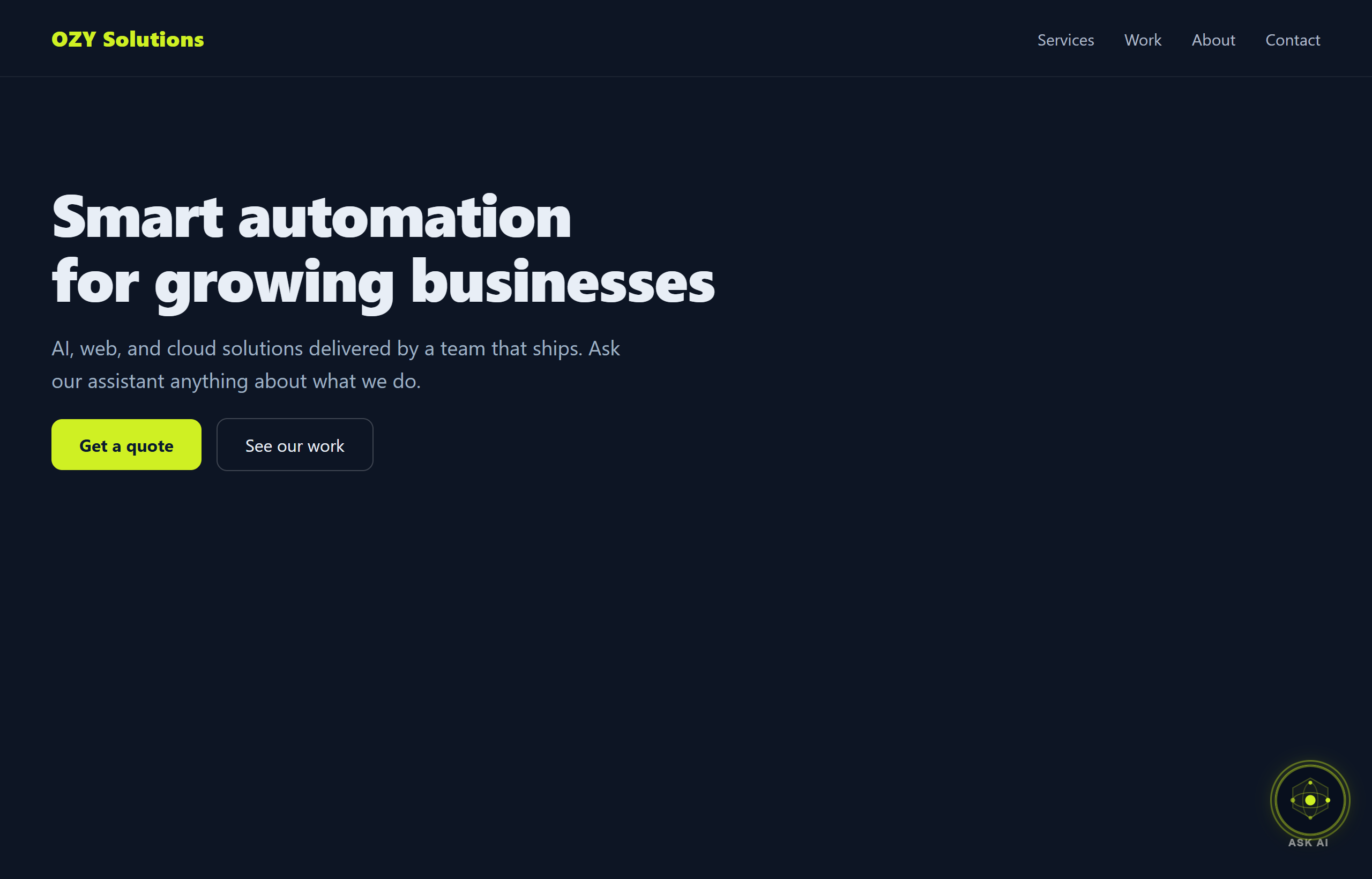
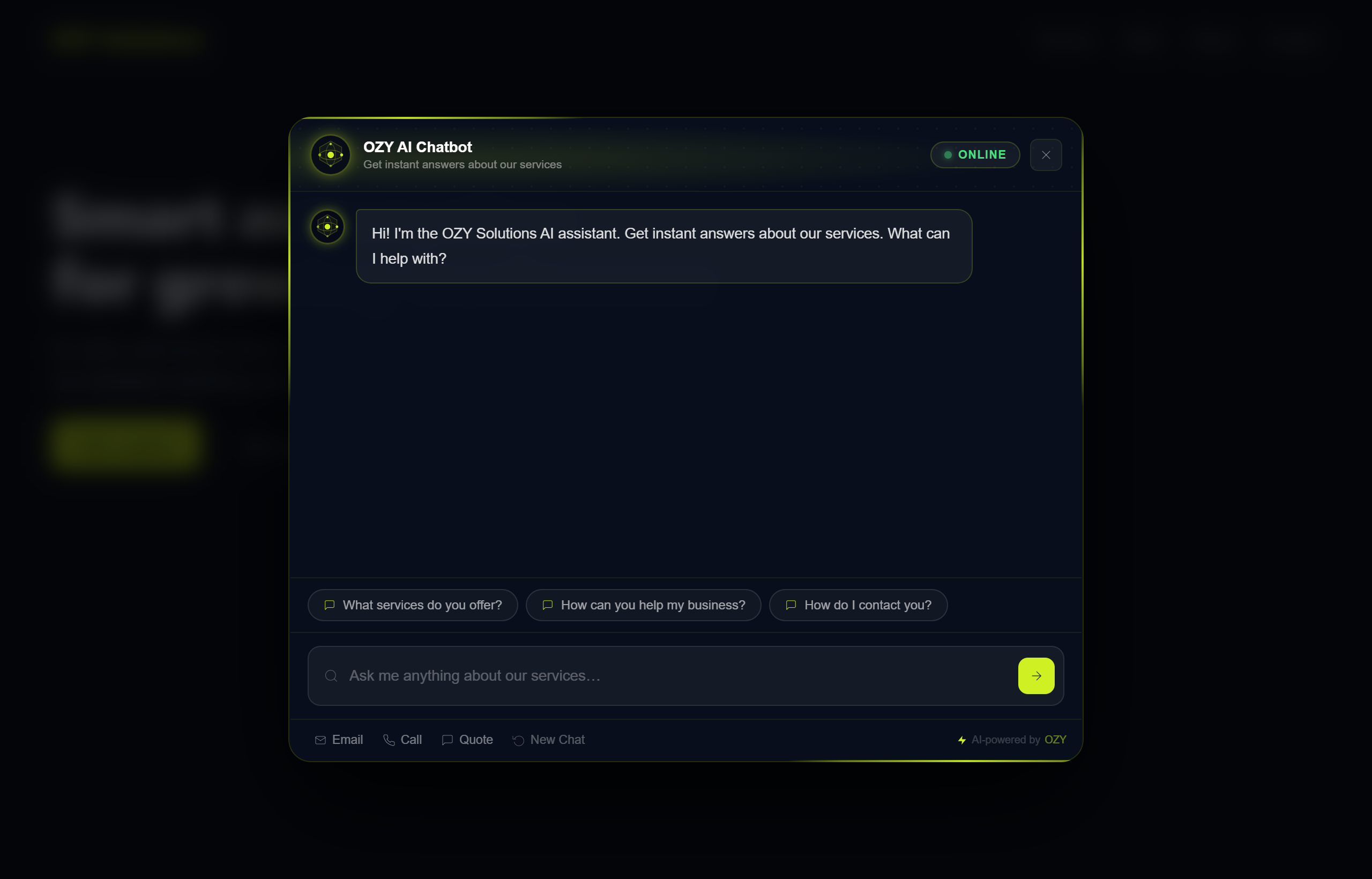
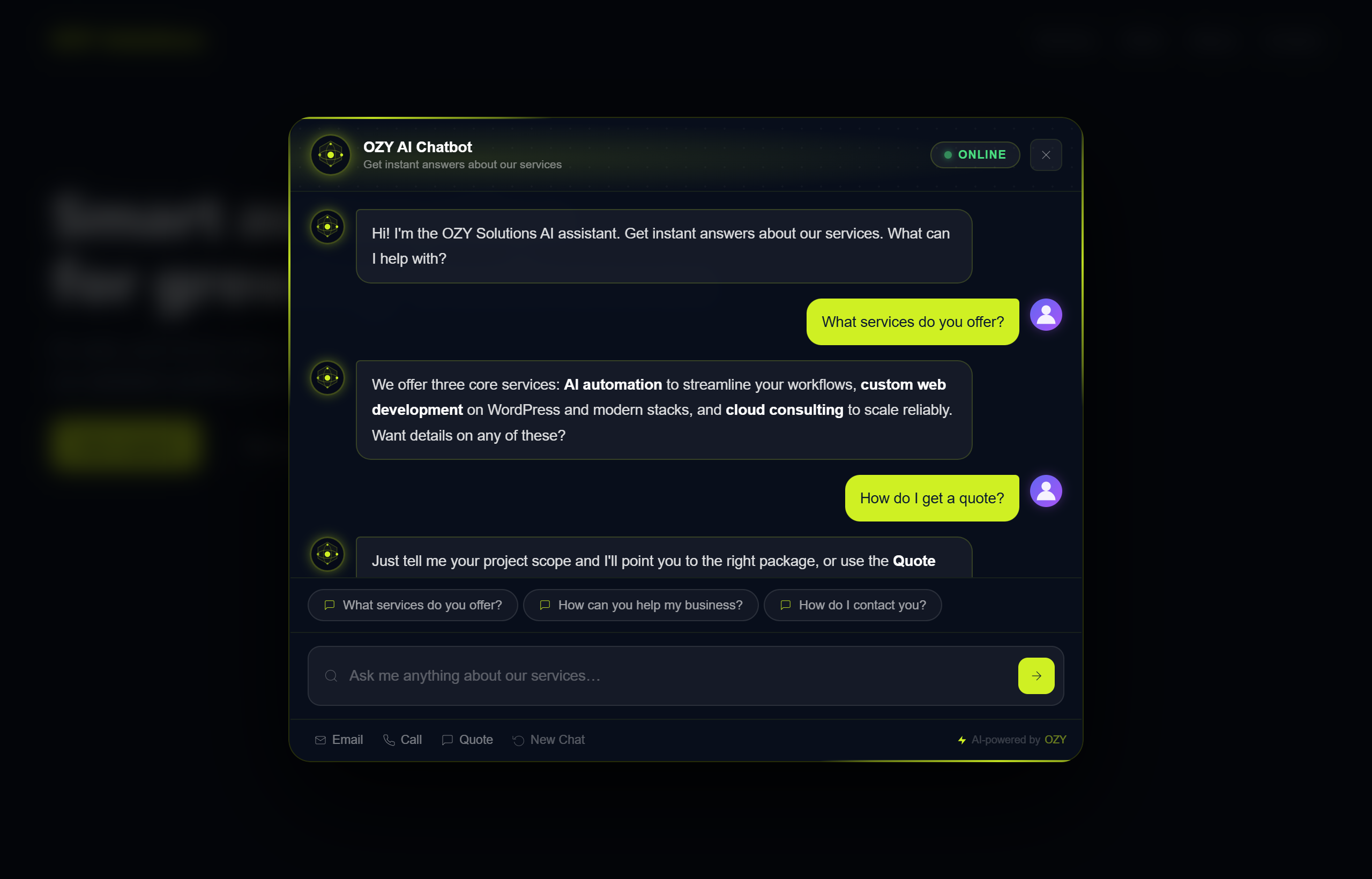
Installation
- Upload the
ozy-ai-chatbotfolder to/wp-content/plugins/ - Activate the plugin through Plugins Installed Plugins
- Go to OZY AI Chatbot AI Provider and enter your API key
- Go to OZY AI Chatbot Widget Settings to customize branding and appearance
- Go to OZY AI Chatbot URL Index and click Scan Website to auto-import your pages
FAQ
-
Which AI provider should I use?
-
Start with Groq — it’s free for testing. For production, OpenAI GPT-4o-mini or Google Gemini 1.5 Flash offer the best cost/quality ratio.
-
Does the AI only answer questions about my website?
-
Yes. The assistant is scope-locked by its system prompt and a pre-filter: it answers only using your indexed website content and declines off-topic or abusive requests (such as writing code or essays).
-
How does it stop people using my AI key for free?
-
Every request is throttled per IP address (default 15/minute, adjustable via the
ozy_ai_per_minute_limitfilter), and off-topic/jailbreak attempts are refused before any tokens are spent. You can also set optional per-session, per-day, and per-month limits. -
Can I add my own AI provider?
-
Yes — use the
ozy_ai_providersfilter hook to register any OpenAI-compatible API endpoint. -
Is the plugin translation-ready?
-
Yes. All strings use the
ozy-ai-chatbottext domain and a.pottemplate is included. -
What data is removed when I uninstall the plugin?
-
All plugin settings (WordPress options) and both database tables (
ozy_ai_url_indexandozy_ai_queries) are deleted on uninstall.
Reviews
There are no reviews for this plugin.
Contributors & Developers
“OZY AI Chatbot” is open source software. The following people have contributed to this plugin.
Contributors
Translate “OZY AI Chatbot” into your language.
Interested in development?
Browse the code, check out the SVN repository, or subscribe to the development log by RSS.
Changelog
1.0.0
- Initial release.
- Multi-provider AI: OpenAI, Claude, Gemini, Groq, plus custom providers via filter.
- Website-grounded answers with source citations and one-click site scan.
- Word-by-word streaming delivered entirely through the WordPress HTTP API (no direct cURL).
- Scope lock and prompt-injection protection: off-topic, jailbreak, and code-generation requests are refused.
- Always-on per-IP rate limiting plus optional per-session, per-day, and per-month limits.
- Multiple AI agents with personas; configurable appearance; analytics dashboard.
- Attribution credit is opt-in (off by default), per WordPress.org guidelines.
- Uninstall cleanup of all options and database tables.