
Description
PlugnAI adds an intelligent AI shopping assistant to your WooCommerce store. Like Amazon’s Rufus, but for your shop.
Features:
- Smart product search with natural language
- Personalized product recommendations
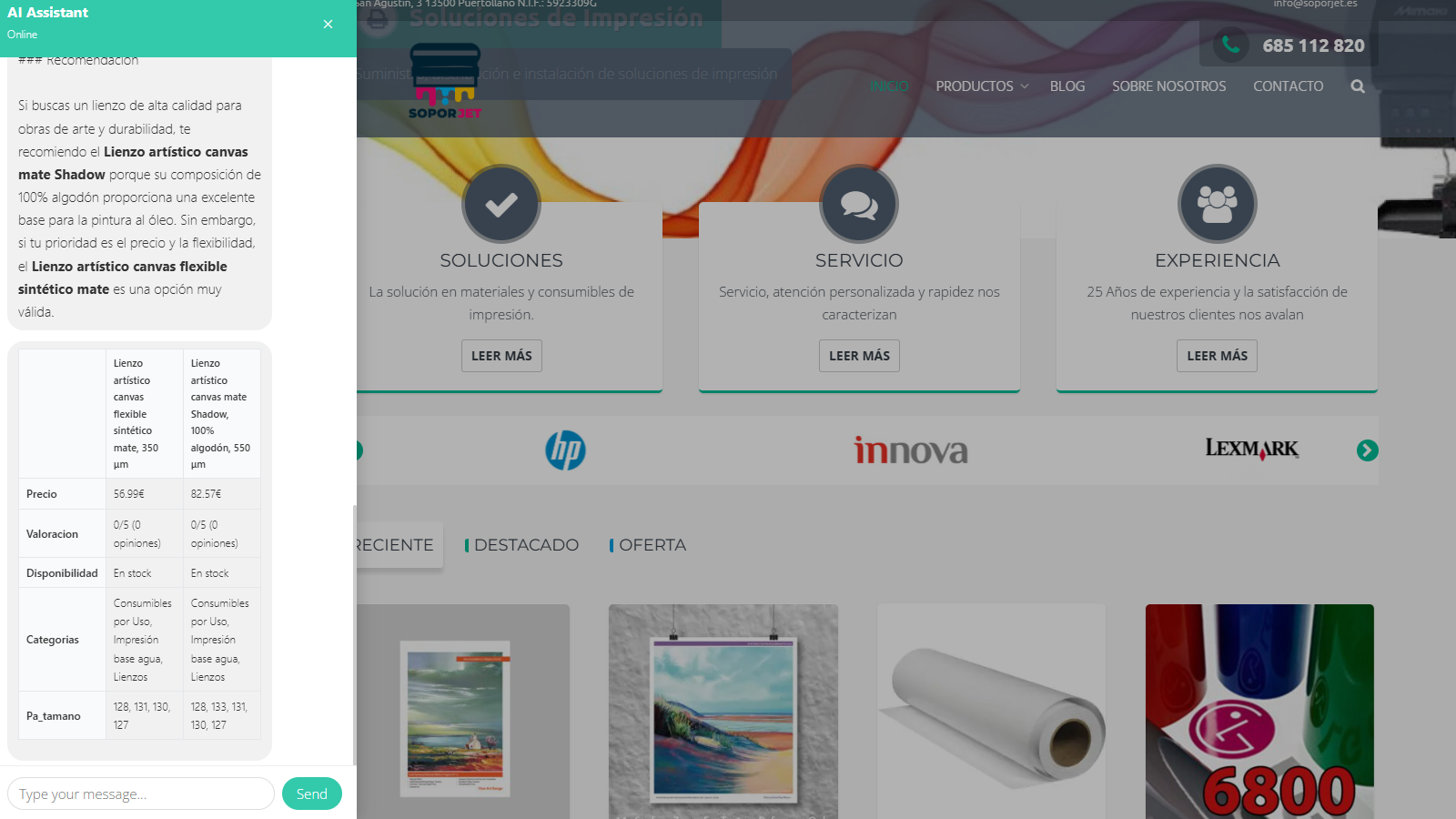
- Side-by-side product comparison with visual table
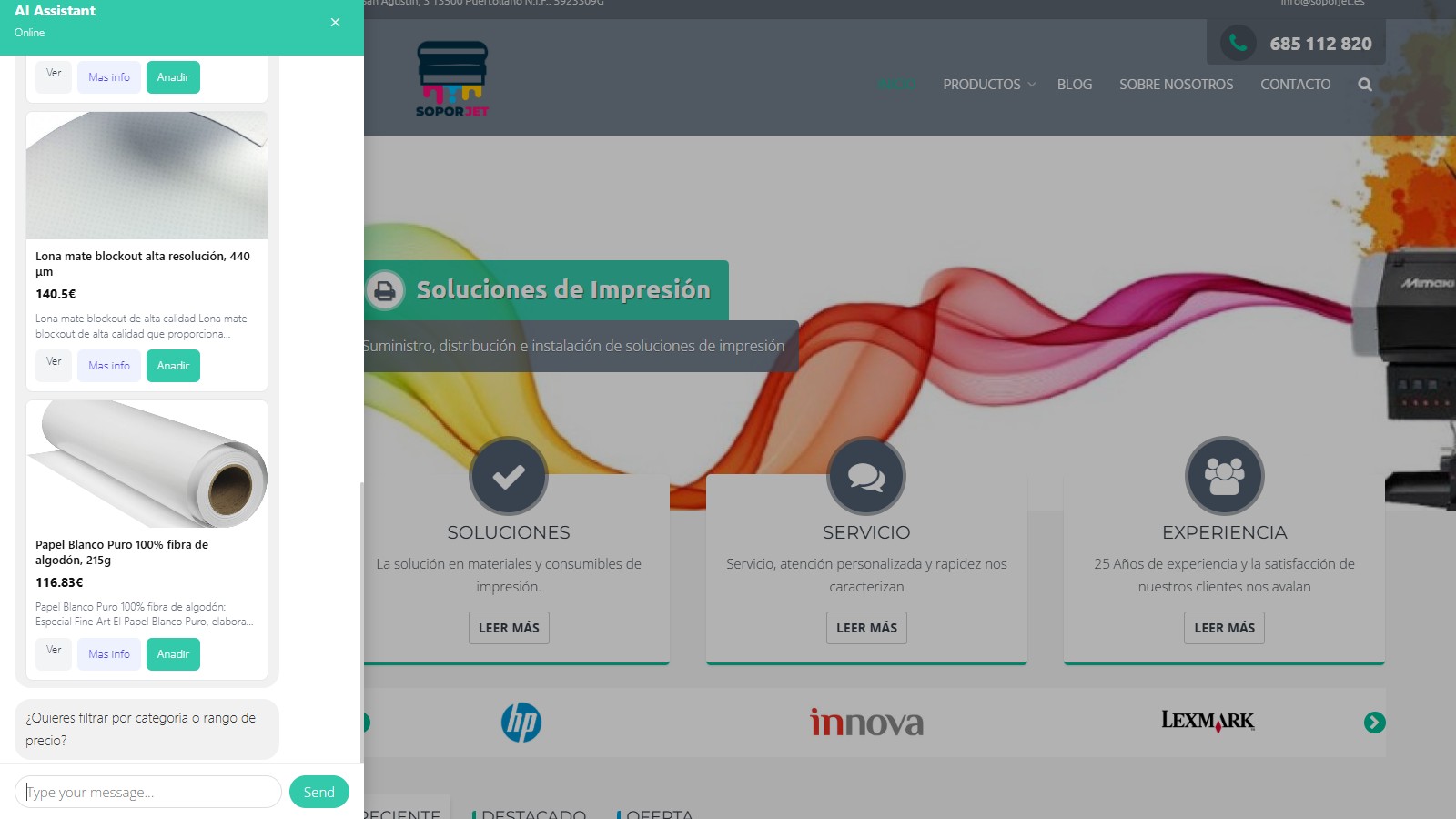
- Add to cart directly from the chat
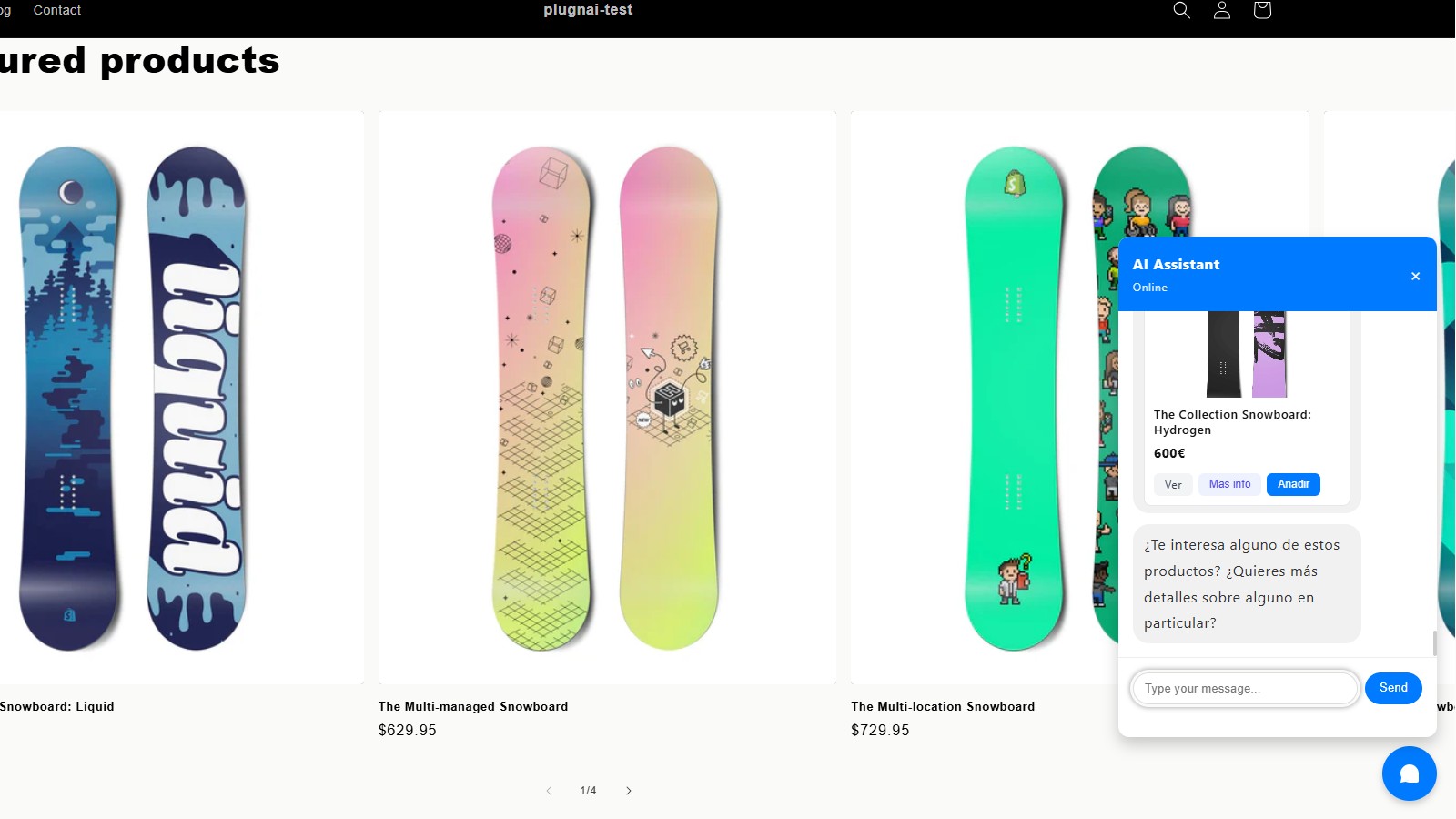
- Product cards with images, prices and ratings
- Shipping and return policy information
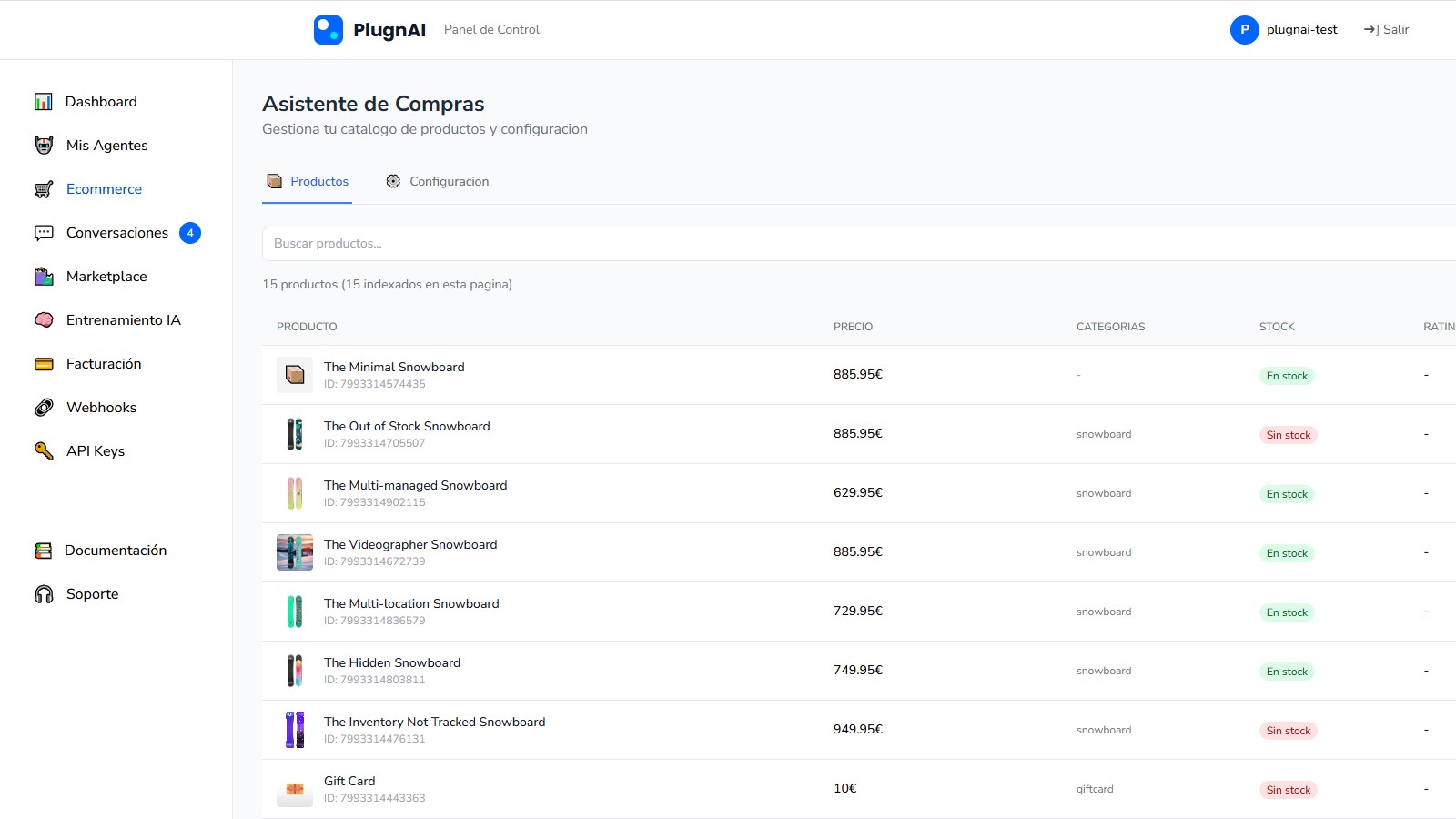
- Automatic product catalog sync
- Floating widget or side panel display mode
- Multi-language support (responds in visitor’s language)
How it works:
- Install the plugin and connect your PlugnAI account
- Products sync automatically to the AI engine
- Your customers can chat with the assistant to find and buy products
External Services:
This plugin connects to the PlugnAI service to provide AI-powered chat functionality:
- PlugnAI API (api.plugnai.io) – Processes chat messages, product search and recommendations
- PlugnAI Widget (app.plugnai.io/webchat/widget.js) – Chat widget loaded on your store’s frontend
- PlugnAI Portal (app.plugnai.io) – Account management and configuration
Product data (names, descriptions, prices, images, categories) is sent to PlugnAI servers for AI processing and semantic search indexing.
Anonymous usage telemetry: when the plugin is activated and during onboarding, it sends an anonymous event to api.plugnai.io to help us measure activation. This contains only the plugin version, WordPress/WooCommerce/PHP versions and the site locale. It does NOT include your site URL, store name, email, customer data or any personal information.
Service Terms: https://plugnai.io/terms
Privacy Policy: https://plugnai.io/privacy
Screenshots
Installation
- Upload the plugin to
/wp-content/plugins/plugnai-ai-shopping-assistant/ - Activate the plugin through the ‘Plugins’ menu
- Go to WooCommerce > PlugnAI Assistant
- Connect your PlugnAI account or enter your API Key
- Products will sync automatically
FAQ
-
Do I need a PlugnAI account?
-
Yes, sign up at plugnai.io to get your API key. A 14-day free trial is available — no credit card required to start.
-
What data does the plugin send when I activate it?
-
On activation and during onboarding the plugin sends an anonymous telemetry event (plugin/WordPress/WooCommerce/PHP versions and site locale only). No site URL, email or personal data is included. It is used solely to measure activation and improve the plugin.
-
How does product sync work?
-
Products sync automatically when you create, update or delete them in WooCommerce. On first activation, all published products are synced.
-
Does it work with variable products?
-
Yes, variable products and their attributes are synced and searchable.
-
What data is sent to PlugnAI?
-
Product information (name, description, price, images, categories, stock status) is sent to PlugnAI for AI processing. No customer personal data is collected or sent.
-
In what languages does the assistant respond?
-
The AI assistant automatically detects the visitor’s browser language and responds accordingly. It supports Spanish, English, Portuguese, French, German and Italian.
Reviews
There are no reviews for this plugin.
Contributors & Developers
“PlugnAI – AI Shopping Assistant” is open source software. The following people have contributed to this plugin.
Contributors
Translate “PlugnAI – AI Shopping Assistant” into your language.
Interested in development?
Browse the code, check out the SVN repository, or subscribe to the development log by RSS.
Changelog
1.1.0
- Free 14-day trial now starts without a card; payment is added later from the PlugnAI dashboard
- Onboarding CTA updated (“Start free trial”)
- Anonymous install/onboarding telemetry (no personal data) to help us improve activation
- Source tagging (UTM) when connecting your account, for analytics
1.0.0
- Initial release
- Product auto-sync via WooCommerce hooks
- AI chat widget with product cards
- Add-to-cart from chat
- Product comparison tables
- Side panel and floating widget modes
- Admin settings page with onboarding
- Multi-language support