

Description
QuickShipD Product Video is a WooCommerce product video plugin that embeds YouTube, Vimeo, and self-hosted videos directly in your product gallery — alongside product images, never replacing them.
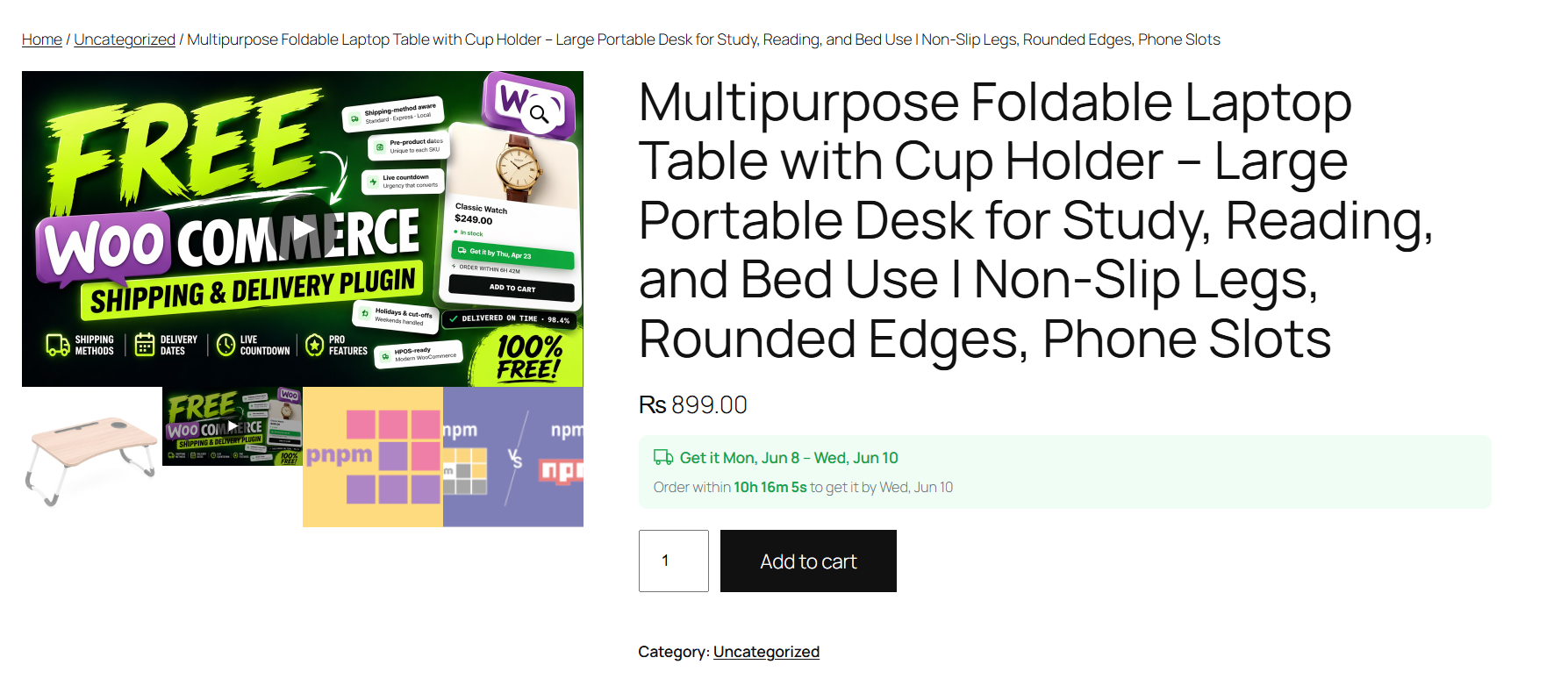
Paste a video URL or upload MP4, MOV, or WebM from the Media Library. Shoppers see a gallery slide with thumbnail and play button. Supports the classic WooCommerce gallery and the Product Gallery Block.
Ideal for stores that want product page videos, video SEO in Google, and per-product analytics without slowing down the rest of the site.
Features
- YouTube + Vimeo embedding — paste a URL, video appears in the WooCommerce gallery
- Self-hosted video — upload MP4, MOV, or WebM from the WordPress Media Library
- Gallery integration — product video slide next to product images
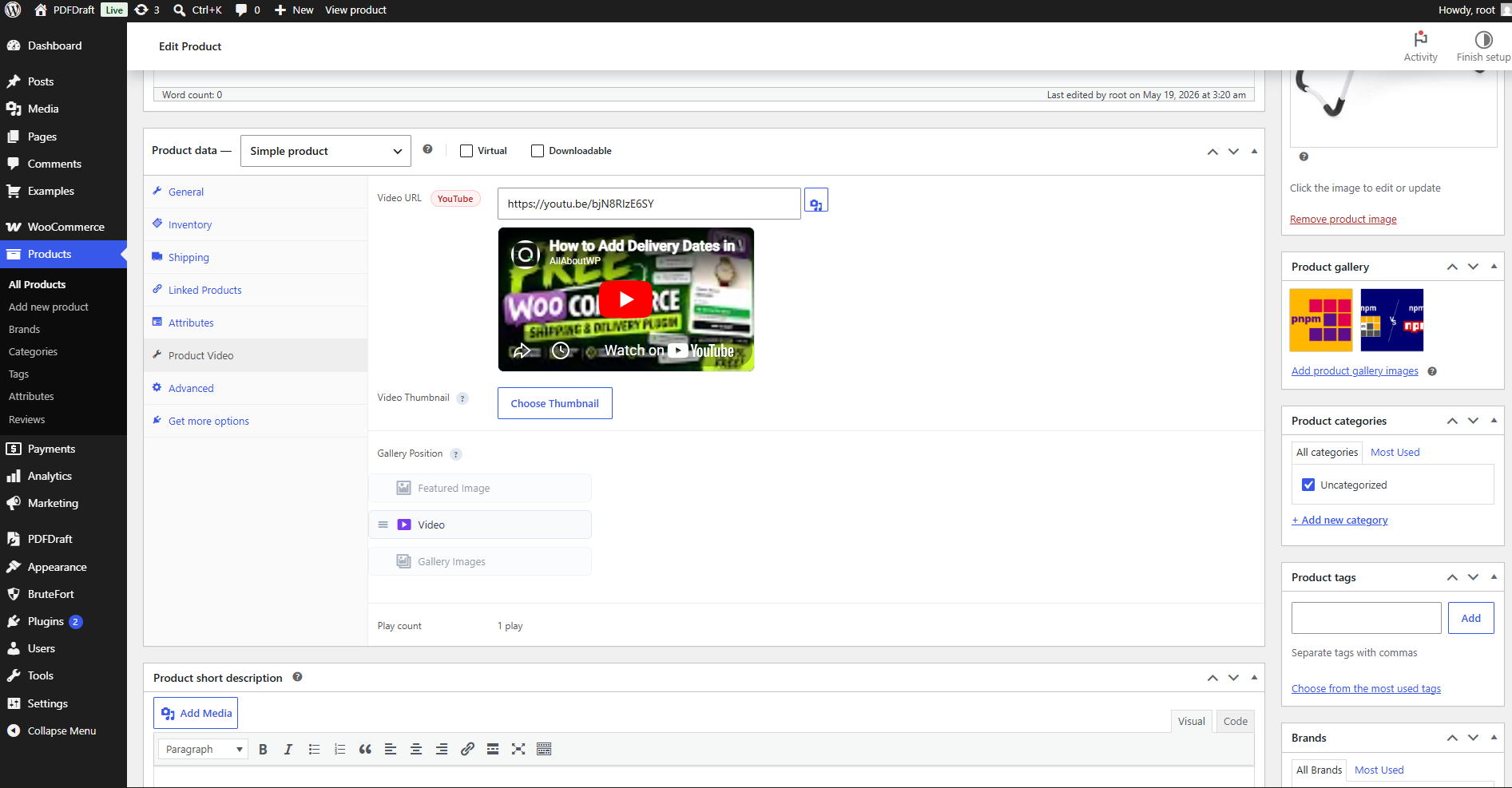
- Gallery ordering — place video before the featured image, after it, or after all images
- WooCommerce Block gallery — works with the Product Gallery Block (WooCommerce 8.2+)
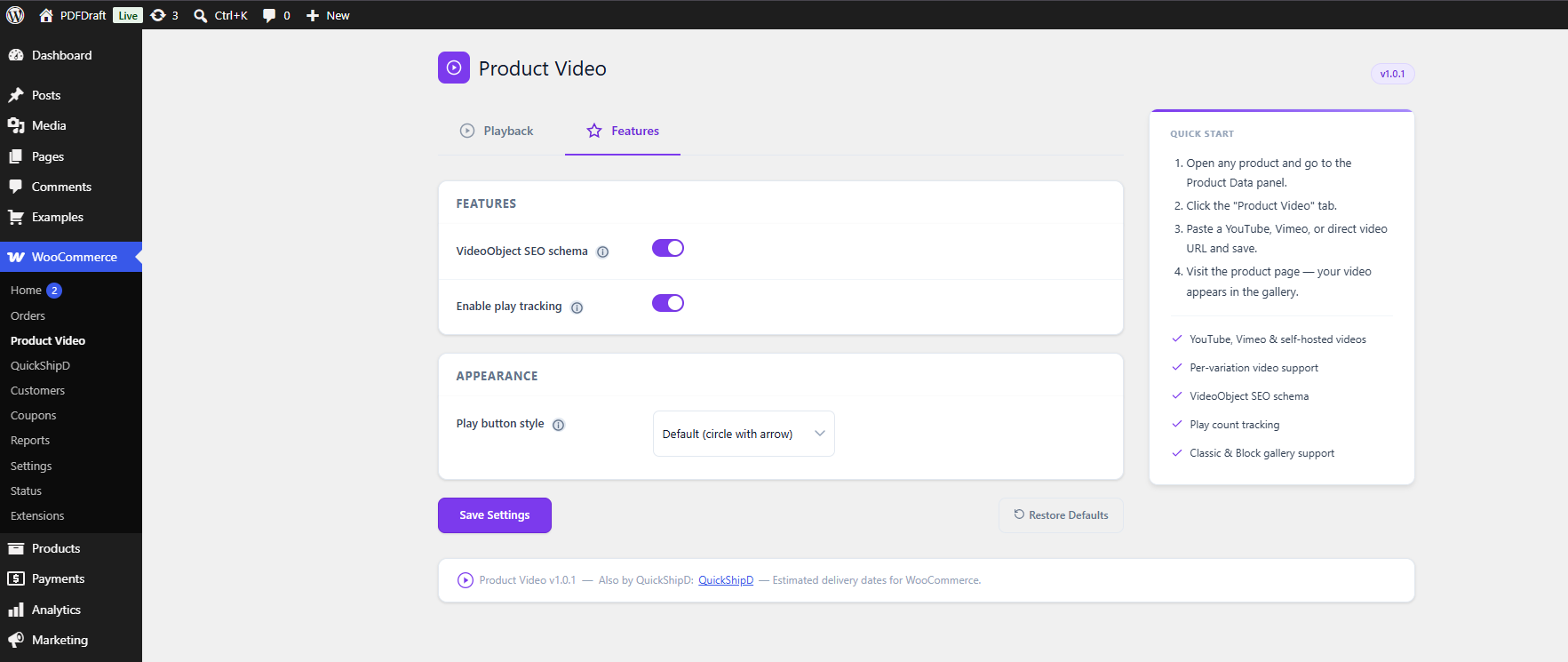
- VideoObject SEO schema — JSON-LD structured data for Google video rich results
- Play tracking — count how many times each product video is played
- Variation videos — different video URL per product variation; gallery updates on selection
- Custom video thumbnail — override the default thumbnail from the Media Library
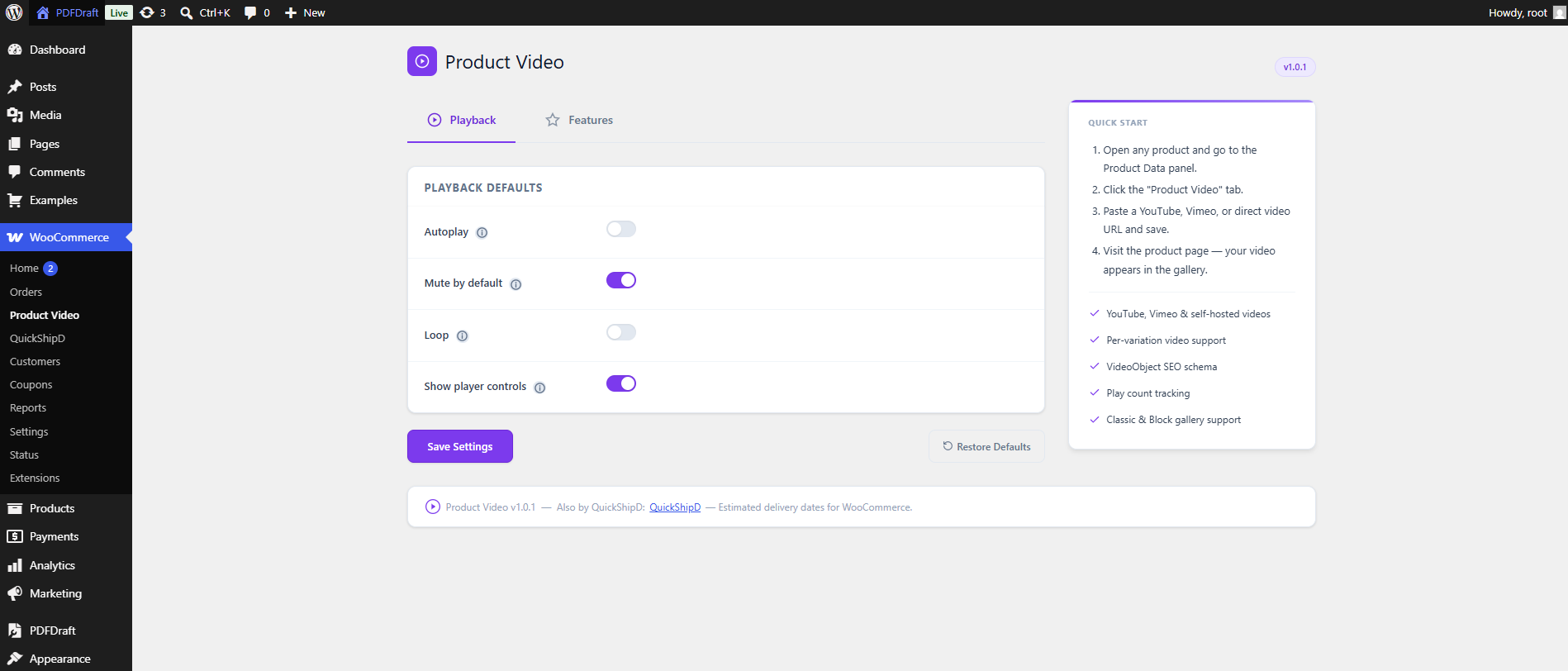
- Playback controls — autoplay, mute, loop, and player controls (site-wide and per product)
- HPOS compatible — WooCommerce High-Performance Order Storage
Performance
Assets load only on single product pages that have a video. Lightweight CSS and JavaScript (under 2 KB). YouTube and Vimeo player scripts load only after the visitor clicks play — fast product pages and better Core Web Vitals.
VideoObject SEO Schema
Automatic schema.org VideoObject JSON-LD on product pages with videos. Helps search engines understand your WooCommerce product video content and can support video thumbnails in Google results.
By QuickShipD
From the team behind QuickShipD — estimated delivery dates for WooCommerce.
External Services
This plugin connects to external services in the following situations:
YouTube
When a product has a YouTube video URL, the plugin loads the video thumbnail image from YouTube’s image servers (img.youtube.com) to display it in the gallery slide. No data about your site or visitors is sent to YouTube during thumbnail loading. The YouTube player (youtube.com) is loaded inside an iframe only when a visitor clicks the play button.
Vimeo
When a product has a Vimeo video URL, the plugin makes a server-side request to the Vimeo oEmbed API (https://vimeo.com/api/oembed.json) to retrieve the video thumbnail URL. Only the Vimeo video ID is sent in this request. The result is cached on your server for seven days to minimise API calls. The Vimeo player (player.vimeo.com) is loaded inside an iframe only when a visitor clicks the play button.
Self-hosted videos
Self-hosted video files (MP4, WebM, etc.) uploaded to your own Media Library are served directly from your server. No external service is involved.
Screenshots
Installation
- Upload the
quickshipd-product-videofolder to/wp-content/plugins/ - Activate the plugin through the Plugins menu
- Edit any product, open the Product Video tab, paste a YouTube or Vimeo URL (or choose a self-hosted file), and save
Settings
WooCommerce Product Video — configure autoplay, mute, loop, VideoObject schema, and play tracking globally.
FAQ
-
What video sources are supported?
-
YouTube, Vimeo, and self-hosted files (MP4, MOV, WebM, OGG) from your Media Library.
-
Does the video replace my product images?
-
No. The video is an extra slide in the WooCommerce product gallery with your existing images.
-
Will it work with my theme?
-
Yes, with any theme using the standard WooCommerce product gallery. Tested with Storefront, Astra, GeneratePress, Flatsome, and OceanWP.
-
Does it work with the WooCommerce Product Gallery Block?
-
Yes — classic gallery and Product Gallery Block are both supported.
-
What is VideoObject SEO schema?
-
Structured data that tells Google your product page includes a video. Generated automatically; no extra SEO plugin required.
-
Can I show different videos per product variation?
-
Yes. Each variation has its own video URL. When the customer selects a variation, the gallery video and thumbnail update.
-
How do I override the video gallery template?
-
Copy
templates/video-gallery-item.phptoyourtheme/quickshipd-product-video/video-gallery-item.php.
Reviews
There are no reviews for this plugin.
Contributors & Developers
“QuickShipD Product Video — YouTube, Vimeo & Self-Hosted WooCommerce Gallery Videos, SEO Schema, Variations, Thumbnails & Play Tracking” is open source software. The following people have contributed to this plugin.
Contributors
Interested in development?
Browse the code, check out the SVN repository, or subscribe to the development log by RSS.
Changelog
1.0 – 03/06/2026
- Initial release
- YouTube, Vimeo, and self-hosted product videos in the WooCommerce gallery
- Video Thumbnail picker for self-hosted videos
- Gallery position control (before featured image / after featured image / after all images)
- VideoObject SEO schema and play tracking
- Variation video support with thumbnail and type updates on variation change
- Vimeo thumbnail retrieval via oEmbed API