
Description
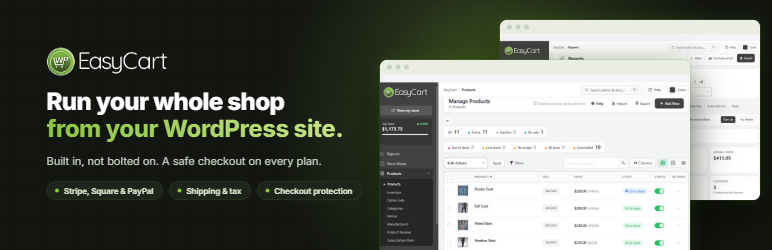
Run your whole shop from your WordPress site.
WP EasyCart adds a complete store to the WordPress site you already have. Products, checkout, orders, shipping, tax and reports are built in, not bolted on, so there is no stack of add-ons to buy and keep in step. Start free with unlimited products and orders, and move up to Pro when your store needs more.
It suits online shops that ship, restaurants, cafés and bakeries taking pickup orders, wholesalers billing trade customers, and makers and local producers who sell several ways at once.
Sell and get paid
- Unlimited products and orders, with options, variations and stock tracking.
- Stripe, Square and PayPal checkout, including Apple Pay and Google Pay.
- Checkout protection, on by default, that stops bots from testing stolen cards at your checkout.
- Catalog mode to show products without selling them.
Ship, fulfill and tax
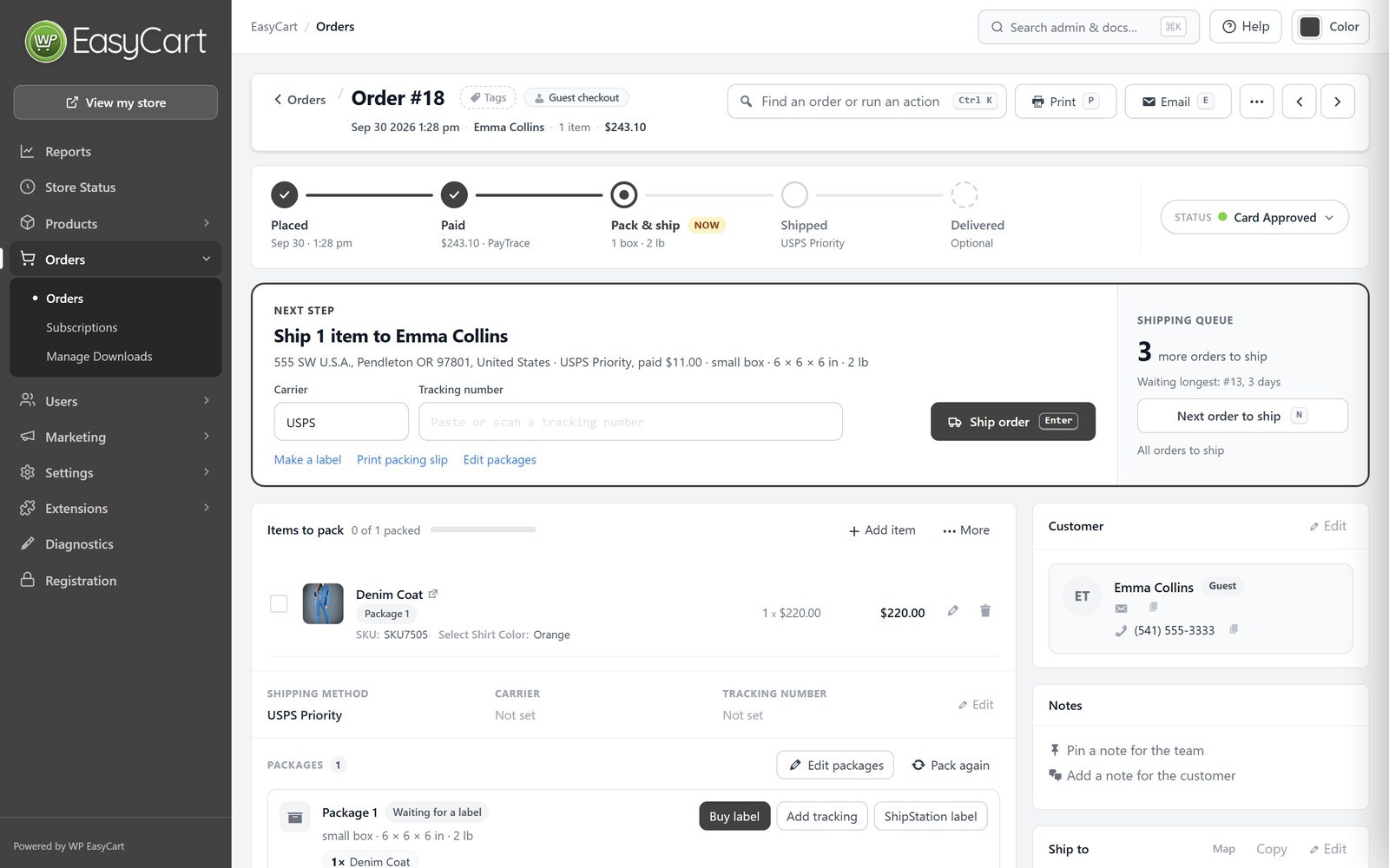
- An order screen built for speed: see where each order stands, tick items off as you pack, and ship in one step with tracking and an email to the customer.
- Save the boxes you ship in and have new orders packed into them automatically.
- Shipping rates by price, weight, quantity or percentage, and tracking for every package through to delivery.
- Tax rates by country, state and province, and VAT with VAT number checks.
Grow your store
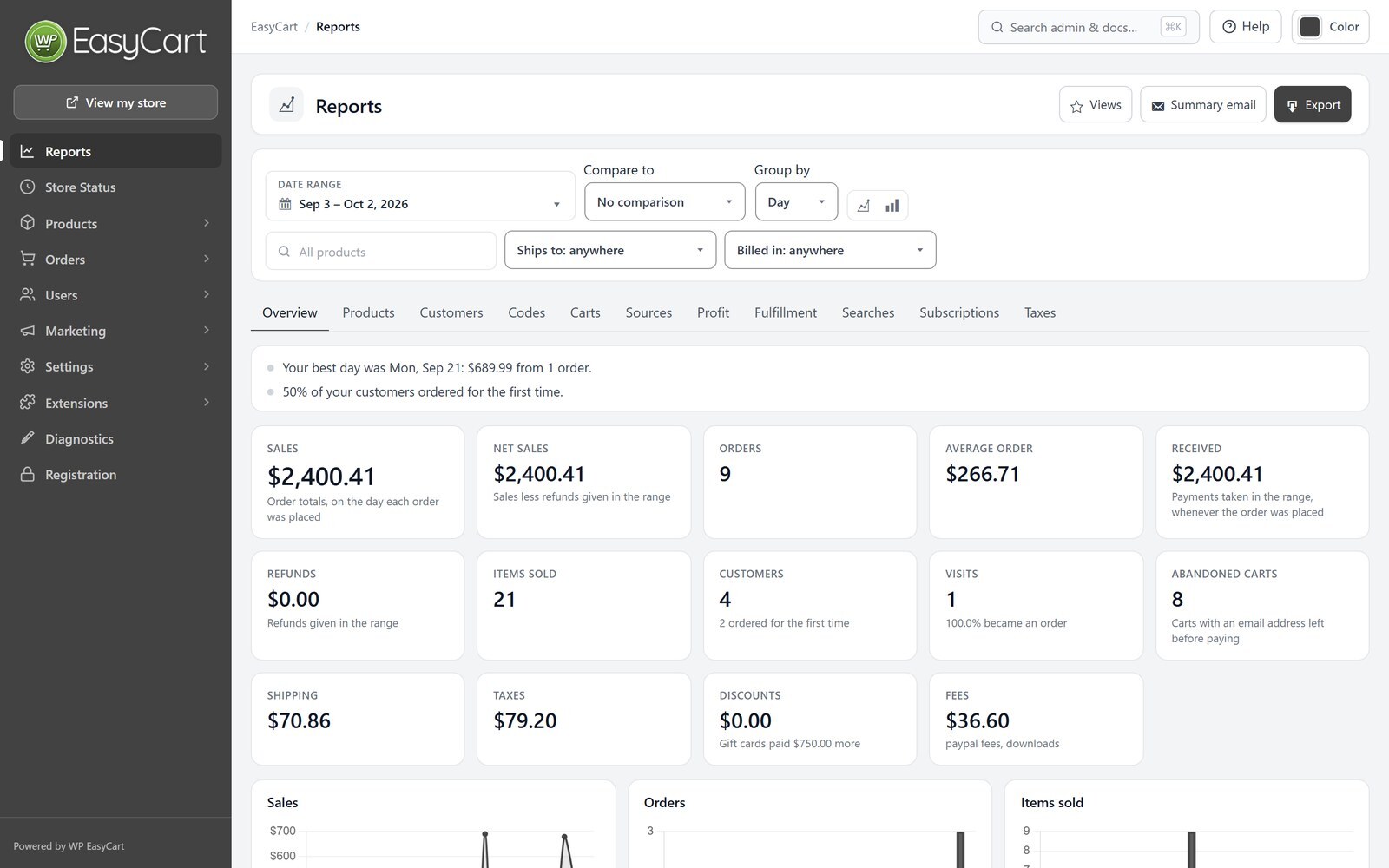
- Reports with your sales, orders and taxes, and a weekly summary email.
- See where each order came from, including AI assistants such as ChatGPT, Perplexity, Gemini and Copilot.
- Product pages that tell Google, Bing and AI assistants your prices, stock, reviews, return policy and shipping.
- Meta Pixel and Google Analytics, with support for your cookie banner.
- Customer reviews with review request emails.
Design it your way
- Works with any theme, with store, cart and account pages created for you.
- Elementor widgets and templates for product, category, shop, cart, checkout and account pages, plus blocks and shortcodes.
- Change any wording your store shows, in any language.
Privacy built in
- Works with Complianz, CookieYes, Cookiebot, the WP Consent API and Google Consent Mode.
- Customers are included in WordPress’s personal data export and erase tools.
- Card details are entered in your payment provider’s own secure fields.
Pro: everything in Free, plus
- No WP EasyCart fee on your sales, and 30+ more payment gateways.
- One-page checkout, your own checkout questions, and gift orders.
- Subscriptions, digital downloads and gift cards.
- Live shipping rates from UPS, FedEx, USPS, DHL, Canada Post and Australia Post, plus store schedules and pickup locations.
- Automatic sales tax from TaxCloud or TaxJar.
- Coupons, promotions and abandoned cart emails.
- Order editing and refunds, invoices and credit notes, payment terms, and orders you create for phone customers.
- Full reports on products, customers, profit, carts and more, a Google product feed, and MailerLite, Kit and ActiveCampaign sync.
- One-to-one support and 12 months of updates. Try Pro free for 14 days from WP EasyCart › Registration; no card needed.
Premium: everything in Pro, plus
- Store manager apps for iPhone, iPad, Android and desktop.
- Premium extensions, installed in one click: Facebook & Instagram, Shippo, ShipStation, Stamps.com, QuickBooks Desktop, Avalara AvaTax, AffiliateWP, Email Marketing for Mailchimp and Klaviyo, Zapier and more.
Helpful links
External services
WP EasyCart connects to these services only when you use the feature that needs them.
- WP EasyCart Connect ( connect.wpeasycart.com ) connects your Stripe, Square and PayPal accounts and passes their payment notifications to your store, installs WP EasyCart PRO when you start a trial or add a license, and, only if you choose to share anonymous usage data, receives it. Privacy policy, terms.
- WP EasyCart demo data ( support.wpeasycart.com ) supplies sample products and images when you install demo data from the setup wizard.
- Stripe processes card and wallet payments when you connect Stripe. It receives the order total and the customer’s payment and billing details. Privacy policy, terms.
- Square processes payments when you connect Square. It receives the order total and the customer’s payment and billing details. Privacy policy, terms.
- PayPal processes payments when you connect PayPal. It receives the order and the customer’s details needed for payment. Privacy policy, terms.
- Google reCAPTCHA and Cloudflare Turnstile check that a shopper is a person, only when you turn them on. Google privacy policy, Cloudflare privacy policy.
- Google Analytics and the Meta Pixel receive store events, such as product views and purchases, only when you add their IDs, and only after the shopper consents when your store asks for consent. Google privacy policy, Meta privacy policy.
- Vatlayer receives the VAT number a customer enters, when you turn on VAT number checks. TaxCloud receives the order’s address and items when you turn it on with WP EasyCart PRO.
- Amazon S3 serves download files you choose to store there.
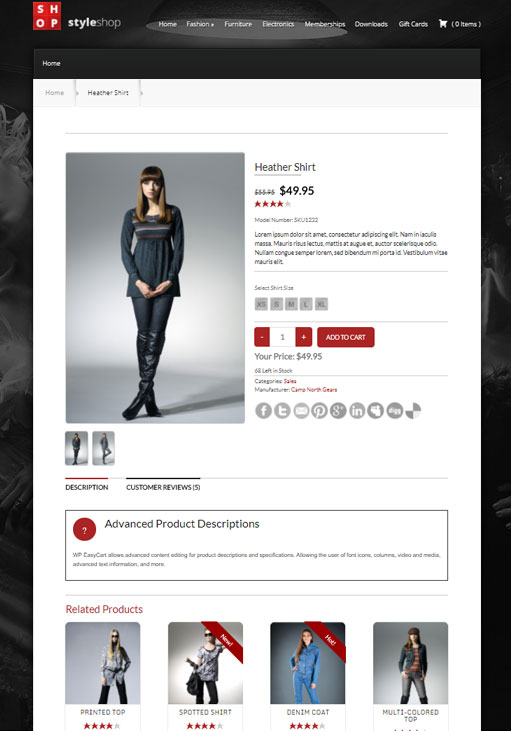
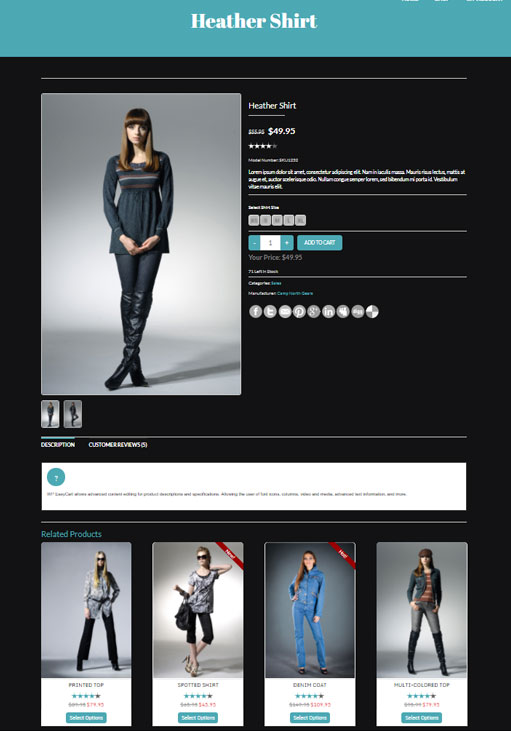
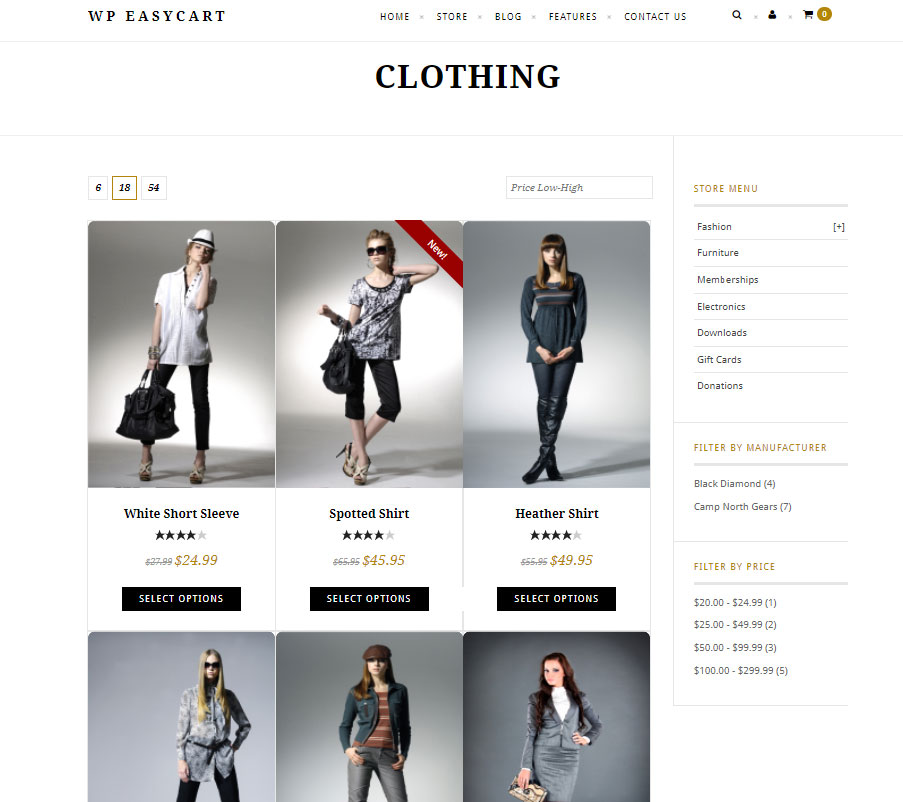
Screenshots


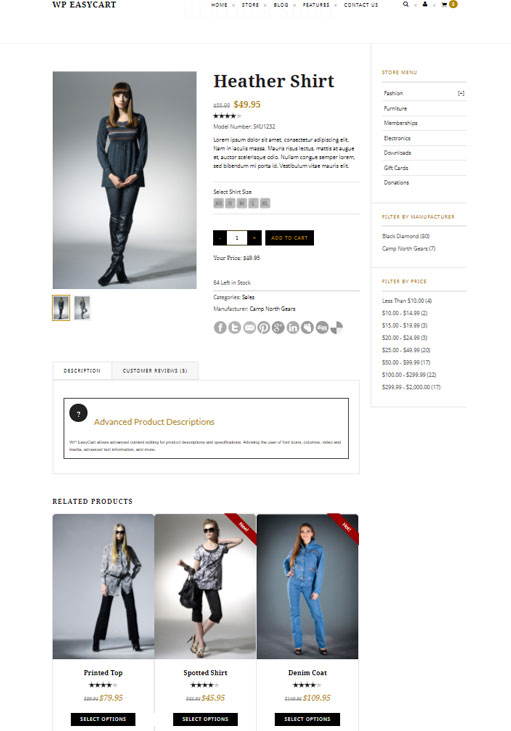
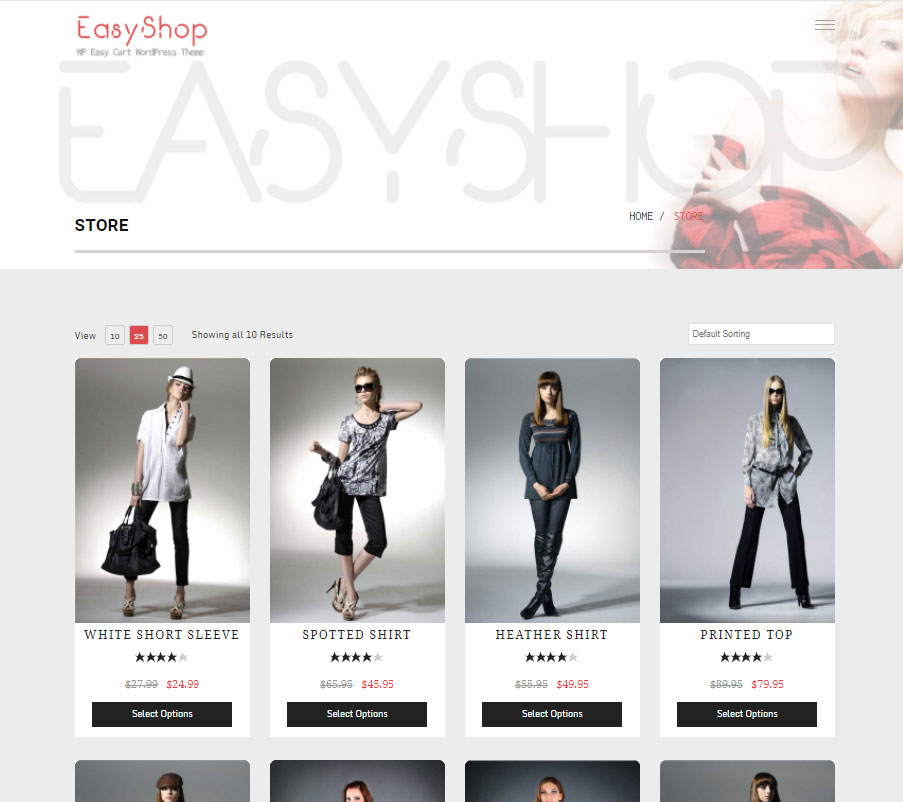
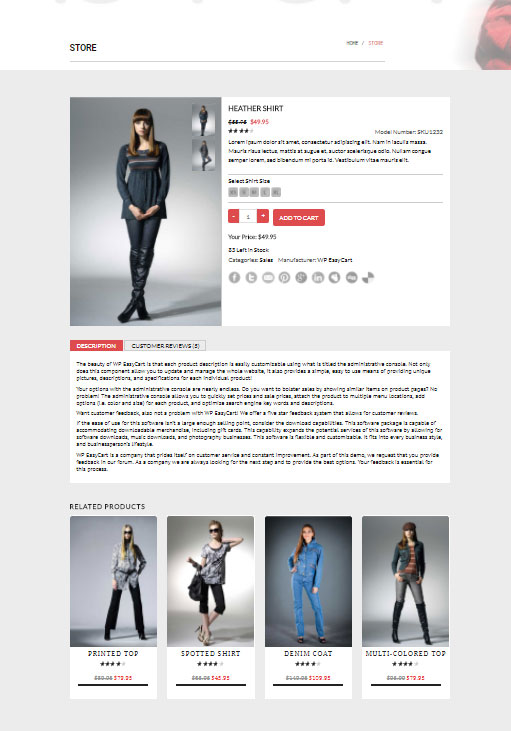
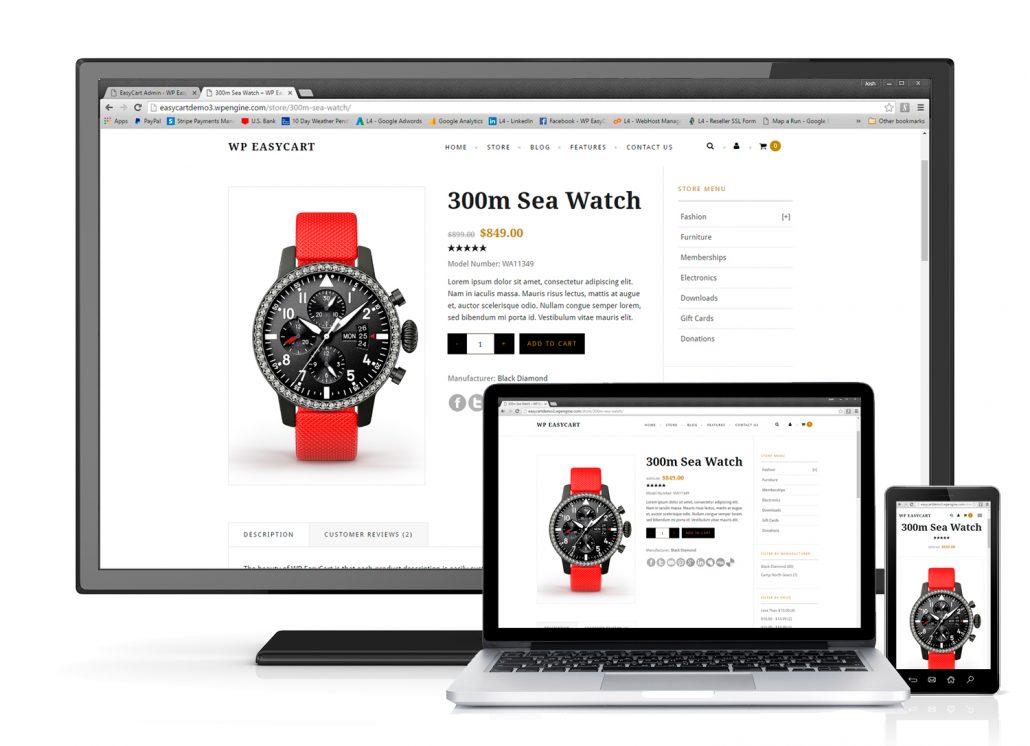
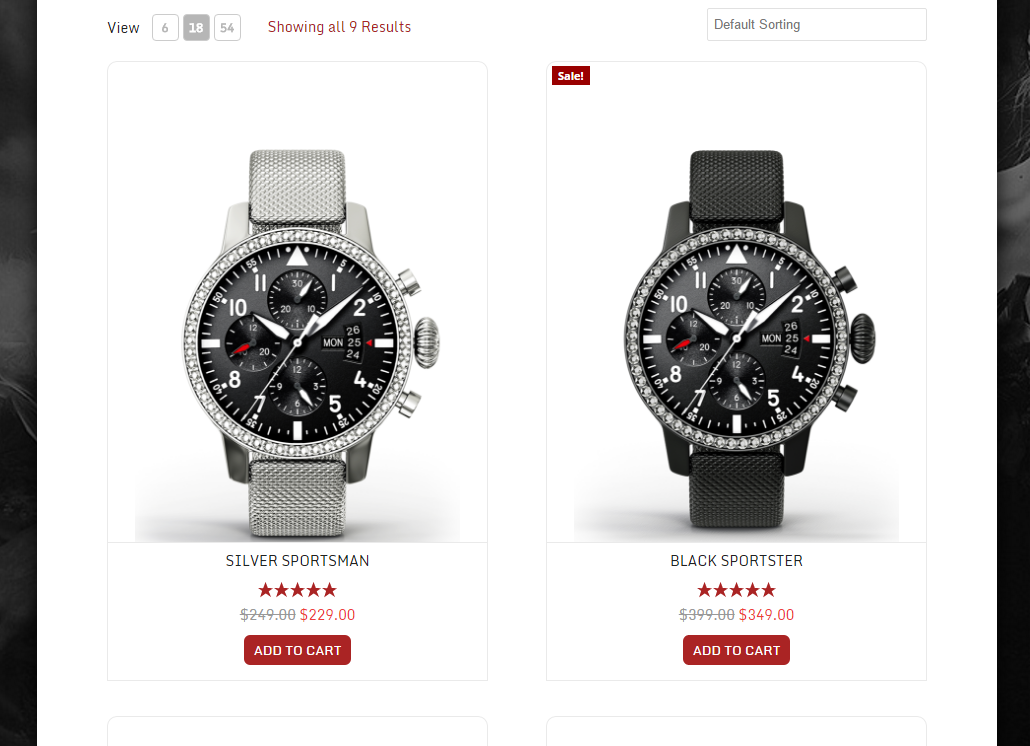
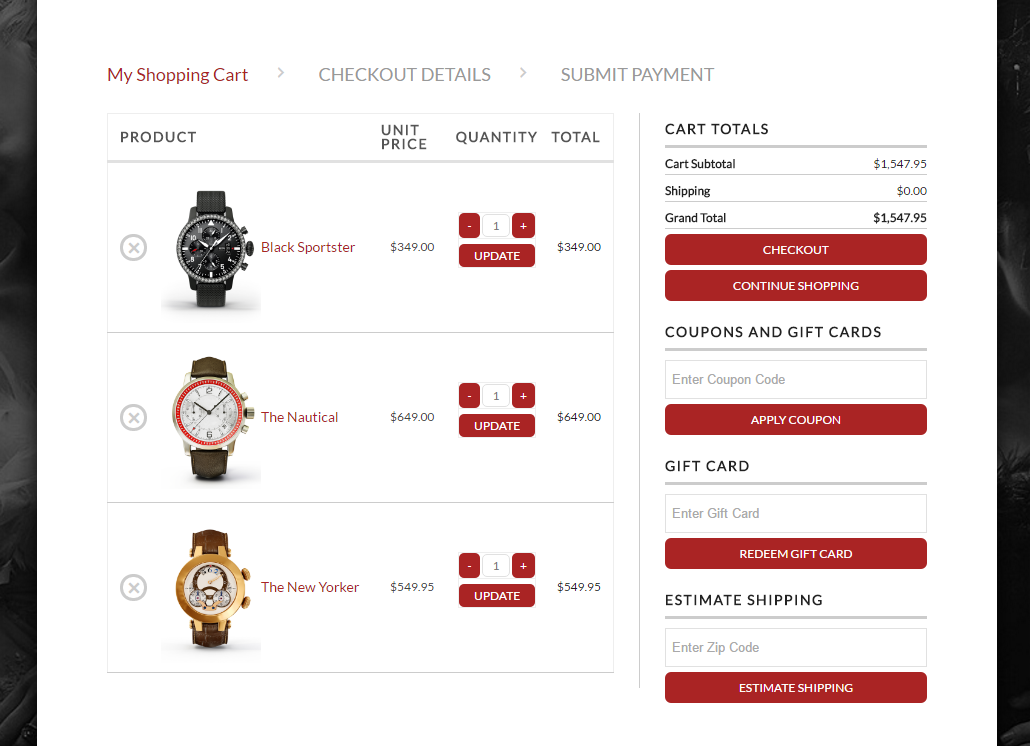
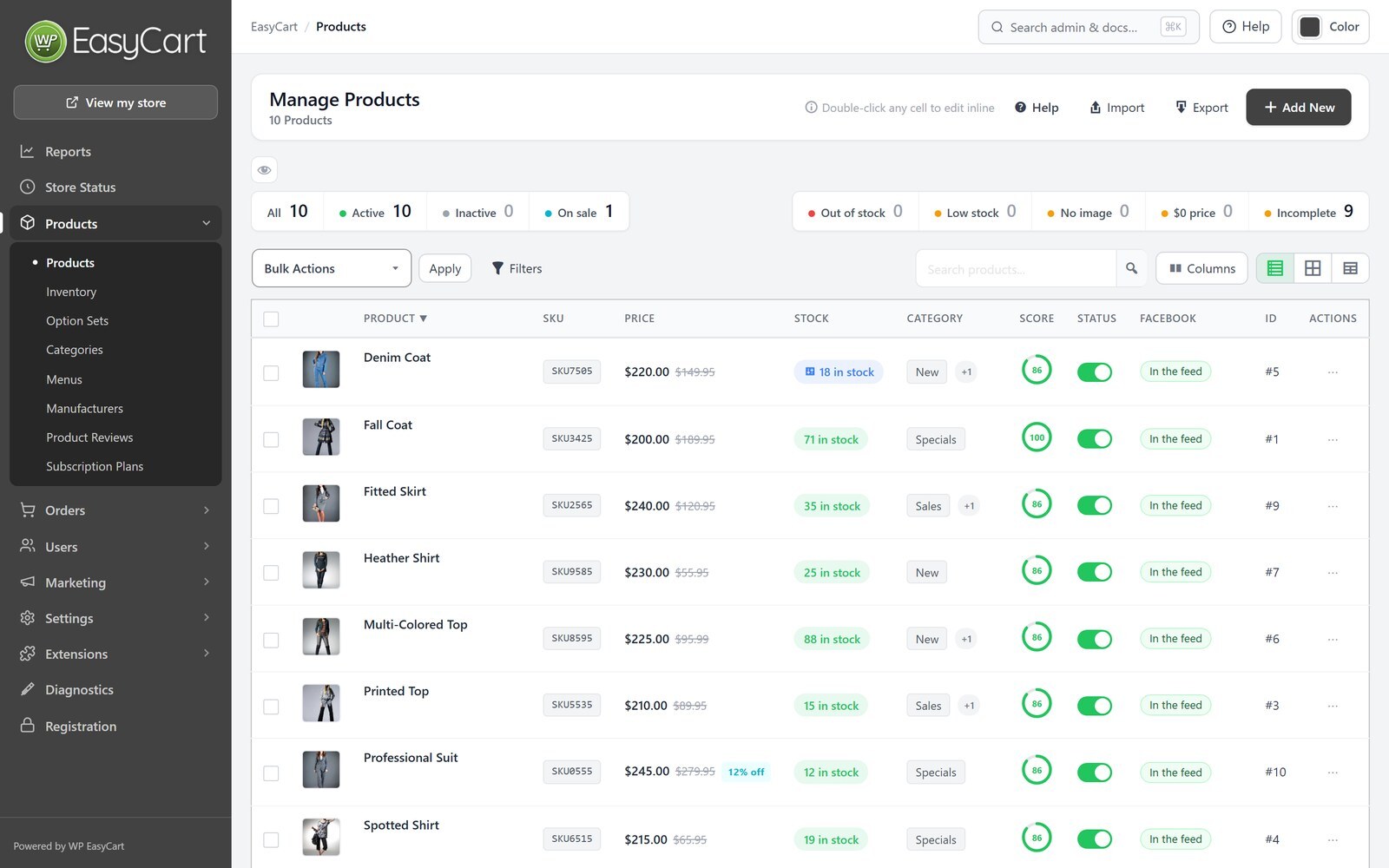
Blocks
This plugin provides 1 block.
- WP EasyCart
Installation
- In your WordPress admin, go to Plugins › Add New, search for “WP EasyCart”, then install and activate it.
- Follow the setup wizard to create your store pages and choose how you take payments, charge tax and ship.
- Add your products under WP EasyCart › Products.
- Connect Stripe, Square or PayPal under WP EasyCart › Settings › Payments.
To try Pro, open WP EasyCart › Registration and choose Start free trial.
FAQ
-
Is WP EasyCart really free?
-
Yes. The free plugin has unlimited products and orders and no time limit. On the free plan, payments taken through Stripe, Square or PayPal connected with WP EasyCart carry a 2% WP EasyCart fee; Pro and Premium have no WP EasyCart fee. Your payment provider’s own processing fees always apply.
-
Free is a complete store. Pro adds the features a growing store needs, such as 30+ more payment gateways, live shipping rates, subscriptions, coupons, invoicing and full reports, with no WP EasyCart fee. Premium adds the store manager apps and the Premium extensions. Pro and Premium both use the WP EasyCart PRO plugin. See plans and pricing.
-
Can I try Pro before I buy?
-
Yes. Start a 14-day free trial of Pro from WP EasyCart › Registration. No card is needed, and WP EasyCart installs everything for you.
-
How do licenses work?
-
A Pro or Premium license covers one website and includes 12 months of updates and support. Licenses never renew on their own; renew from your account at wpeasycart.com whenever you choose. You can move a license from a development site to your live site.
-
Will it work with my theme?
-
Yes. WP EasyCart works with any WordPress theme and creates its store, cart and account pages for you. You can also design your store pages with Elementor or the block editor.
-
Can I show products without selling them?
-
Yes. Turn on catalog mode to show your products without the Add to Cart button.
-
Which payment gateways can I use?
-
The free plugin takes payments through Stripe, Square and PayPal, including Apple Pay and Google Pay, and can take manual payments such as bank transfer. Pro adds 30+ more, including Authorize.net, Braintree, NMI, PayTrace, Intuit Payments, Moneris, eWAY and Global Payments.
-
Can I sell on Facebook and Instagram?
-
Yes, with the Facebook & Instagram extension that comes with Premium. It keeps your Facebook and Instagram catalog in step with your store.
-
Does WP EasyCart help with privacy laws such as GDPR?
-
Yes. It works with the leading cookie banners and Google Consent Mode, so tracking waits for each shopper’s consent, and your customers are included in WordPress’s personal data export and erase tools.
-
Where can I get help?
-
Start with the documentation. Pro and Premium stores get one-to-one support from our team at support.wpeasycart.com.
-
Where do I report a security issue?
-
Please report security issues through the Patchstack Vulnerability Disclosure Program. The Patchstack team will help verify the issue and let us know.
Reviews


Contributors & Developers
“WP EasyCart: Shopping Cart and eCommerce Store” is open source software. The following people have contributed to this plugin.
Contributors

“WP EasyCart: Shopping Cart and eCommerce Store” has been translated into 3 locales. Thank you to the translators for their contributions.
Translate “WP EasyCart: Shopping Cart and eCommerce Store” into your language.
Interested in development?
Browse the code, check out the SVN repository, or subscribe to the development log by RSS.
Changelog
6.0.2
- New Feature – Redesigned order screen: see where every order stands, ship it in one step with tracking and an email to the customer, tick off items as you pack, and move between orders with search and keyboard shortcuts.
- New Feature – Boxes and packages: save the boxes you ship in, have new orders packed automatically, and track every package through to a new Delivered status.
- New Feature – Checkout protection: stops card-testing bots at your checkout, on by default, with automatic extra checks during an attack and support for Cloudflare Turnstile and reCAPTCHA.
- New Feature – Checkout fields: add your own questions to the checkout, show them only when they apply, and keep the answers on the order, in emails and on documents.
- New Feature – Gift orders: shoppers can send an order as a gift with a personal message, and the recipient can get a gift receipt without prices.
- New Feature – Invoicing for business customers: numbered invoices and credit notes, PO numbers, payment terms such as Net 30, rules that pick the right documents for each order, and invoices and receipts customers can download from My Account.
- New Feature – Pay links: send customers a secure link to pay an order, or its remaining balance, by card, PayPal or bank transfer.
- New Feature – Create orders in the admin for phone orders and quotes, then save a draft or email the invoice with its pay link.
- New Feature – Order payments: every order keeps what the customer actually paid, so an edited order shows the balance or refund due, and a refund can be split across several payments.
- New Feature – Order sources: see where every order came from, such as search, ads, email, social media or AI assistants like ChatGPT, Perplexity, Gemini and Copilot.
- New Feature – Rebuilt Reports: accurate totals in your time zone, comparisons with earlier periods, reports for products, customers, codes, carts, sources, profit, fulfillment, searches and subscriptions, CSV exports and a weekly summary email.
- New Feature – Search & AI: product pages tell Google, Bing and AI assistants your prices, stock, variants, reviews, returns and shipping, with a checklist on every product.
- New Feature – Google product feed: a feed that keeps itself up to date for Google Merchant Center, Microsoft Merchant Center and Pinterest, with a one-step connection to Google Merchant Center.
- New Feature – Meta Conversions API: send your store’s events from your server as well as the Meta Pixel, counted once by Meta.
- New Feature – Privacy: works with Complianz, CookieYes, Cookiebot, the WP Consent API and Google Consent Mode so tracking waits for each shopper’s consent, and WordPress’s personal data export and erase tools now cover your customers.
- New Feature – Email marketing: sync subscribers, orders and abandoned carts with MailerLite, Kit and ActiveCampaign, or with Mailchimp and Klaviyo through the Email Marketing extension.
- New Feature – Offer codes in bulk: import, generate up to 10,000 at a time and export codes, use offer codes on subscriptions, and test any code against a product.
- New Feature – Tax services: choose TaxCloud, TaxJar or an extension such as Avalara AvaTax to calculate tax across your store, with built-in connection tests.
- New Feature – Elementor: design product and category pages with templates and ready-made layouts, and build your shop, cart, checkout and account pages with dozens of new widgets, including a side cart.
- New Feature – Fulfillment partners: sell products made and shipped by a print-on-demand partner, with the partner’s shipping added at checkout ( Printful and Printify extensions coming soon ).
- New Feature – Extensions page: every WP EasyCart extension in one place, with what is installed and what needs an update.
- New Feature – Choose and reorder the columns on every admin list.
- New Feature – PayTrace payment gateway.
- Improvement – One-page checkout is out of beta and works with every payment method, including 3-D Secure, PayPal, Affirm, Amazon Pay, Apple Pay and Google Pay.
- Improvement – Placing an order shows its progress and locks the checkout, so an order can never be sent twice.
- Improvement – Variations keep their SKU, price and stock when you change a product’s options, and can have their own weight and cost.
- Improvement – DHL live rates use DHL’s current MyDHL API.
- Improvement – Card fees set in Flex-Fees now also apply to Apple Pay, Google Pay and Link.
- Improvement – Tracking links work with more carriers, including DHL, Canada Post, Australia Post and Royal Mail.
- Improvement – Faster pages for stores with many coupons, and faster Reports and order screens on large stores.
- Improvement – Declined cards show shoppers a simple message instead of the bank’s reason.
- Improvement – Payment notifications from Stripe, PayPal and other gateways are confirmed before they change an order.
- Improvement – WordPress User Sync: customers are signed in to your store and WordPress right away, and accounts stay linked when an email or password changes.
- Improvement – The WooCommerce import can pick up where it stopped, keeps your category tree and brings in draft and private products as inactive.
- Improvement – Store Status warns about payment methods left in test mode, a missing store page and search engines blocked by robots.txt.
- Improvement – Every abandoned cart reminder is sent from your Account emails address and shows in the email log.
- Improvement – Bill later can be offered to chosen customer roles, and membership content can be limited by user role.
- Improvement – Subscription products say clearly when they can’t be sold because Stripe isn’t connected.
- Improvement – Intuit Payments connections renew reliably and show the connected company.
- Bug Fix – Orders paid through Stripe, Square, PayPal, Amazon Pay, Realex, Redsys, SagePay and NMI are marked paid only once the payment is confirmed for the right amount, and returning from 3-D Secure finishes the order.
- Bug Fix – Apple Pay and Google Pay charge the shipping and tax for the address and shipping option chosen in the wallet.
- Bug Fix – Refunds made in your Stripe or PayPal account are recorded on the order.
- Bug Fix – One-page checkout saves VAT numbers, billing addresses, order notes and last-moment changes, and shows any change to the total before payment.
- Bug Fix – TaxCloud and TaxJar no longer tax non-taxable products or lower the tax for gift cards, and report orders and refunds correctly.
- Bug Fix – Live shipping rates include the weight of chosen options, USPS quotes carts shipped in several boxes correctly, heavy Australia Post carts are quoted, and older USPS services show again.
- Bug Fix – Shipping rates from extensions such as Shippo, ShipStation and OptimalShip work with shipping classes and are named on the order.
- Bug Fix – Free and discounted shipping offers come off live rates and the shipping actually charged, coupon codes with a dash work, and savings on each line show with offers again.
- Bug Fix – Subscriptions: coupons and offer codes give the same discount on the subscription page and at Stripe, and the subscription checkout no longer stops with an error on PHP 8.
- Bug Fix – Status changes from the orders list take stock and notify extensions without running twice, and fulfilling never marks an unpaid or refunded order as shipped.
- Bug Fix – Reports count unique customers, VAT, refunds and abandoned carts correctly.
- Bug Fix – Store emails sent through another plugin, such as Mandrill, are no longer lost.
- Bug Fix – Installs and database updates now finish on MySQL 8 and MySQL 5.5 servers where they could not complete before.
- Bug Fix – Creating an account or saving account details without ticking the newsletter box no longer unsubscribes an existing subscriber, and MailerLite, Kit and ActiveCampaign update the right contacts.
- Bug Fix – Search engines get accurate star ratings, stock and prices, and Google product feed variants carry the right prices.
- Bug Fix – Stores using Redis or Memcached show every shopper their own prices and availability.
- Bug Fix – Store rules apply everywhere: add to cart follows catalog mode, inquiry mode, login for pricing and customer roles, downloads need a paid order, and memberships follow one clear rule.
- Bug Fix – Elementor widgets work on PHP 8, with page caches and in popups, and keep their settings, styles and account form details.
- Bug Fix – Review request emails open the review form with the chosen rating, and new reviews are marked as verified purchases.
- Bug Fix – The Membership, Store Table and Category Grid blocks work again.
- Bug Fix – Payment notifications reach stores installed in a subfolder.
- Bug Fix – Cart, product image, menu and category links follow your store page after it is renamed, and Fix product permalinks updates the old saved links.
- Bug Fix – A mistyped license key is reported as not accepted, with a link to find your key, instead of asking you to try again later.
- Bug Fix – The setup wizard no longer offers the free trial to Pro and Premium stores, and shows the payment fee that applies to your store.
- Bug Fix – Diagnostics checks for PHP 7.3, the version WP EasyCart needs, instead of PHP 5.3.
- Bug Fix – Passwords with special characters work for sign-in and password resets.
6.0.1
- New Feature – Order documents: choose what the order receipt, shipped email, packing slip and invoice PDF show, keep several versions of each ( such as a packing slip without prices ) with its own logo, and preview them with your own orders.
- New Feature – Attach the invoice or packing slip as a PDF to order emails.
- New Feature – Send Email on the order screen: send the receipt, shipped email, packing slip or your own message, preview it first and change what it includes for that one send.
- New Feature – Undo deletes: a deleted order, product or customer can be put back for 15 minutes.
- New Feature – Deleting a customer lets you move their orders to another customer or keep them as guest orders.
- Improvement – Local pickup orders are marked picked up instead of going through shipping.
- Improvement – The packing slip matches your store’s emails and can show the shipping method, carrier and tracking number.
- Improvement – Choose the email logo and signature image from the Media Library and set their size and position.
- Improvement – Square: inventory notifications are verified and logged, and the Square settings show what syncs and when the last notification arrived.
- Improvement – The setup wizard and Store Status support stores that ship nothing or charge no tax.
- Improvement – Checkout settings can create starting drafts of your terms and privacy pages.
- Improvement – A database change your host can’t apply can be skipped, so the rest of the update finishes.
- Improvement – Inventory can be filtered to one product and its variations.
- Improvement – Packing slip and invoice PDF wording now comes in Chinese, Danish, Dutch, French, German, Greek, Hungarian, Latvian, Russian and Spanish.
- Bug Fix – Live shipping rates measure parcels correctly, so USPS, UPS, FedEx and DHL quotes are much closer to the real cost.
- Bug Fix – Removing or reordering one option set in the product editor no longer removes every option set and variation.
- Bug Fix – Changing a variation’s stock updates the product’s total stock right away.
- Bug Fix – Square sync keeps your product SKUs and links, no longer stops on newer PHP versions, and saving Square settings no longer switches off other payment gateways.
- Bug Fix – Order emails resent from the email queue keep their PDF attachments.
- Bug Fix – Database updates no longer get stuck on “database upgrade in progress”.
- Bug Fix – Customer order counts and spend stay correct when orders move between customers or customers are merged.
- Bug Fix – Undo works after deleting subscribers, roles, subscription plans and subscriptions.
- Bug Fix – Store managers can use every settings screen they can open.
- Bug Fix – Product pages with images per option open on the right images.
- Bug Fix – Printing several receipts or packing slips puts each on its own page, and list actions keep working after a print or export.
- Bug Fix – Adding to the cart no longer fails with “Maximum quantity exceeded” because of a related product’s quick view.
- Bug Fix – Settings save reliably, including the first time you choose live carrier rates.
- Bug Fix – The order shipped email uses the email method set by another plugin.
6.0.0
- New Feature – Settings redesigned: a Settings home with search across every setting, pages organized into sections with a jump list and clearer wording throughout.
- New Feature – Flex-Fees: a percentage fee can now be calculated on the order total (subtotal + shipping + tax – discounts) instead of the subtotal only, so a card-processing fee such as 2.9% covers the whole charged amount.
- New Feature – Customer file uploads (file upload option) can now be downloaded by staff from the admin order email and the order details screen through a secure link that requires a logged-in administrator or order manager.
- New Feature – Per Page Options: one page size can be starred as the default; the storefront starts shoppers on it.
- New Feature – Customer file upload links in the admin order email can optionally work without signing in, using an expiring private link (Settings › Email › Order emails), with a one-click option to revoke all links already sent.
- New Feature – Text and text area options can now force UPPERCASE, lowercase or Title Case, limit input to letters, letters and spaces, numbers, or letters and numbers, and show placeholder text; rules apply while typing and again when the item is added to the cart.
- New Feature – Email deliverability: send a test email from the Deliverability panel; the result is shown on screen and recorded in the email log.
- New Feature – PDF invoice or receipt to customer and admin order emails (Settings > Email > PDF receipts), with your business details, a file name pattern and A4 or Letter paper, to help meet EU invoicing requirements. Includes an “Email me a sample PDF” button.
- New Feature – Manage offers, coupons and promotions that apply to the product, with status, uses, orders and revenue from the product details.
- New Feature – Stock history on Inventory & Shipping, with the change, reason, resulting quantity and who made it; managed from the product details.
- New Feature – Edit the Yoast SEO title, meta description, focus keyphrase, canonical URL and search visibility from the SEO tab when Yoast SEO is active, directly from the product details.
- New Feature – Price filter in the store sidebar: turn on Settings > Products > Store sidebar > Price filter (or “Enable Sidebar Price Filter” on the Elementor Store element) to list your price ranges with product counts.
- New Feature – File upload options can now limit which file types shoppers may upload (images, documents, design files such as PSD/AI/EPS, archives), with the accepted types shown next to the upload field.
- New Feature – Download the order’s PDF receipt from the order actions menu when PDF receipts are enabled.
- New Feature – Product Details: Quick filters on the Offers tab (All, Live, Targets, Used) with counts.
- New Feature – Product Details: Orders using an offer list with search, offer and date filters, and paging.
- New Feature – Inventory: “Send now” in the Alerts box sends the low stock digest immediately as a test, without changing the schedule.
- New Feature – Settings > Email can now send you each subscription email (trial started, trial ending, renewal coming up, subscription ended, payment failed) as a test, built from a real subscription when you have one.
- New Feature – Settings > Email now shows the retry queue: what is waiting, how many attempts it has had, when the next attempt is, with “Send queue now” and per-email retry, plus a “Simulate a failed send” test that never touches customer mail.
- New Feature – Inquiry forms can now require the shopper to be signed in to a store account.
- New Feature – Refused inquiries are recorded under Settings > Log entries with the reason, a masked email address and no stored IP address.
- New Feature – Authorize.net now allows you to upgrade to the Accept.js version, which offers PCI compliance.
- Improvement – Inventory: import and export rebuilt. The export now carries Product ID and Variant ID, so variants that share a SKU can be updated; the import panel previews every row before applying in the background, logs each change to stock history, and explains rows it cannot match.
- Improvement – Add product panel: pricing, media, inventory & shipping and options are cards in the current admin design; option sets are chosen with search and shown as chips with a variant count.
- Improvement – Orders with nothing to ship (downloads, gift cards, subscriptions and services, or products with shipping disabled) removes the fulfill features.
- Improvement – Order details: the Fulfillment card was redesigned. The status strip no longer wraps a boxed Shipping Info panel with duplicate Edit links; shipping method, carrier and tracking number show as one summary with a single Edit, and new orders get a clear “No shipping details yet” prompt with an Add shipping details button.
- Improvement – Product editor: the Pricing & Tax tab now shows the product’s current price (and crossed-out Previous Price), updating as you type, with an Edit price button that jumps to the Price field on the General tab.
- Improvement – Countries & Regions: the country list now covers the full ISO 3166-1 set (250 countries) and default regions were added for Mexico, Spain, Germany, New Zealand and Ireland, with Brazil and India completed. Applies to new installs and to “Restore default countries & regions” only; existing stores are never changed.
- Improvement – Countries & Regions: saving a country or adding a region updates the list in place; the drawer closes on save.
- Improvement – Settings menu: “Countries” and “States/Territories” merged into one “Countries & Regions” link; old States bookmarks still open the combined screen.
- Improvement – Store details › Currency: a live price preview, one-click separator and decimal-place choices, currency code suggestions with a one-click “usual format” for common currencies, and exchange rates edited as a list instead of a comma-separated string.
- Improvement – Settings › Shipping rates: switch the shipping method right from the rates page, and the rate tables stay readable and editable on small screens.
- Improvement – Order statuses editor redesigned: compact color, name and paid controls in a grid, built-in and custom statuses grouped.
- Improvement – New stores that use Square or WooCommerce now see an “Import your products” item in the launch checklist, linking to the cart importer; Settings search also finds sections such as Cart importer.
- Improvement – Shipping zones collapse large place lists with expand/collapse controls.
- Improvement – Manage Downloads explains folder and permission problems and adds Create folder, Replace file, Choose existing file, Switch to Amazon S3 and Repair actions.
- Improvement – Email deliverability: step-by-step “How to fix” help for SPF, DKIM, DMARC and sender address checks, with ready-to-copy DNS records and where to add them; a new “Improve delivery in 3 steps” guide when no mail plugin is installed; a mail plugin that takes over WordPress mail is now shown as a passed check with a link to its test screen; the health card explains its state in one sentence.
- Improvement – Abandoned Carts shows the next automatic run, the last run result, WP-Cron warnings and a Run now button; reminder emails include one-click List-Unsubscribe headers and test emails no longer touch real customers’ carts.
- Improvement – Stock quantities changed in the product editor are now recorded in inventory history.
- Improvement – Customer file uploads: when an order’s file is not on the server, the order screen shows “File not received” instead of a Download link, the admin order email says “file not received”, and the download link opens a clear page with Open order and Email the customer buttons for staff instead of a bare error.
- Improvement – Canada taxes: for Quebec addresses the provincial tax is shown as QST instead of PST in the cart, checkout, wallets (Apple Pay / Google Pay), emails, receipts, packing slips and admin order totals. GST, PST, QST and HST names are now editable in the language editor (Cart › Cart Totals), with French defaults TPS, TVP, TVQ and TVH. The Canada tax settings explain that Quebec’s QST rate goes in the PST column.
- Improvement – Logs: “View order” is only offered on entries linked to an order.
- Improvement – Live shipping: cart updates only request quotes from carriers that are set up (Australia Post, FedEx, etc. without credentials are skipped), make no carrier requests until the shopper has entered a destination, and reuse the saved quote for up to 30 minutes when the cart, destination and carrier settings have not changed.
- Improvement – Live shipping: Canada Post, FedEx, UPS and USPS are now quoted at the same time instead of one after another, so a cart update waits for the slowest carrier rather than all of them added together.
- Improvement – Live shipping: every carrier request now has a 5 second connection and 10 second overall time limit (Canada Post and USPS had none), and a carrier that cannot be reached, rejects the account or has a server error is skipped for 5 minutes so the cart doesn’t wait on the same failure with every change. Saving that carrier’s settings, reconnecting UPS or a passing connection test lifts the pause, and each pause is recorded in the logs.
- Improvement – The saved live rate quotes table is indexed by cart and cleaned daily (quotes for carts that no longer exist, or older than 18 days).
- Improvement – Every store email now shares one modern design: 600px layout that stacks on phones, store logo and accent color, address cards, clear item table and totals, and a footer.
- Improvement – Addresses in emails now follow each country’s format (postcode before the city in most of Europe, on its own line in the UK) and no longer leave blank lines when a company, second line, state or postcode is missing.
- Improvement – Printable gift card redesigned: the amount and code stand out, the product image no longer fills the page, and it prints cleanly.
- Improvement – User details: saved addresses with no details are labelled “Blank address” with a short explanation instead of “(empty address)”.
- Improvement – Inventory: Bulk Update “Adjust quantity by” now asks you to choose a reason instead of defaulting to “Stock received”.
- Improvement – Redesigned the customer subscription details page with a status badge, product image, price and billing dates, card on file, purchased options, billing history and grouped actions.
- Improvement – Customer file uploads now check the file’s real contents against the option’s allowed types, and always refuse scripts, web pages, SVG and names that hide a script extension.
- Improvement – Product inquiry forms are now protected by an invisible honeypot field and a minimum time-to-submit check, so scripted spam is refused before it reaches your inbox.
- Improvement – Inquiries are rate limited per visitor, per email address and per product, with merchant-set hourly limits under Settings > Products > Inquiry form protection.
- Improvement – Inquiry messages are now checked for length, excessive links and a merchant-editable list of blocked words and domains, and forged or mismatched form fields are rejected.
- Improvement – Hardened the inquiry submit handler: the form nonce is checked before any field is read, and every posted field is sanitized once.
- Improvement – The product editor is now always the redesigned editor; the setting that switched between the classic and new editors has been removed.
- Improvement – Legacy admin screens that had been replaced by the redesigned lists, editors and settings pages have been removed from the plugin, along with their scripts and handlers, for a smaller and faster admin.
- Improvement – Store schedule and store locations are now one Settings page with a tab for each, and locations are added and edited in a side panel that also shows where each location is used and which schedules apply there.
- Improvement – When an active extension plugin is on a version that does not match this release, the WP EasyCart admin shows a page to update or deactivate it instead of failing to load.
- Improvement – Feature labels, license and renewal notices, upgrade prompts and locked-feature messages now name the plan your store is on (Pro or Premium) instead of one label for every paid plan.
- Improvement – Shipping settings: carrier accounts are shown one carrier at a time in tabs, starting with USPS, and each carrier’s connection status updates as soon as a detail is saved, naming any missing details (such as the origin country) or explaining why the carrier did not accept them.
- Improvement – Order statuses on new and existing stores get default colors (green for completed, amber for in progress, red for problems) where a status was left white; colors you have chosen are kept.
- Improvement – Shipping settings: Australia Post, Canada Post and DHL each have an on/off switch, and turning a carrier off clears its saved details; USPS now shows as simply on or off instead of asking for the retired Web Tools username.
- Improvement – Settings > Schedule & Locations: the Locations tab says when Multiple pickup locations is turned off and links straight to that setting.
- Improvement – Order details: Resend order receipt and Send order shipped email open a send panel with To, Cc and Bcc, starting from the order’s current email address (including one just changed on the order), instead of a browser prompt.
- Improvement – On phones, the product, option set, category, customer and role editors keep their section list and health panel in a slide-out behind a menu button, so the screen starts on the settings you came to change.
- Improvement – Page headers redesigned: every admin screen now opens with a card that matches the panels below it, an icon, the page name and a line of context such as the record count, with Help, Import and Add grouped at the right.
- Improvement – Tax rates by state and by country: a saved row reads as text with Edit and Delete, editing happens in the row itself, deleting asks in the table instead of a browser box, and adding happens in the last row of the table.
- Improvement – Mobile admin pass: page headers keep the page name and the full “Add” wording on a phone — the title and its count sit on one row and the actions on the next, with the Add button across the row and Help or Import as tap-sized icon buttons — notices with a button stack instead of squeezing into a column, tables that sit in a card scroll sideways so the Actions column is reachable, the order screen keeps its status and actions on screen under 600px, and the settings save bar stays above the bottom tab bar.
- Bug Fix – On a phone, list screens showed a centred page title with an unlabelled button beneath it instead of the page name and its actions.
- Bug Fix – Settings > Admin > Quick add panel: the four toggles had no effect on the Add product panel since the settings redesign.
- Bug Fix – Choosing the card or spreadsheet view on one list left other lists ( Abandoned Carts, Gift Cards, Flex-Fees, Countries & Regions, Store Schedule, Locations, Downloads, Subscriptions ) stuck in a view they do not offer, with no way back to the table.
- Bug Fix – Reviews > Requests & rules: the Help link was unstyled.
- Bug Fix – A settings section whose advanced rows all sit behind a switch that is off no longer shows a “Show 0 advanced settings” line.
- Bug Fix – Order details: an order with nothing to ship showed as unfulfilled on the order screen while the list showed “No shipping”.
- Bug Fix – Log entries search now matches each word across the response and source, finds order numbers and transaction ids reliably, returns to page 1 on a new search, and keeps special characters when paging and exporting.
- Bug Fix – Subscription checkout saved an option’s download settings as a file name, creating download records that could not be downloaded; option override files on subscriptions are now read correctly too.
- Bug Fix – Store Status “Fix data folders” created folders with broken permissions and could not create nested folders.
- Bug Fix – Unsubscribing from cart reminders now asks the shopper to confirm (so email link scanners cannot unsubscribe anyone), supports one-click unsubscribe from Gmail and Yahoo, stops all future reminders to that address and marks the carts Unsubscribed in the admin.
- Bug Fix – Color swatches now show as colored chips on the storefront (product page, add-to-cart shortcode, Elementor add-to-cart, color widget) instead of broken …